
















On a Vanilla server, the Map page shows the world but no players. The page says: “Vanilla runs nothing of the panel’s, so players are not shown.” To see live positions, run the server as TShock or tModLoader. Both can show players on the map. If you only want players on the map, choose TShock: players keep joining with the normal game.
Why
The game does not tell anyone where its players are. The panel gets positions from its own tools, which run inside the game. The tools run on TShock and tModLoader only. Vanilla runs none, so it has no positions to give.
The drawn map itself still works on Vanilla. The panel draws it from the world’s save, in the colours of the game’s own map. It is the world as of the last save, not a live picture. Only the markers for players, bosses and town NPCs are live, and only with the tools.
Get live positions
- On the Map page, follow change the server software on the World page. Or open the World page.
- In the Server software card, choose TShock (2) or tModLoader (3) instead of Vanilla (1).
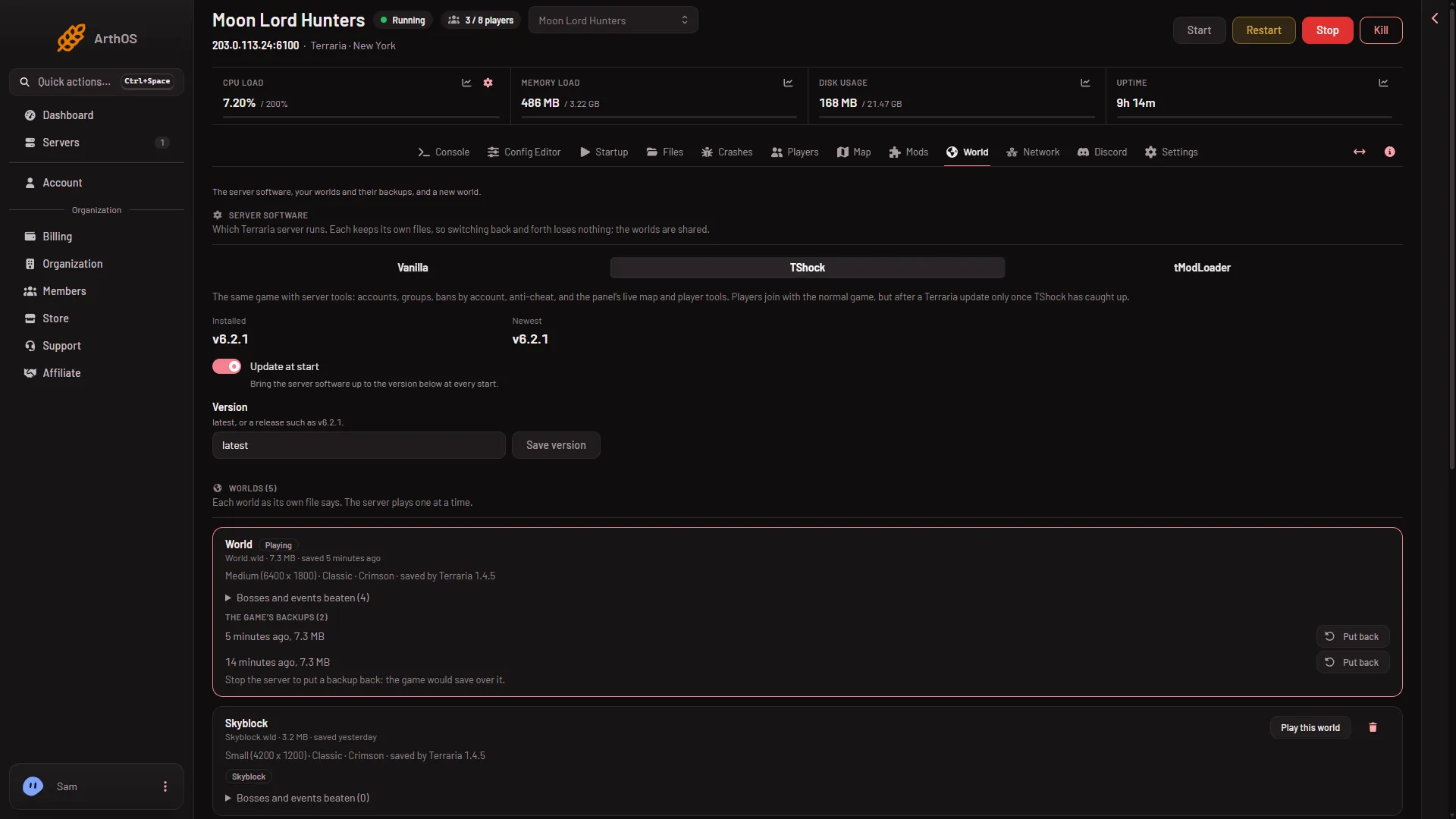
- Vanilla
- TShock
- tModLoader
- Read the box that opens, then confirm. It names what happens at the next start.
- Restart the server. The software downloads first, so the first start takes longer.
Your worlds stay, because all three programs share them. The Vanilla files stay too, so you can switch back.
Which one
- TShock plays the same game. Players join with the normal game. After a Terraria update, players can join only once TShock has caught up with it. It asks players to log in, and the first time it prints a one-time code that you type in chat to make yourself its owner (the Players page shows it under Make yourself TShock’s owner).
- tModLoader adds Steam Workshop mods. Every player must install tModLoader to join. It runs Terraria 1.4.4, so a world saved by 1.4.5 does not open on it. The World page marks such a world “Too new for tModLoader”.
A world saved by 1.4.5 is the usual case for a Vanilla server, so choose TShock, or make a new world for tModLoader.
After the switch
The map shows players while someone is on. With nobody on, the world is paused and the page says “Nobody is on.” A player’s card shows health, where they are and what they hold. Its buttons need a role that allows them.
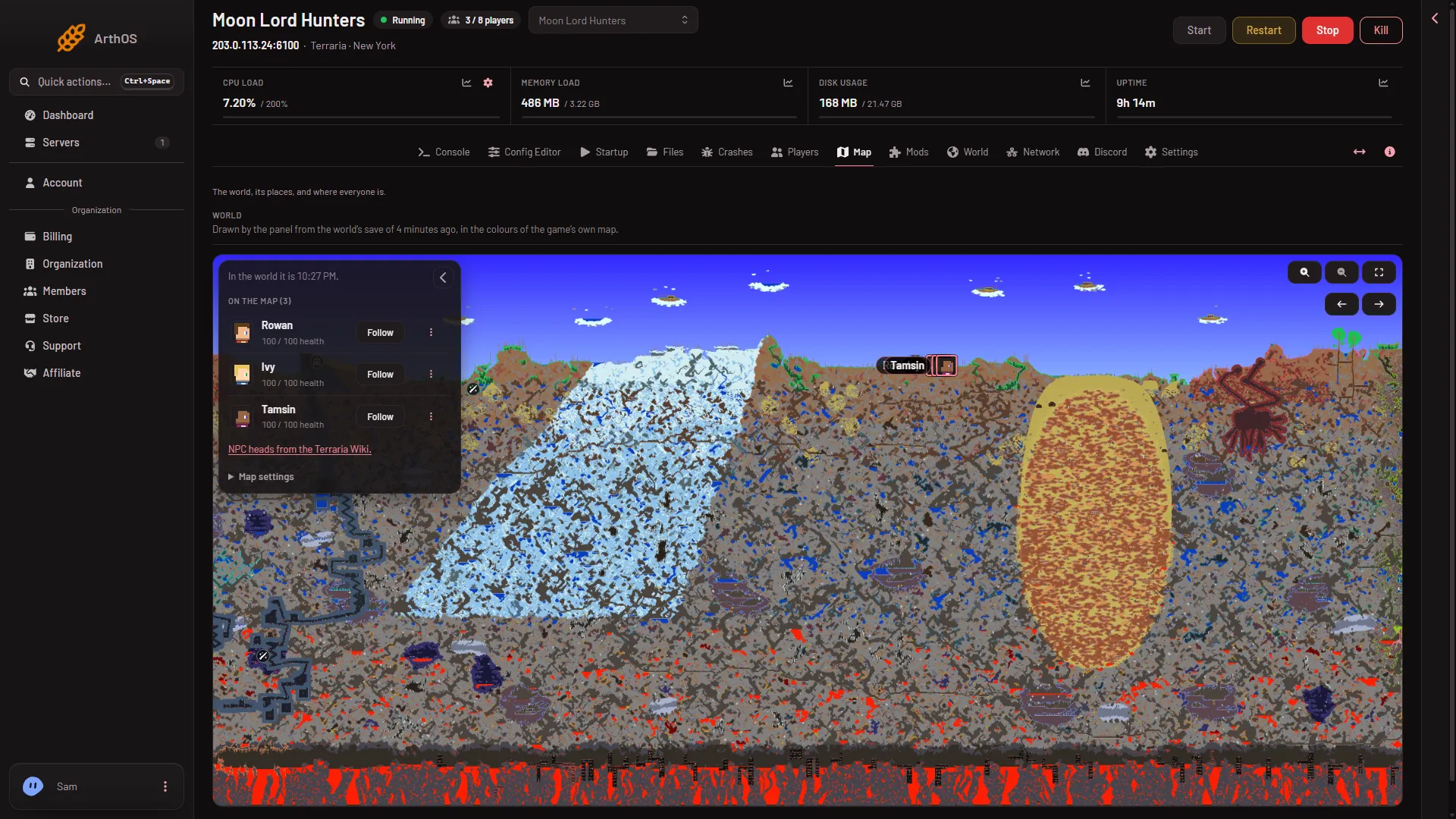
- Drawn from the save
- A live player marker
The drawing (1) is as old as the last save, while the marker (2) moves with the player.
If it does not work
- The page says the tools load at the next start. Restart the server once. See panel tools not running.
- The server will not start after the switch. Open the Crashes page. A tModLoader start with a 1.4.5 world stops there with the reason.
- The map is blank. See map not showing.
More about the game: Terraria servers.
Sources: terraria.wiki.gg: Server