
















You change the program a Terraria server runs on the World page. Pick Vanilla, TShock or tModLoader, confirm, and restart. The new program downloads at the next start. Your worlds stay, and so do the files of the program you leave.
One server runs one program at a time. The three differ like this:
- Vanilla is the game’s own server. Players join with the normal game.
- TShock is the same game with accounts, groups, bans by account and anti-cheat. Players join with the normal game.
- tModLoader loads Steam Workshop mods. Players join with tModLoader, which is free on Steam.
Switch the program
- Open the World page of your server.
- In the Server software card, choose Vanilla (1), TShock (2) or tModLoader (3).
- A box titled Run tModLoader? (or the name you chose) opens. Read it, then choose Continue.
- Restart the server. If it is running, the page tells you to restart it: “Restart the server for it to take effect.” A restart disconnects everyone who is on, so warn them first with Message everyone on the Players page.
For tModLoader, do the world step in “Before you pick tModLoader” below before you restart.
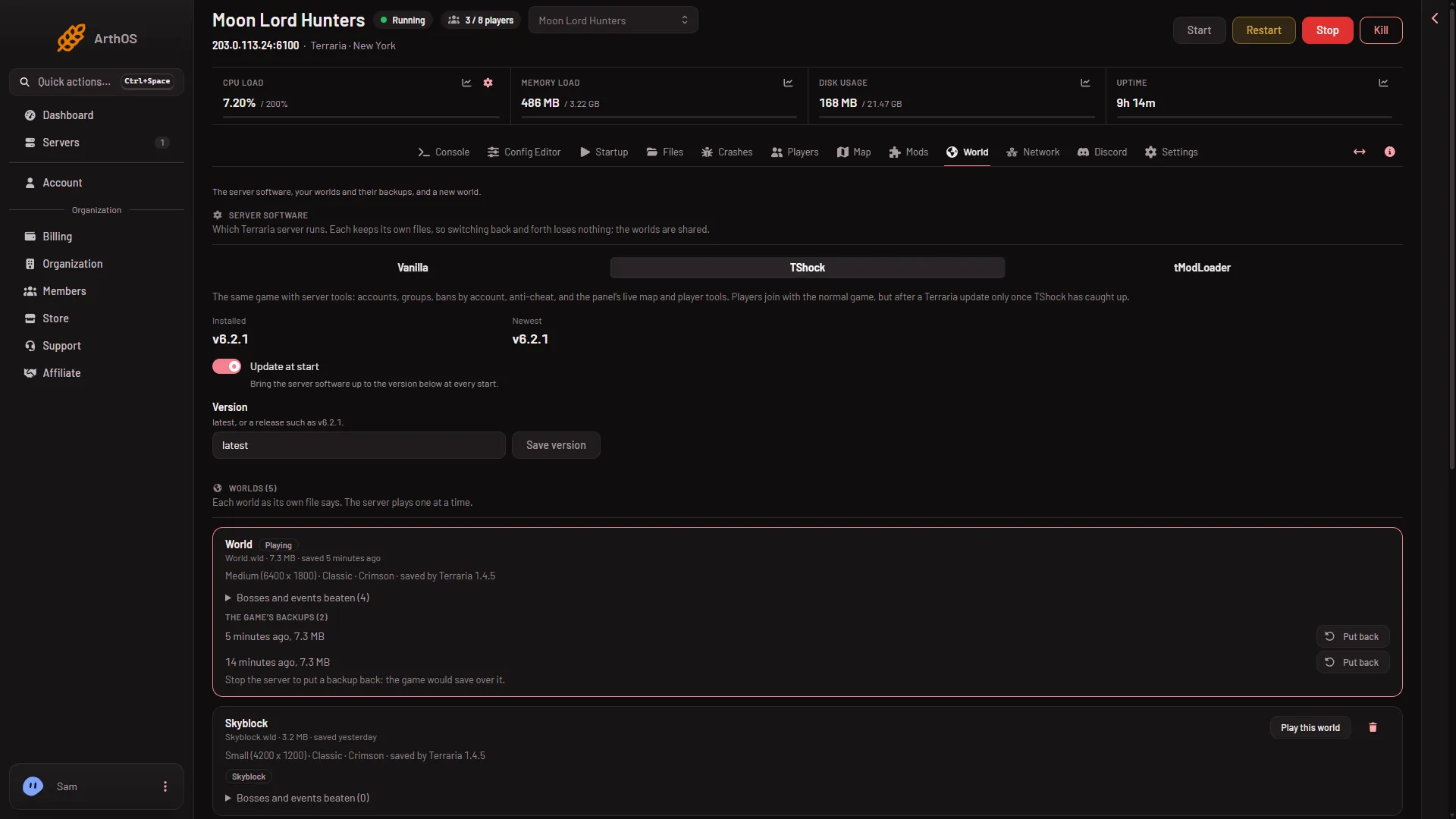
- Vanilla
- TShock
- tModLoader
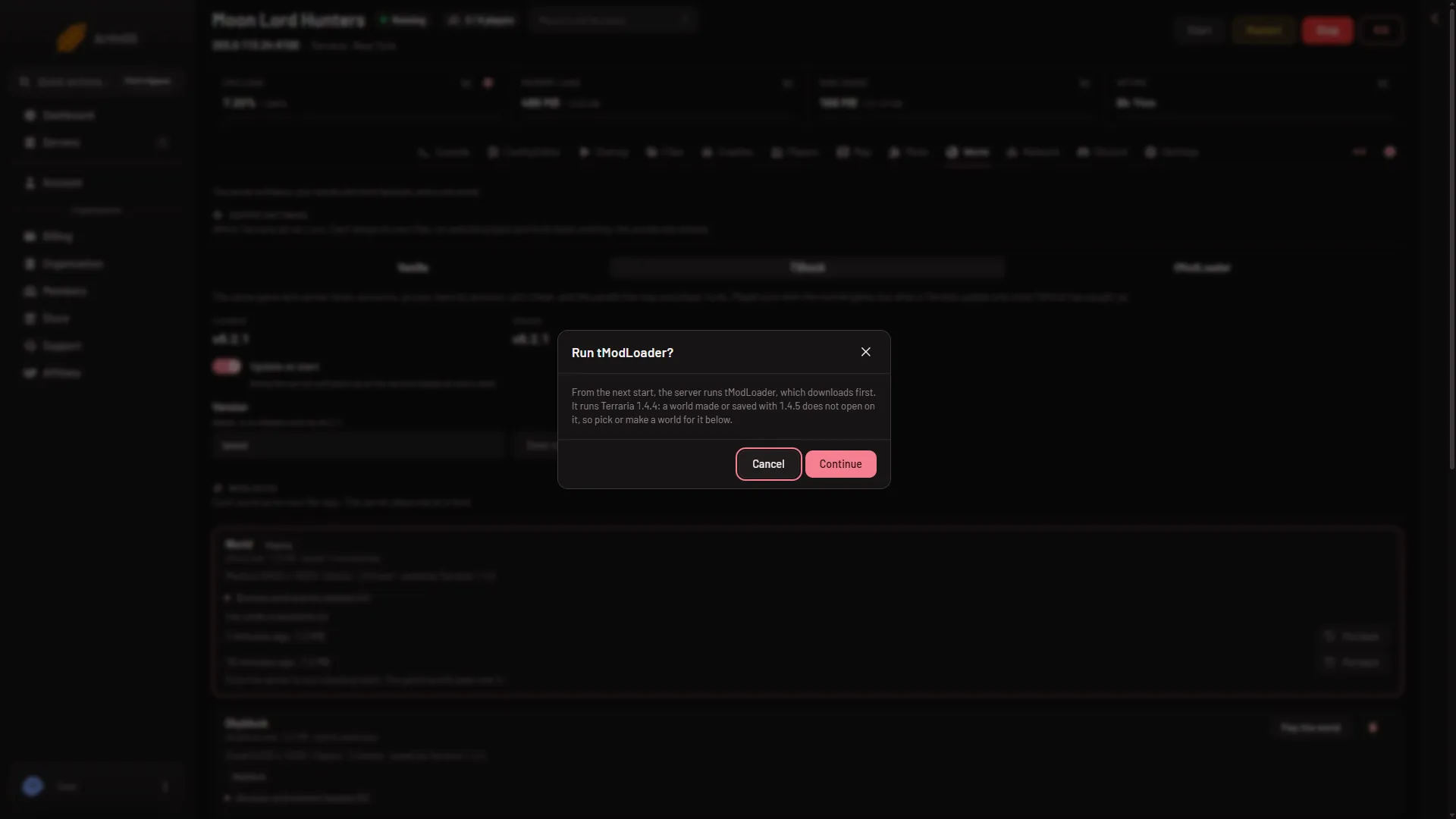
The change applies from the next start, not before. If the server is stopped, the next time you start it is the start that counts.
What happens at the next start
- A program you have never run on this server downloads first. The row for it says “Not yet: downloads at the next start”. Allow a little more time for that start.
- The first start of TShock prints a one-time code that makes you its owner. The Players page shows it. See the TShock setup code.
- A program you used before is already there. It starts from its own files, which were kept.
What is kept and what is not
- Worlds. All three programs share the same worlds. Nothing is converted or deleted by switching.
- Each program’s own files. Each keeps its own folder, so you can switch back and forth. TShock’s accounts and settings wait for you if you leave and return.
- Mods. Only tModLoader loads mods. On Vanilla or TShock the Mods page says “Mods need tModLoader” and offers a button to open the World page.
Before you pick tModLoader
tModLoader runs Terraria 1.4.4. A world made or saved by 1.4.5 does not open on it. A new server’s first world was made by Terraria 1.4.5, so it does not open either. On the World page such a world carries the tag Too new for tModLoader (1).
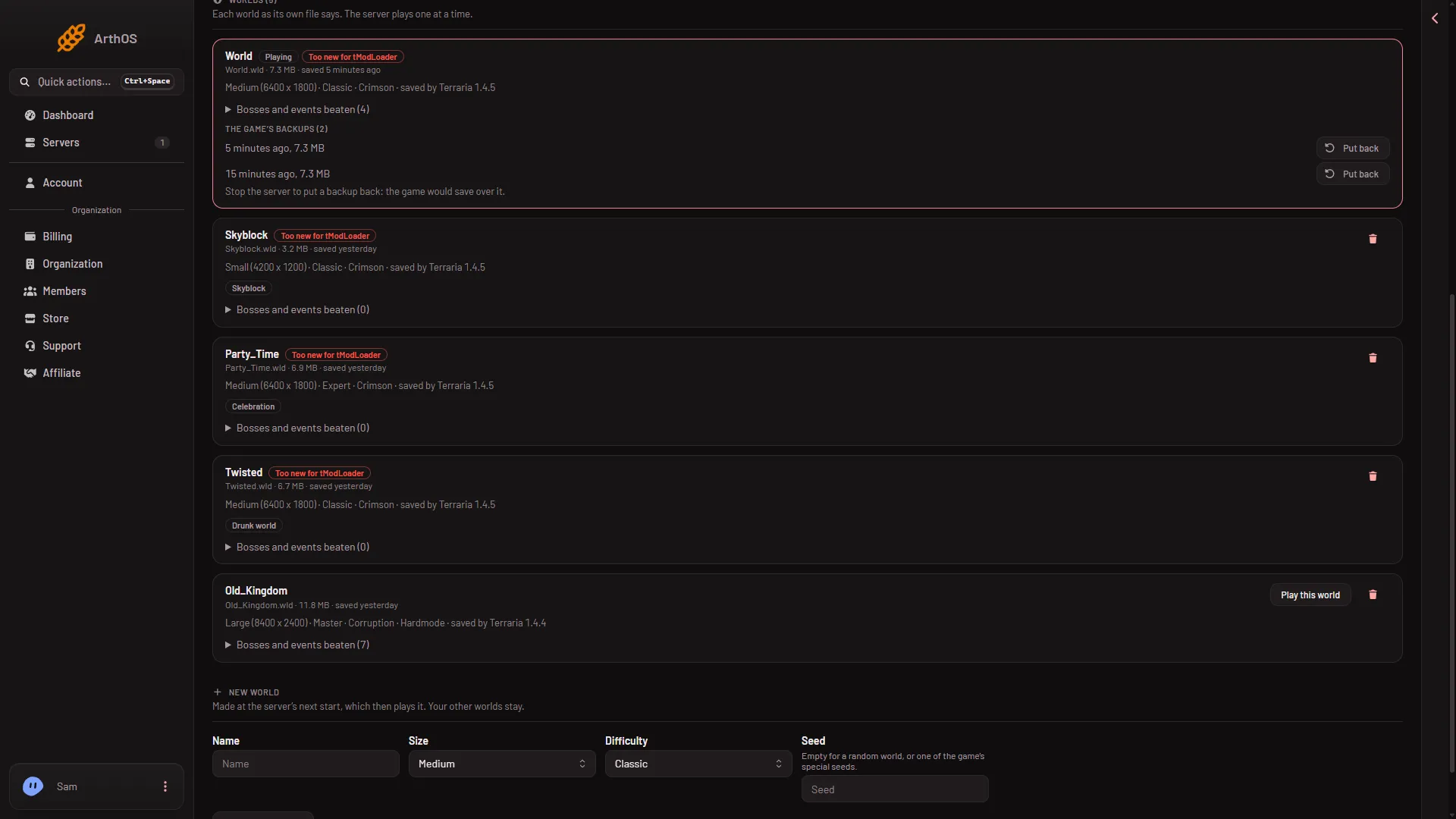
- Too new for tModLoader
Do it in this order:
- Choose tModLoader and Continue, as above.
- On the same page, under New world, make a world. It is made at the next start, by tModLoader, and then played. Or upload a world made by 1.4.4 and choose Play this world on it.
- Restart the server.
If you restart first, the server tries the 1.4.5 world and Crashes gives the cause for a newer world. You can play the 1.4.5 world again by switching back to Vanilla or TShock.
Players also need tModLoader to join. The normal game cannot join a tModLoader server.
Before you pick TShock
Players join with the normal game. After a Terraria update they can join only once a TShock version for the new game version is out. If you want the newest game version the day it comes out, Vanilla is the safer choice. See update the server version.
If it does not work
- The panel says “the server runs that already”. You chose the program that is already set. Nothing is wrong. Choose a different one.
- The change does nothing. The server has not restarted since. Restart it.
- The server does not start after a switch to tModLoader. Check the world it is set to play. A 1.4.5 world will not open. Make a world under New world, or pick a 1.4.4 world with Play this world, then restart.
- The download did not finish. Start the server again in a few minutes. The program’s download site may not have answered.
More about hosting the game: Terraria servers.
Sources: github.com: TShock, store.steampowered.com: TModLoader