
















If the Players page shows no one, or says “The server has not started with the panel’s launcher yet, so the panel cannot tell who joins. Restart it once.”, restart the server once. The panel can read who is on only after a start with its launcher. On TShock and tModLoader, the panel’s tools load at that start too.
This is about the list On now on the Terraria Players page. People who are playing still join and chat as before: the Console and Joins, leaves and chat go on showing them. So the restart can wait for a quiet moment.
Restart once
- Warn the players with Message everyone on the Players page that the server restarts.
- At the top of the server page, choose Restart.
- Wait for the Console to print
Type 'help' for a list of commands. - Open Players again. The page reloads by itself every 5 seconds while the server runs.
When it works, the page shows the line about the panel’s tools (1) and the list On now (2).
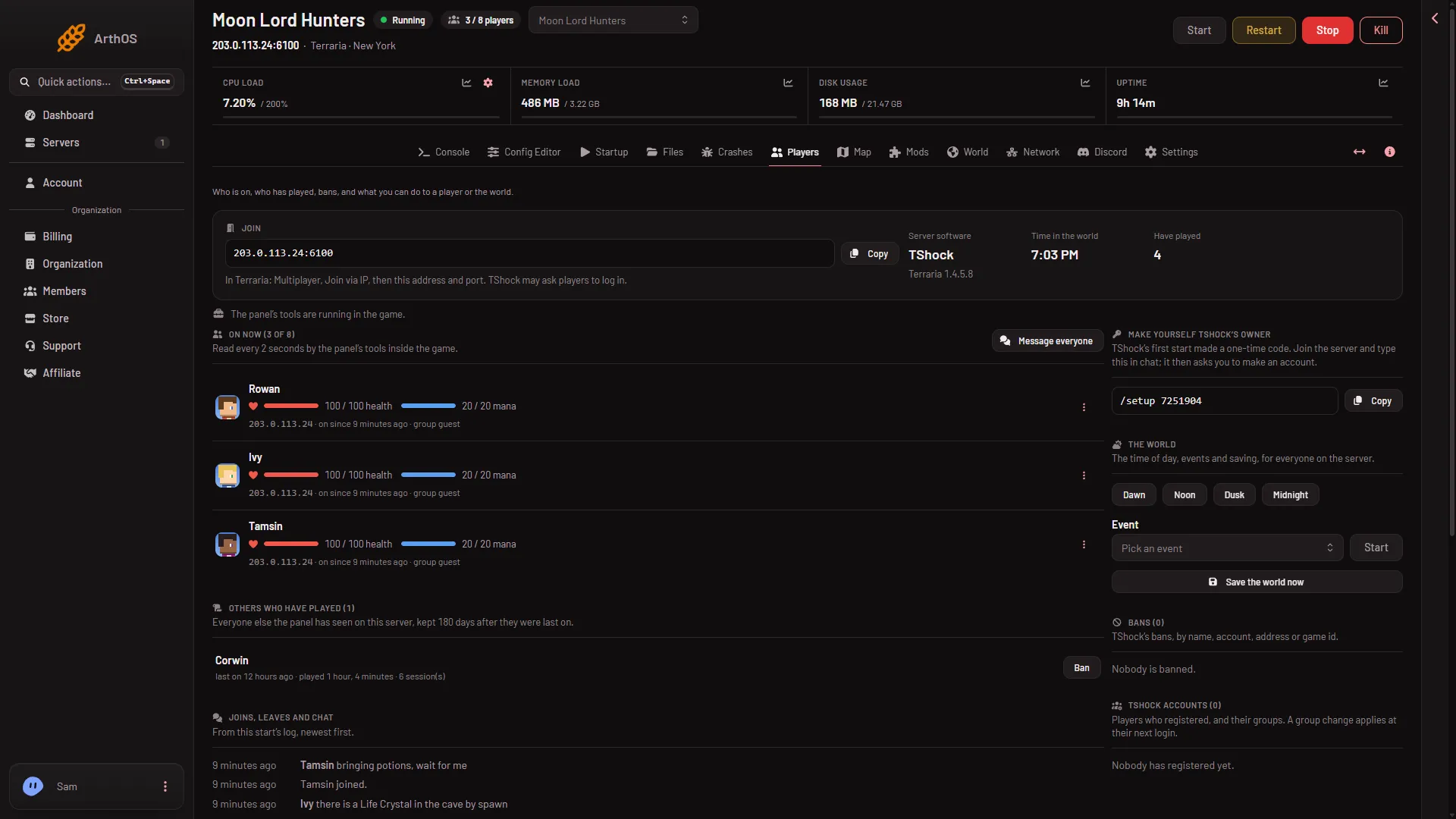
- The panel tools line
- On now list
After this start, the page reads who joins. Players who joined before the restart have to join again.
How the panel knows who is on
- Vanilla. The panel reads this start’s log: who joined and has not left. The hint under the list says so.
- TShock and tModLoader. The panel’s tools run inside the game and the panel reads them every 2 seconds. The page can then also show health, items and a live map.
Other reasons the list looks empty
- Nobody is on. The list then says “Nobody is on.” That is correct.
- The server is starting or offline. The page says “The server is starting.” or “The server is offline. Who is on shows while it runs.” Wait for the ready line, or start the server.
- The tools are not in the game yet. The page shows a line about the panel’s tools, for example that they load at the server’s next start. A restart fixes it. See what each tools message means.
- Someone is in the game but missing. The player may still be loading. A player counts once they have joined. Reload the page after a few seconds.
If it does not work
- The note comes back after a restart. Open the Crashes page and read the last start. It shows whether the start got as far as the ready line.
- The list is empty but the Console shows
has joined.lines. Do not restart again and again. Compare the page with the lines, and read who is online and what each tools message means. - You cannot see addresses. Addresses show only to a role that allows it. Ask the owner.