
















When a Terraria server will not start, the panel has usually already read the reason. Open Crashes, pick the last start, and read the finding. Each finding names the cause and the fix.
Read the last start
- Open the Crashes tab of the server.
- Under Starts, choose the newest one. A start that never let players in is marked Failed to start, with the line “The server never got as far as letting players in.”
- Read the header of the start: Started, Log last written, Game version, Exit code and Out of memory. Then read What the panel can tell. Each finding has a title and a short fix.
- If no known cause matches, the page says “None of the known causes are in this start’s log. The last lines below may still show what happened.” The end of the log is in the lines under “Last (n) lines”.
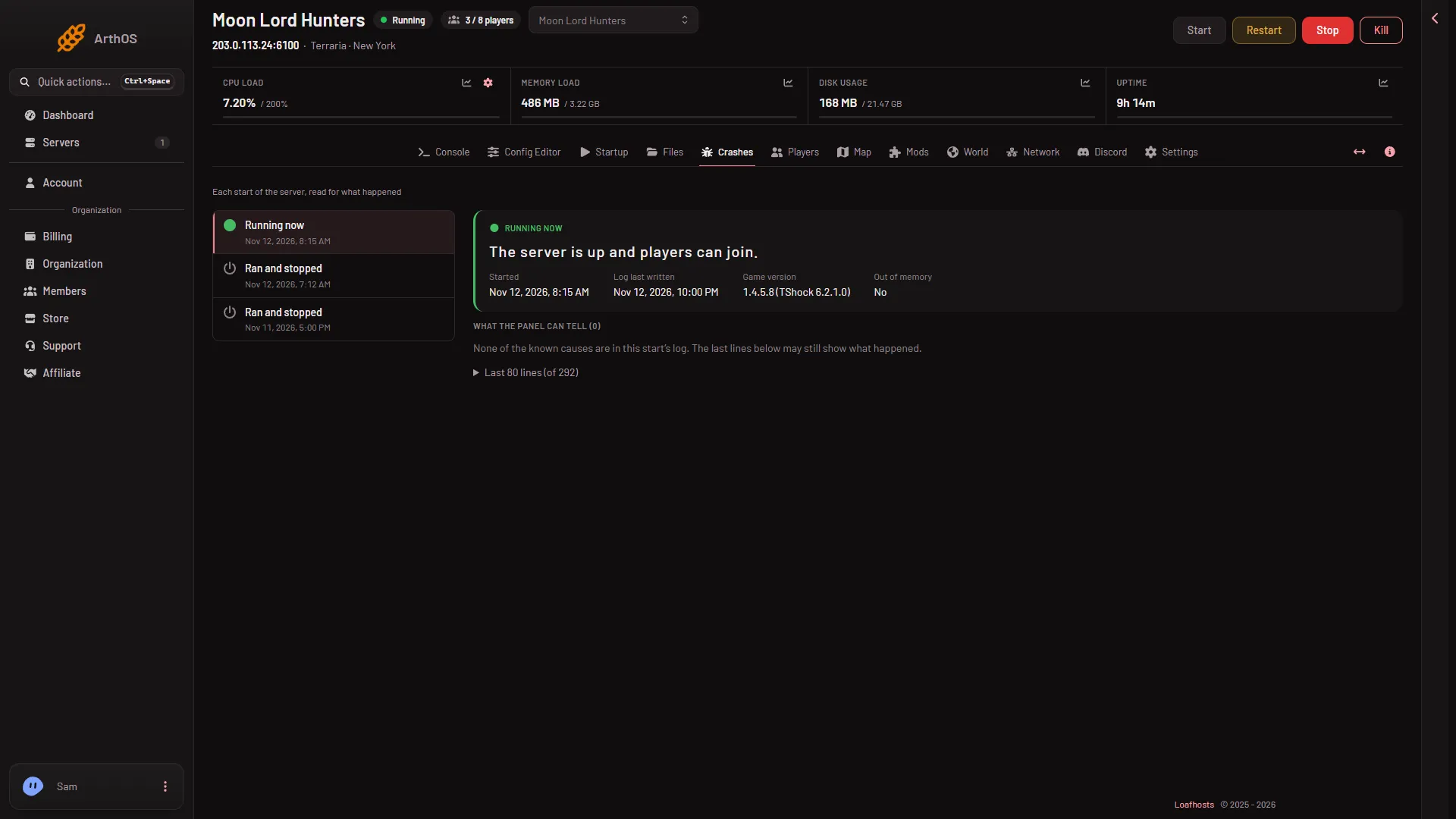
On a failed start, What the panel can tell holds the finding for that start.
What each finding means
- The server software could not be downloaded. The download site did not answer, or the version asked for does not exist. Start again in a few minutes. If you set a version by hand, open the World page and set it back to
latest. See the download guide. - tModLoader’s .NET could not be set up. tModLoader needs a .NET runtime and the server downloads it at the first start. Start again. If it keeps failing, use Reinstall Server on the Settings page. Make a backup first, because the card says some files may be deleted or modified. Worlds are not named in that warning, so do not rely on them staying.
- The world could not be loaded. The game stopped rather than make a new world over yours. Put a backup back. See world could not be loaded.
- The world is from a newer Terraria. This is tModLoader. It runs Terraria 1.4.4 and cannot open a world saved by 1.4.5. Play the world on Vanilla or TShock, or make a new world for tModLoader on the World page.
- A mod did not load. The finding names the mod and why. Open Mods to add what is missing or take the mod off.
- The server ran out of memory, or The server used all its memory and was stopped. The second means the machine ended the server at its plan’s memory, so it could not write why. The start shows Crashed and Out of memory Yes. Large worlds and big mods need more. See out of memory.
- The game ended on its own with code (N). Read Exit code in the header. 137 means the server was killed, 139 means it crashed inside the game.
- The game stopped answering, so the panel restarted it. The start shows Stuck, restarted.
- The server’s port was in use. Restart the server. If it happens again, ask support to check its port.
- The disk is full. Free some space and start again. Old world backups count. Open Files to see what is large.
- The server crashed. Restart it. See the server crashed.
Make a clean second try
- Change one thing: the fix the finding names.
- Start the server and watch the Console. The server is ready when it prints
Type 'help' for a list of commands. - Open Crashes again. The new start shows what happened this time.
If it does not work
- Nothing is listed and the output looks normal. Not every failure matches a known cause. Open the last lines of the log and read them from the bottom up for the last error. Support can read the same log.
- The start list is empty. The server has not started yet, so there is nothing to read.
- A mod was added just before. Take it off the Mods list first. The last mod or plugin added is the first suspect.
More about the game: Terraria servers.