
















The server could not download its software. Wait a few minutes and start it again. If it fails again, open the World page and set the Version back to latest.
Every Terraria server downloads its program at the start. Vanilla comes from terraria.org. TShock and tModLoader come from their release pages on GitHub. If that site does not answer, or the version you asked for does not exist, the download fails.
What you see
On the Crashes page, the last start shows the finding The server software could not be downloaded. The Console shows a line that starts with [Loafhosts]. These are the lines you may meet:
the download failed: the site did not answer in time.the download is not a zip: the file that came back was not the server.terraria.org did not say which server is newestorGitHub did not say which tModLoader is newest: the site could not tell the server which version is the latest."abc" is not a Terraria version,"abc" is not a TShock versionor"abc" is not a tModLoader version: the version in the Version field is not one the server can use.the zip has no Linux server(Vanilla),the download has no TShock.Serverorthe download has no tModLoader.dll: the file that came back is not the program the server needs.TShock (version) has no Linux server to download: that TShock release has no build the server can run.
Fix it
- Wait a few minutes. Then press Start. Most failures are the download site being busy or down for a moment.
- If it fails again, open the World page.
- Under Server software, find the program your server runs (Vanilla, TShock or tModLoader). Only read it: choosing another one is a change of program.
- Look at Version. Set it to
latest. The field also takes a version that really exists. On Vanilla, type it with dots and without av:1.4.5.8. Avmakes Vanilla fail with"v1458" is not a Terraria version. TShock and tModLoader take av:v6.2.1orv2026.09.3.1. - Choose Save version (1).
- Start the server. The change applies at the next start.
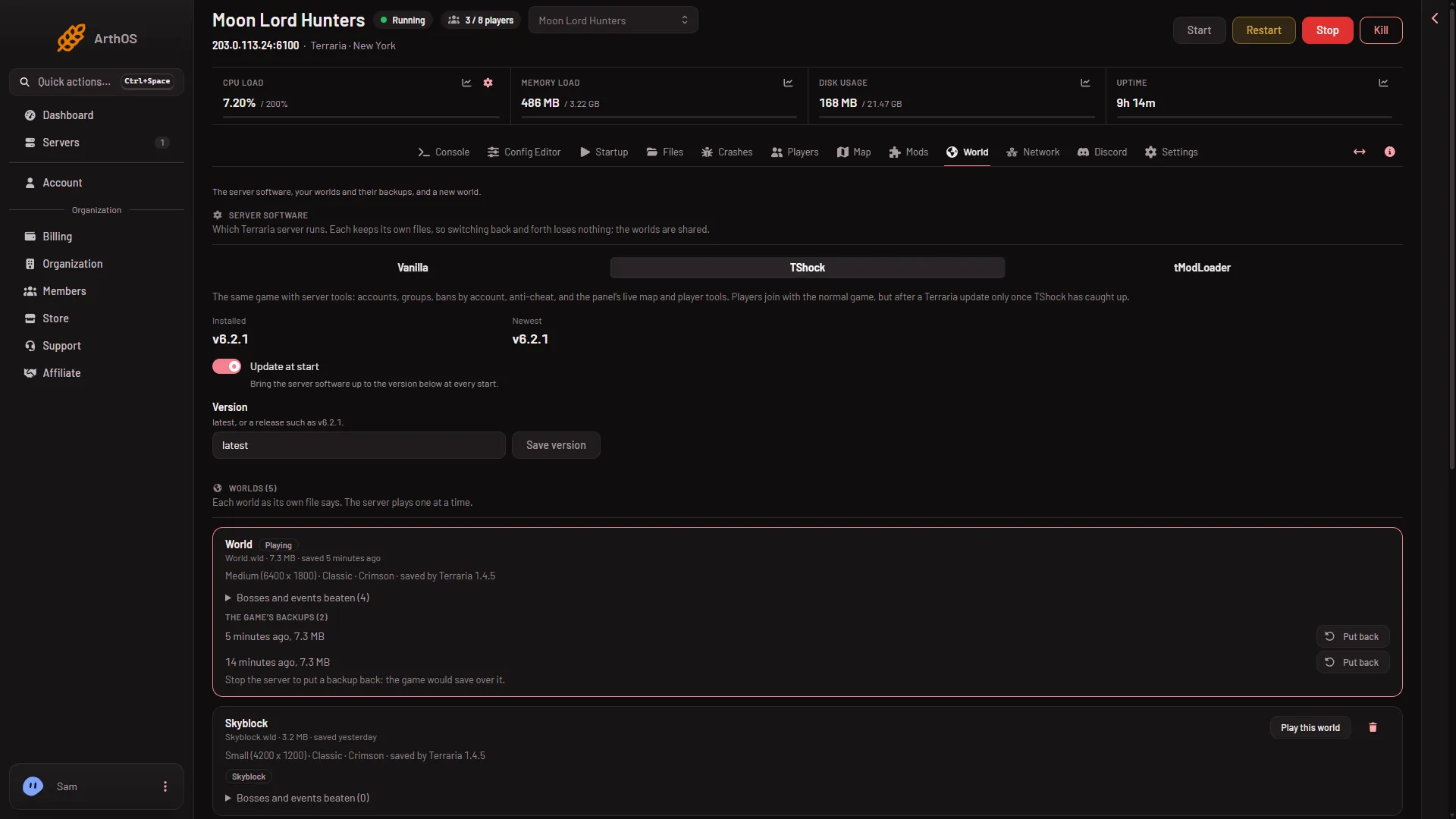
- Save version
- Update at start
Will the server start at all
It depends on what is already installed.
- An older copy is installed. The old copy stays. A failed download never replaces it. The server goes on starting with it, so you may only see the finding and a running server. The page shows what is there under Installed, and the newest under Newest.
- Nothing is installed yet. This happens on a new server or after you switch to a program for the first time. The start ends with
the server software is not installed; reinstall the server. Start again once the download site answers.
Why every start asks the download site
The switch Update at start (2) brings the software to the version in Version at every start. With it on, every start asks the download site. With it off, the server keeps what it has. A server with nothing installed still downloads once.
This is not a fix for a failed download. Turn it off only if you want the server to stay on one version. Players need the same version as a Vanilla server, so you must then update it by hand when the game updates.
If it does not work
- It fails every time with
latest. Wait longer. The site may be down. - It says the version is not one it can use. The Version field holds a typing mistake or a version that was never released. Set it to
latest. - TShock has no Linux server. Set Version to
latest, or to a release that has a Linux build. - You changed the program and now it fails. Switch back on the World page. Each program keeps its own files, and the worlds are shared, so nothing is lost. See change the server software.
Sources: terraria.wiki.gg: Server