
















Open the Players page, find the block called The world, and choose Dawn, Noon, Dusk or Midnight. The page answers “The time is changed.” The panel sends a time command to the server’s console, on Vanilla, TShock and tModLoader. It changes the time for everyone on the server.
In the panel
- Make sure the server is running. Time cannot change on a server that is off.
- Open the Players page.
- In the block The world (“The time of day, events and saving, for everyone on the server.”), choose a time button (1).
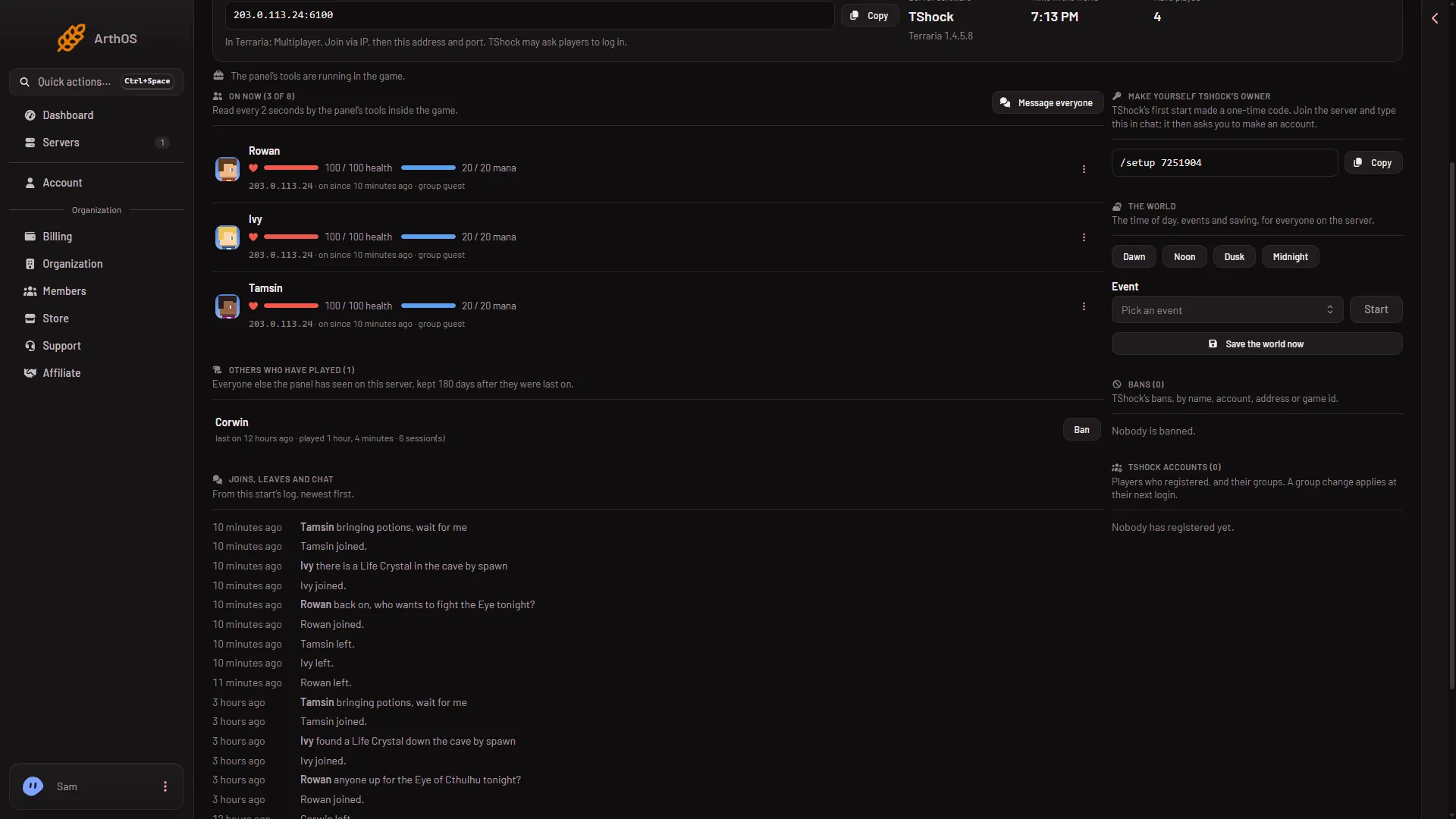
- Time of day
The change is at once. No restart is needed.
Who can do it
You need a role that allows game actions. A role without it does not get the buttons to work. Roles are changed on the organization page: Settings, Access, Manage roles.
By hand
The same job from the Console:
- Vanilla and tModLoader: type
dawn,noon,duskormidnight. These are in the game’s own list of server commands. - TShock: type
time day,time noonortime midnight.
A paused world
An empty Terraria server is paused, and the game says time only passes while players are connected. Not checked on 1.4.5.8 as of 13 November 2026: what the time buttons do when nobody is on. See an empty server is paused.
If it does not work
- “The server is not running.” Start it first.
- The buttons do nothing. Your role does not allow game actions.
- Too many actions. The panel limits how many actions a server takes each minute. Wait a minute and try again.
- TShock time looks fixed. TShock has its own Time of day setting in the Config Editor, with the choices Normal, Always day and Always night. See TShock time of day.
More about the game on Loafhosts: Terraria servers.
Sources: terraria.wiki.gg: Server