
















On a TShock server you can hold the world in daylight, or in night, with one setting called Time of day. It has three choices: Normal, Always day and Always night. Two switches next to it, Always Christmas and Always Halloween, run the game’s Christmas and Halloween events all year.
These settings exist only on TShock, the server program that adds accounts, groups and bans. A Terraria server on Vanilla or tModLoader does not show them.
Set the time of day
- Open the World page and check that the Server software card says TShock.
- Open the Config Editor.
- Open the file TShock.
- In the group World, find Time of day.
- Choose Normal, Always day or Always night, then choose Save.
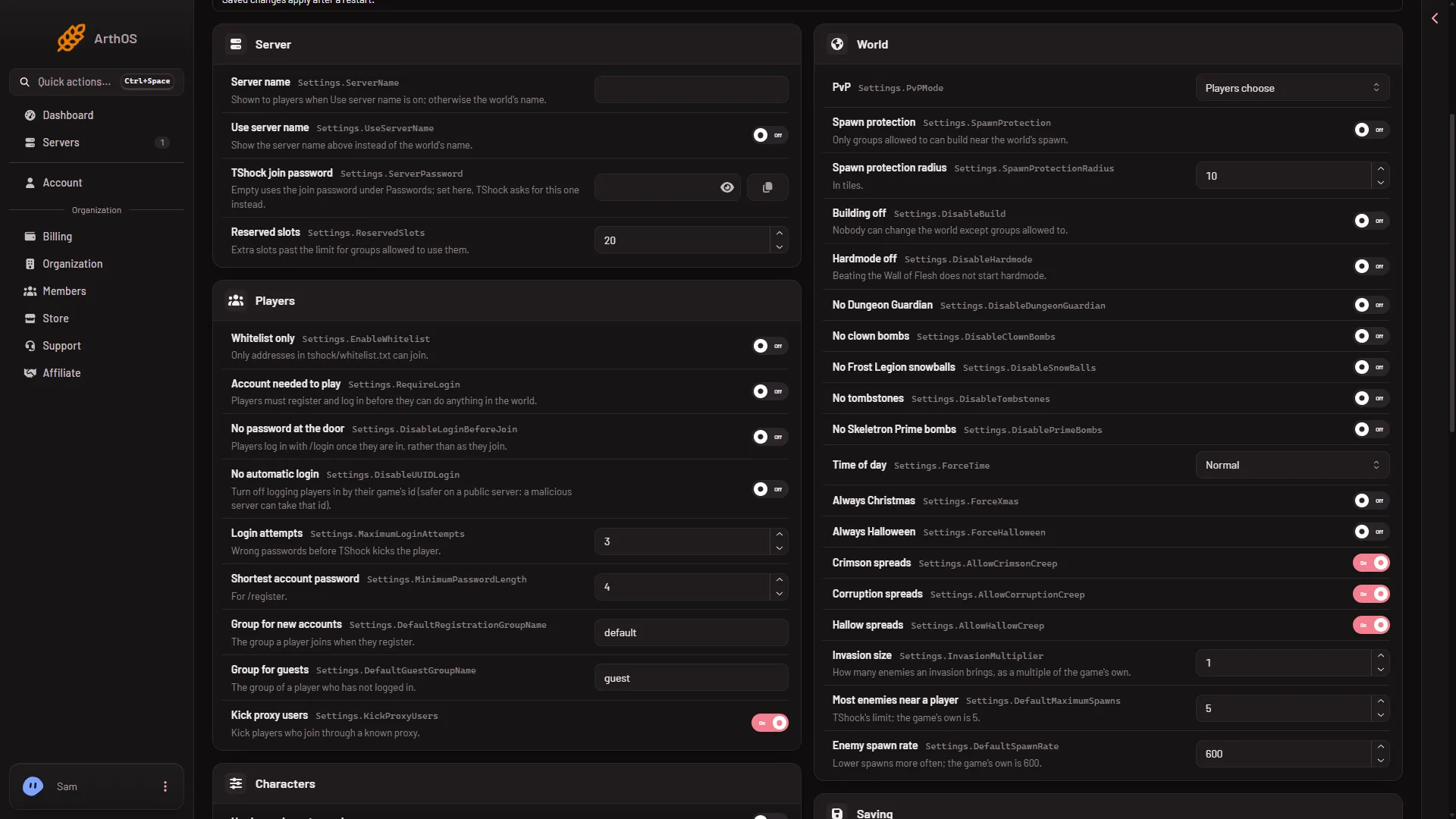
- Time of day
Pick from the list (1). It shows Normal here.
- Restart the server. A saved change applies after a restart. The panel shows Restart now while the server runs. A restart drops everyone who is on, so warn them first with Message everyone on the Players page.
The setting forces the world’s time. Normal lets the day and night cycle run as the game does.
Always Christmas and Always Halloween
Both are switches in the same group World.
- Always Christmas makes Christmas-only events happen all year.
- Always Halloween makes Halloween-only events happen all year.
Switch one on, save, and restart. Switch it off the same way to go back.
The sundial and moondial stop working
While Time of day is Always day or Always night, TShock refuses the Enchanted Sundial and the Enchanted Moondial. A player who uses one gets a message that says to set the time to normal in the config. Set Time of day back to Normal to use them.
Change the time once instead
To move the time one time, with no setting, use the buttons Dawn, Noon, Dusk and Midnight in the box The world on the Players page. See set the time.
An empty server is paused: time only passes while a player is connected.
By hand
The settings are in tshock/config.json:
{
  "Settings": {
    "ForceTime": "night",
    "ForceXmas": false,
    "ForceHalloween": false
  }
}
These keys sit inside the Settings object. ForceTime takes normal, day or night. Stop the server, open Files, edit the lines, save, and start the server. TShock writes this file only when it is missing, so your edit stays.
If it does not work
- The TShock file is not in the Config Editor. The server is not running TShock. Switch the software on the World page.
- Nothing changed. Restart the server.
- Players cannot use a sundial. Time of day is not Normal.
Not checked on TShock 6.2.1 as of 13 November 2026: how the time buttons on the Players page behave while Always day or Always night is on, and whether the Dusk button works on TShock.
Sources: github.com: TShockConfig.cs, github.com: GetDataHandlers.cs