
















Skyblock is a special seed that puts players on a small sky island, where they build out to find what they need. To make one, type skyblock in the Seed field of a new world. It works on Terraria 1.4.5 only. That means Vanilla or TShock. tModLoader stable runs 1.4.4, so it has no Skyblock and cannot open a Skyblock world.
Make a Skyblock world
- Open the World page.
- In the Server software card, check that the server runs Vanilla or TShock. To change it, choose one and confirm. The change applies from the next start. See change the server software.
- In the New world card, type a Name that is not used yet.
- Choose Size and Difficulty.
- In Seed, type
skyblock. - Choose Make this world.
- Start the server. If it is running, restart it: that drops everyone who is on, so first send a note with Message everyone on the Players page. Start, Restart and Stop are at the top of the server page.
The world is made at the next start, and the server then plays it. A large world takes a minute or two.
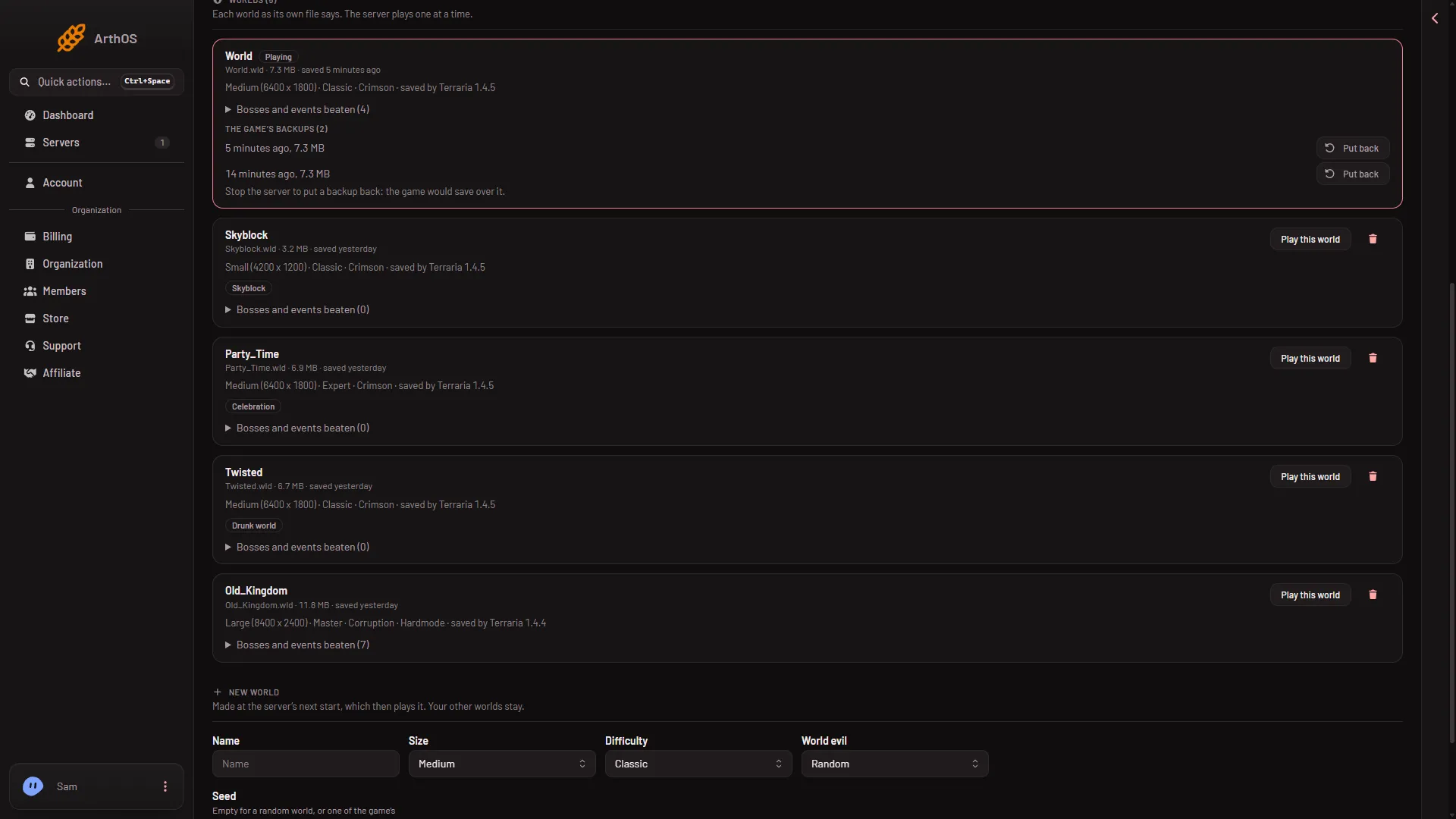
- The Skyblock tag
- Play this world
The new world’s row carries the tag Skyblock (1), and saved by Terraria 1.4.5 in its details. To play it later, choose Play this world (2). Other special seeds are in the special seeds guide.
Why tModLoader cannot play it
tModLoader stable runs Terraria 1.4.4. Skyblock arrived with 1.4.5. A world saved by 1.4.5 does not open on tModLoader stable.
If the server runs tModLoader, the world’s row on the World page shows Too new for tModLoader. Choose a world that tModLoader can open, or switch the Server software card back to Vanilla or TShock. The Crashes page says the same if a start fails: “tModLoader runs on Terraria 1.4.4 and cannot open a world 1.4.5 saved.”
Worlds stay on the server when you switch programs, so nothing is lost. More: a 1.4.5 world will not open on tModLoader.
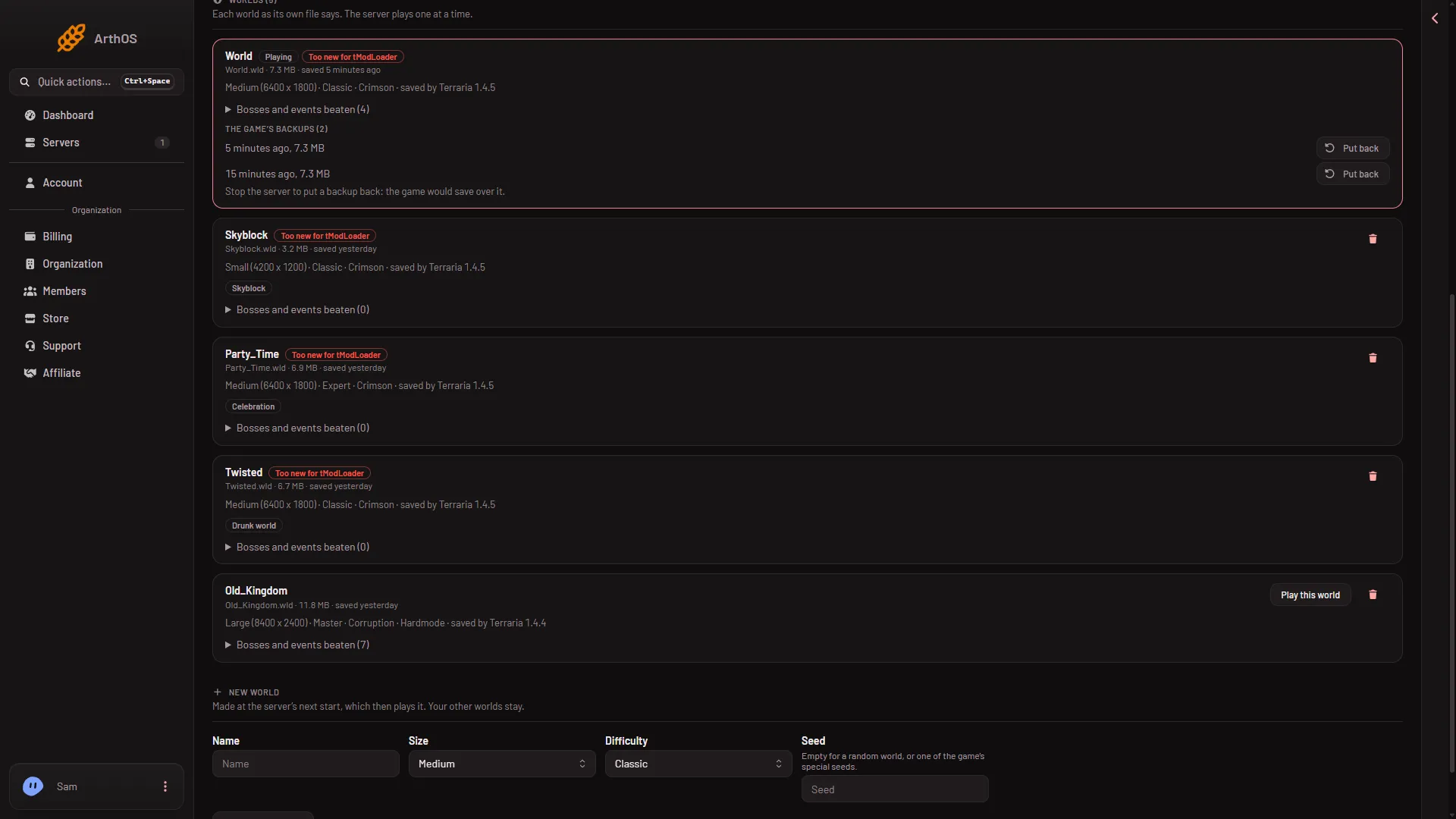
- Too new for tModLoader
Every row saved by 1.4.5 gets the tag (1), Skyblock included, and loses its Play this world button. Only the 1.4.4 world still has one.
Players
Players use the normal Terraria game on Vanilla. On a Vanilla server, their game version must match the server’s. TShock only accepts players once it has caught up with a Terraria update.
If it does not work
- The world is not Skyblock. The world name was already used, so the server played the old world. Pick a name that is not used. Check the seed is exactly
skyblock. - The row says Too new for tModLoader. The server runs tModLoader. Switch to Vanilla or TShock.
- Nothing was made. The world is made at the next start. Restart the server.
More about the game: Terraria servers.
Sources: terraria.wiki.gg: Skyblock, terraria.wiki.gg: Special world seeds