
















tModLoader stable runs Terraria 1.4.4. A world that Terraria 1.4.5 made or saved does not open on it. The World page marks such a world Too new for tModLoader. As of 12 November 2026 that is the rule. Make a new world for tModLoader, or play the 1.4.5 world on Vanilla or TShock.
See the Terraria server page for the three server programs.
How to see it
Open the World page. Under Worlds, each world shows the game that saved it, for example “saved by Terraria 1.4.5”. A world saved by 1.4.5 carries the tag Too new for tModLoader.
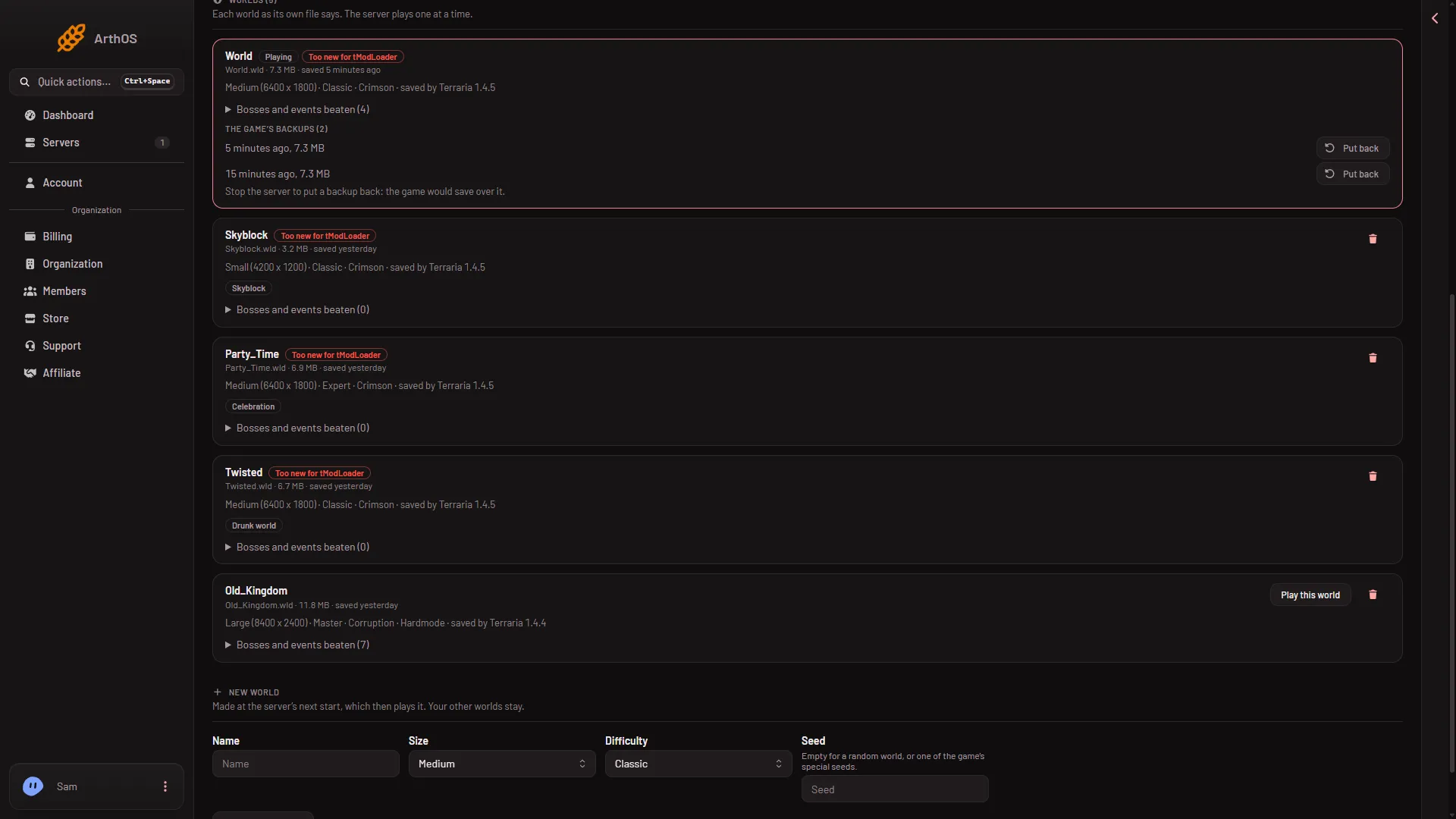
- Too new for tModLoader
If the server tries to start on such a world under tModLoader, it stops. The Crashes page shows “The world is from a newer Terraria” with this advice: “tModLoader runs on Terraria 1.4.4 and cannot open a world 1.4.5 saved. Play it on Vanilla or TShock, or make a new world for tModLoader on the World page.”
Option 1: make a new world for tModLoader
- Open the World page.
- Under New world, fill in Name (1), Size (2), Difficulty (3) and World evil. Leave Seed (4) empty for a random world. On tModLoader the world evil is random whatever you pick; only TShock follows it.
- Choose Make this world (5).
- Restart the server. A restart disconnects everyone who is on, so use Message everyone first.
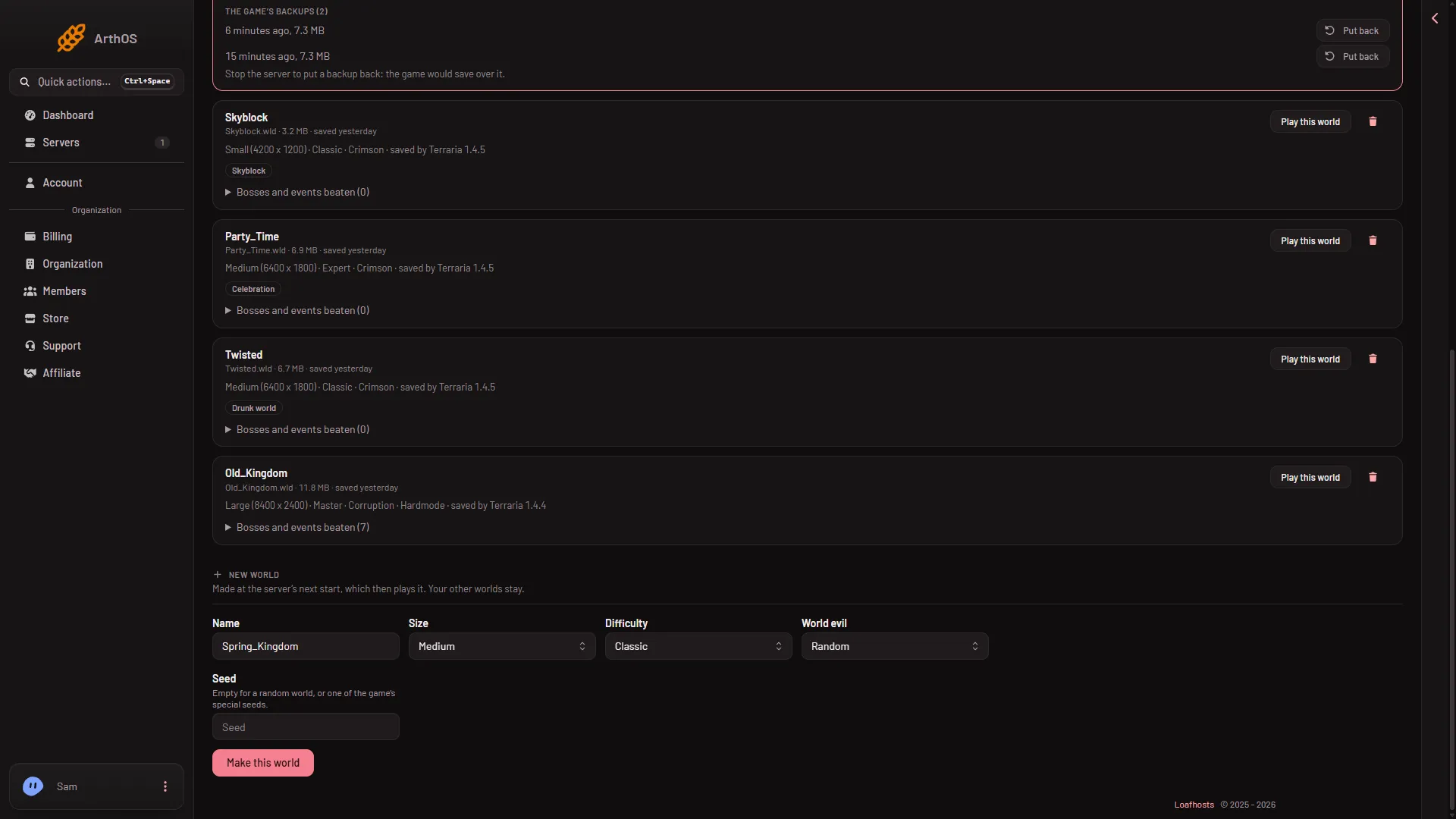
- Name
- Size
- Difficulty
- Seed
- Make this world
The world is made at the next start, and the server then plays it. Your other worlds stay. A large world takes a minute or two.
Option 2: use another program for this world
- Open the World page.
- Under Server software, choose Vanilla or TShock and confirm.
- Under Worlds, choose Play this world on the 1.4.5 world.
- Restart the server.
Each program keeps its own files and the worlds are shared, so switching loses nothing. Mods only run on tModLoader, so they stop while you play on another program.
Option 3: a world from an older save
If you have a world file that 1.4.4 saved, put it in the worlds folder in Files. The World page lists it. Choose Play this world. A world from 1.4.4 carries no tag.
If it does not work
- You switched and the server will not start. Check the World page. The server may still be set to play the tagged world. Choose another world, or make one.
- You put a backup back and it is still tagged. The backup came from a 1.4.5 save. The tag follows the file.
- You want to know which game saved a world. Read “saved by Terraria” on its row.