
















The Startup page holds the settings a Terraria server reads when it starts. Change one, then restart the server. Nothing on this page changes a server that is already running.
The page shows twelve settings. The thirteenth, the join password, is not here: the page points you to Passwords in the Config Editor (1). The picture shows that note and Server software (2).
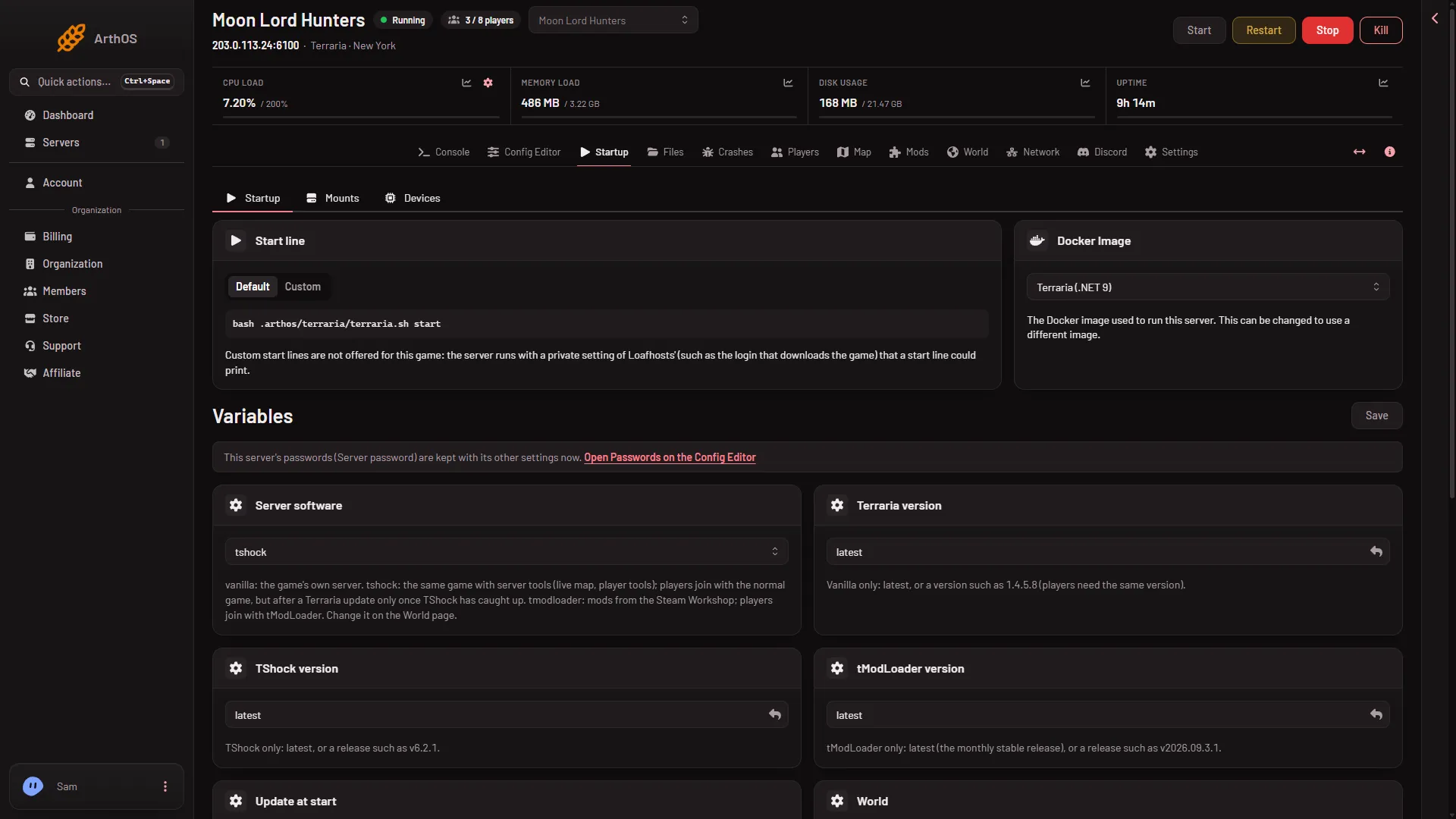
- Passwords are on the Config Editor
- Server software
The picture shows the top of the list. The rest follows below it on the same page: Update at start, World, and on down to Message of the day.
What each setting does
- Server software: which program runs the world:
vanilla(the game’s own server),tshockortmodloader. Change it on the World page, which explains each choice and asks first. See change the server software. - Terraria version: used by Vanilla only.
latest, or a version such as1.4.5.8. Players need the same version as the server. - TShock version: used by TShock only.
latest, or a release such asv6.2.1. - tModLoader version: used by tModLoader only.
latestis the monthly stable release, or a release such asv2026.09.3.1. - Update at start:
1brings the server software up to the version set above at every start.0keeps what is installed. It is on by default. - World: the world the server plays, from the
worldsfolder. Use letters, digits, spaces,_,-and', up to 27 characters. A name not used yet makes a new world at the next start. - World size: for a new world only.
1small,2medium,3large. - Difficulty: for a new world only.
0classic,1expert,2master,3journey. - Seed: for a new world only. Empty gives a random world. It can also hold one of the game’s special seeds.
- World evil: for a new world only. Corruption or crimson. Only TShock follows it. The other programs choose at random.
- Max players: how many players can be on at once, from 1 to 255. See change max players.
- Message of the day: shown to each player who joins. One line, up to 120 characters.
A new server starts with Vanilla, a world called World, medium size, classic difficulty, no seed and 8 players. A server made from a plan starts with that plan’s player limit.
Change a setting
- Open Startup.
- Edit the value you want.
- Choose Save above the list.
- Restart the server from the buttons at the top of the page. The new value is used from that start.
The join password
The page shows a note: “This server’s passwords (Server password) are kept with its other settings now.” Choose Open Passwords on the Config Editor to set the Server password. A new server has no join password. See the join password guide.
World settings and an existing world
World size, Difficulty, Seed and World evil matter only when a world is made. If the world named in World already exists, the server plays it as it is and these four do nothing to it.
To start a fresh world, give World a name you have not used. Or use New world on the World page, which fills these settings for you.
If it does not work
- A change did not show. The server was not restarted after the change. Restart it.
- The server made a new empty world. The name in World has no file in
worlds. Check the spelling, or choose the world again on the World page. - Players cannot join after an update. On Vanilla, the Terraria version must match the players’ game. Update at start is on by default: check that it is on and that Terraria version says
latest, then restart.
More about the game: Terraria servers.
Sources: terraria.wiki.gg: Server