
















Change the player limit with Max players on the Startup page. It takes a number from 1 to 255. The change applies the next time the server starts.
What a new server starts with
A new server starts at the size of its plan: 8 players on the smallest plan, 16 on the middle one and 32 on the largest. Terraria’s own default is 16. The panel sets the plan’s number for you, so it is the right place to start.
Change it
- Open the server and go to the Startup page.
- Find Max players. Its help line says “How many players can be on at once.”
- Type a number from 1 to 255.
- Choose Save.
- Restart the server from the buttons at the top of the page.
The panel passes the number to the game on its start line. It does this for all three programs, so TShock’s own setting cannot change it. A server that is already stopped just uses the new number at its next start.
More than your plan’s size
The panel accepts any number from 1 to 255, but the limit is only a maximum. It does not add memory or processor time. A world with many players, or a large world, needs more of both. If the server slows down with a high limit, either lower the number or move to a bigger plan.
Where else it shows
- Players page: the On now list shows “(count) of (max)”, for example 3 of 8 (1).
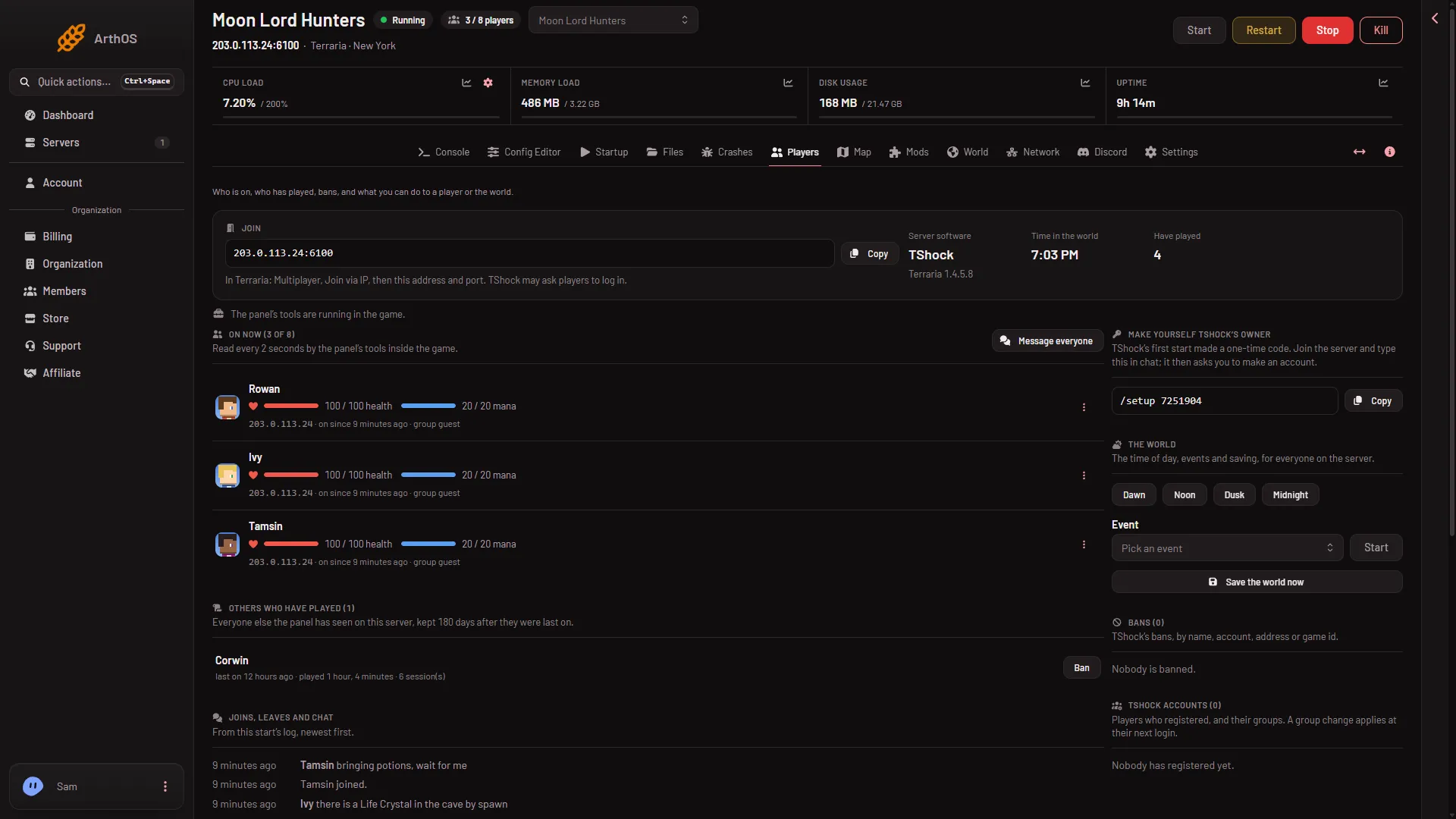
- Count of limit
- Config Editor: the Server settings file shows Max players locked, in the group Set by Loafhosts. The panel sets it from Startup before each start, so changing it there does nothing. Change it on Startup.
- On TShock, the TShock settings file also lists Max players locked. The panel starts TShock with the Startup limit, whatever that file says.
If it does not work
- The limit did not change. The server has not restarted since you saved. Restart it.
- Save is refused. The number must be a whole number between 1 and 255.
- You are unsure whether the server restarted. See start, stop and restart.
- The game says the server is full. Raise Max players as above. A bigger plan is a separate question of processor time and memory.
More about the game: Terraria servers.
Sources: terraria.wiki.gg: Server