
















Every mod on a tModLoader server is loaded into the server’s memory. A long list, or a few very large mods, can use all of it. When the server reaches its plan’s memory, the machine ends it and the Crashes tab says so. The fix is to take off mods you do not need, or to use a bigger plan.
This guide is for Terraria servers that run tModLoader. Vanilla and TShock load no Workshop mods.
How the panel shows it
- Open the Crashes tab.
- Open the newest start in the list on the left. There is one entry for each start of the server.
- Read the start’s summary. A server that ran out of memory shows the outcome Crashed, and Out of memory reads Yes.
- Look at What the panel can tell. Two findings are about memory:
- “The server used all its memory and was stopped”. The server reached its plan’s memory and the machine ended it, so it could not save or write why. Its own log usually has no line about it.
- “The server ran out of memory”. The game’s own log says so. The panel’s advice is: “Large worlds and big mods need more. Take off a mod you do not need, or raise the server’s memory.”
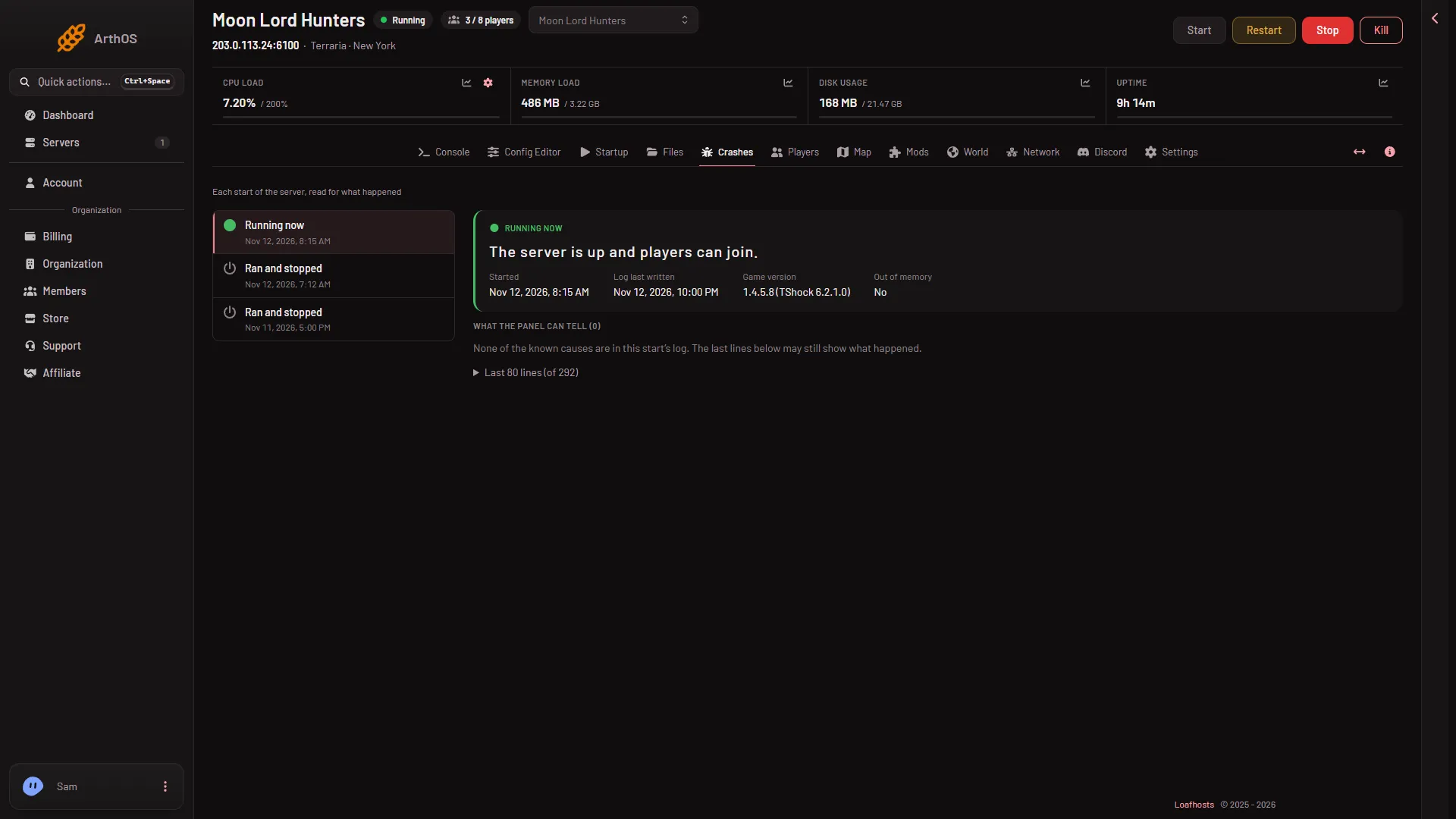
The picture is of a start that went well, so Out of memory reads No and the list of findings is empty.
If the server went down while it loaded a long list and nothing else explains it, memory is a likely cause. The summary may also show an Exit code. Code 137 means the process was killed.
The limit of 200 mods
A mod list on the Mods page holds at most 200 mods. A mod pack with more than 200 Workshop mods is refused when you load it. This is a limit of the panel, not a promise that 200 mods will fit. A list of 200 large mods will not fit on a small plan.
The mods a mod needs count too. When you add a mod, the panel offers to add what it needs, and each one takes a place on the list.
What to do
- Open the Mods page. The server must run tModLoader: the program is chosen on the World page.
- Look through On this server (1). Take off mods nobody uses: choose “Take (name) off the list”.
- Do not take off a mod that another mod on the list needs. The page shows “Needs (name), which is not on the list.” when you break a chain.
- Choose Apply and restart (2), or Apply on a stopped server. Apply and restart stops the server, downloads, and starts it again, so it drops everyone who is on. Warn them first with Message everyone on the Players page. Discard changes drops what you picked.
- Watch the next start in Crashes. If the finding is gone, you have enough room.
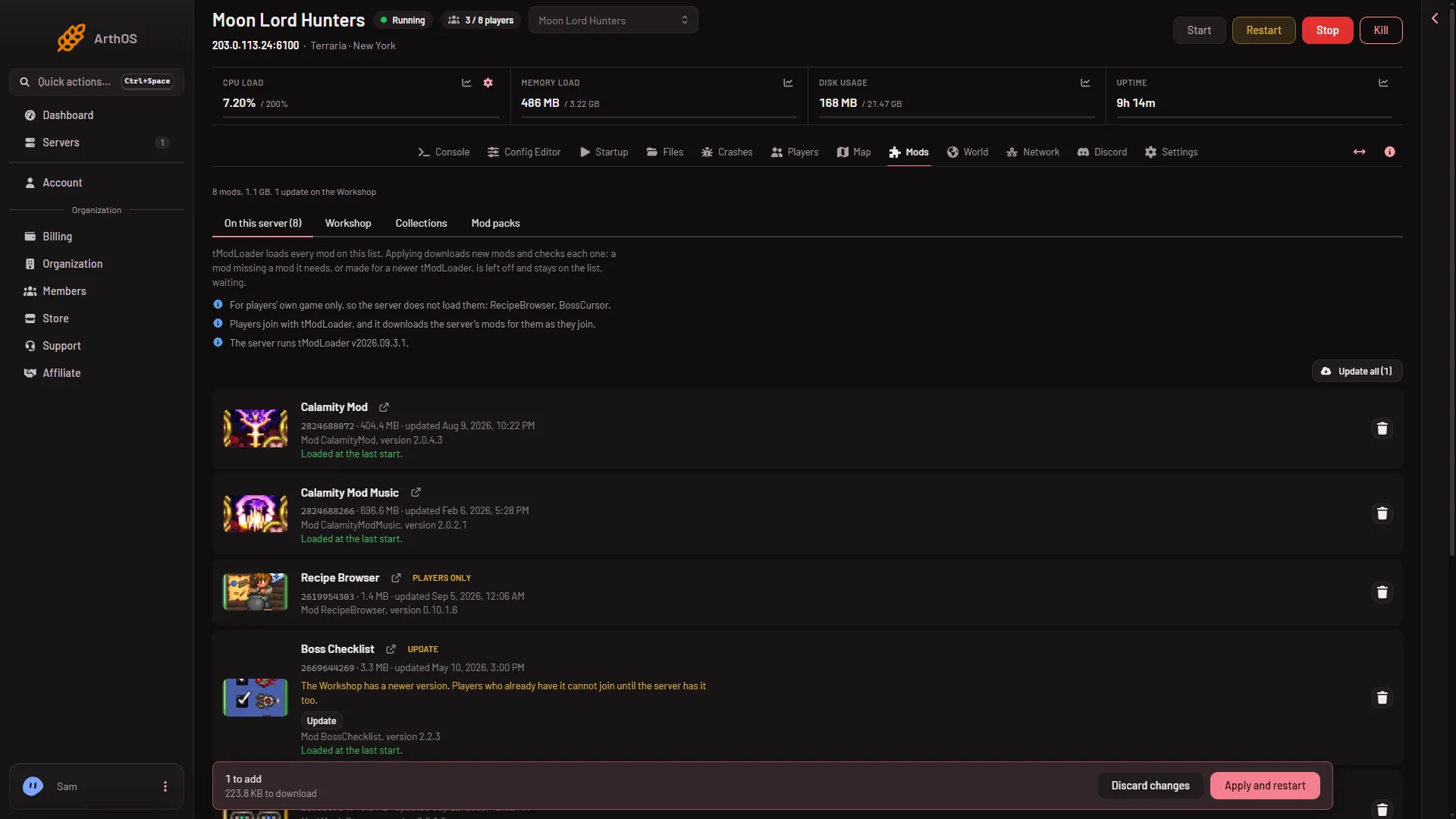
- On this server
- Apply and restart
Take off a few mods at a time. Then you know which change helped.
Which size to pick
Terraria plans come with 2 GB, 4 GB or 6 GB of memory. The panel shows memory a little higher than the plan’s size, so read the figure as about that much. How much a mod list needs depends on the mods and the world. No fixed number can be given.
A rule that works: start with the size you have, and add mods in steps. When Crashes shows the memory finding, take mods off, or use a bigger plan. A large world needs more memory than a small one, and so does a longer list of mods.
A world that is too big for the server is its own cause of the same finding. If the memory problem starts after you made a large world, see the World page for its size.
If it does not work
- It still runs out of memory after you took mods off. Take off more, or use a bigger plan.
- The mod you took off is still loading. The change applies only after Apply. Check that the bar at the bottom of the page, with “(n) to add, (n) to remove”, is gone.
- Players cannot join after the change. Players download the server’s mods as they join. They need the same list, so tell them the list changed.
- The server stops at start and the log names a mod. That is a different problem: see a mod did not load.
More: the Mods page.
Sources: store.steampowered.com: TModLoader