
















The Mods page is where a tModLoader server gets its mods from the Steam Workshop. It has four tabs: On this server, Workshop, Collections and Mod packs. Changes wait on the page until you apply them.
Only tModLoader loads mods. A Vanilla or TShock server shows a notice instead of the tabs.
If the server is not on tModLoader
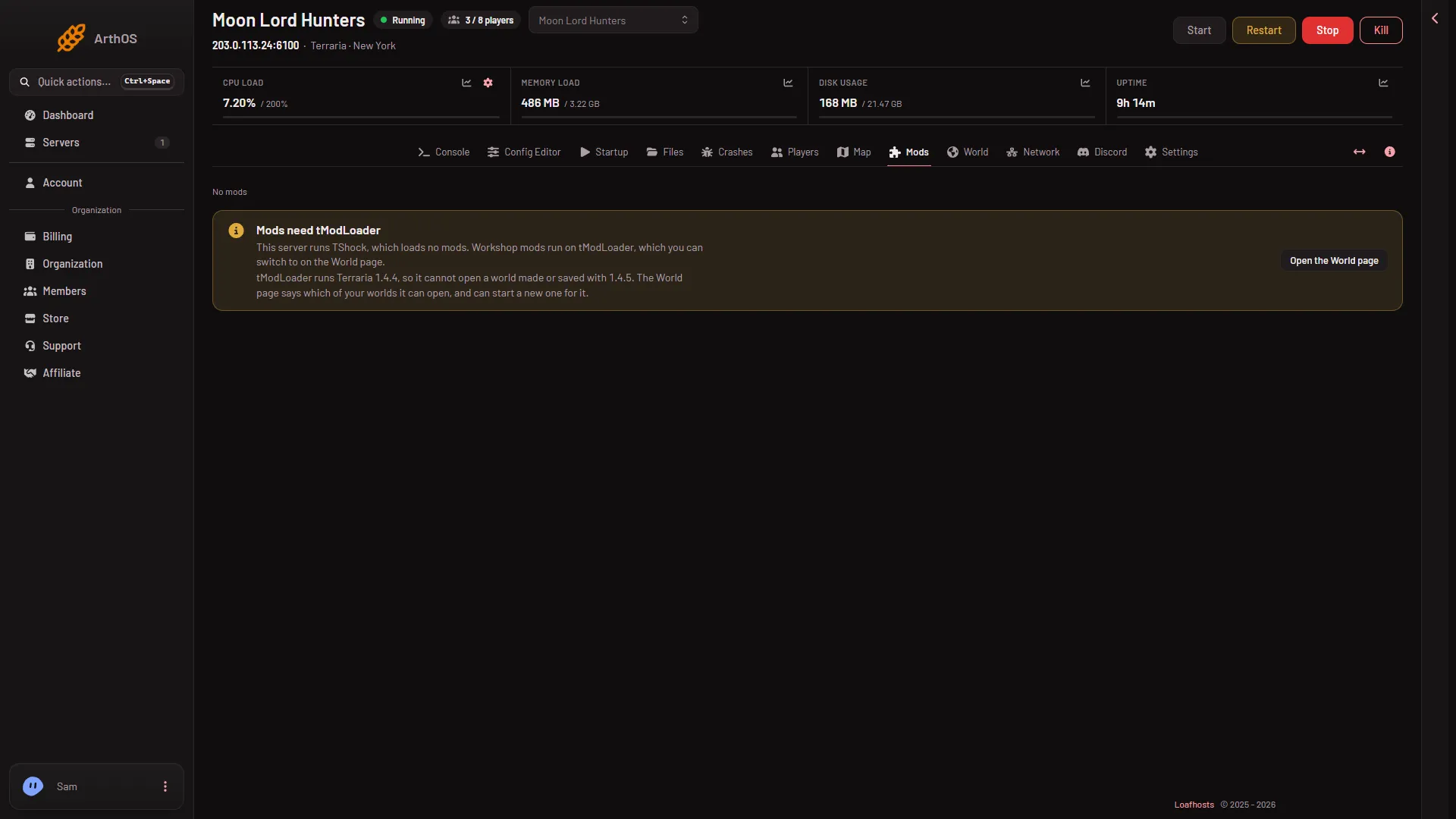
The page shows Mods need tModLoader: “This server runs (software), which loads no mods. Workshop mods run on tModLoader, which you can switch to on the World page.”
Under it is a warning. tModLoader runs Terraria 1.4.4, so it cannot open a world made or saved with 1.4.5. The World page says which of your worlds tModLoader can open, and can start a new one for it.
Choose Open the World page (1) to change the software. It applies at the next start. TShock’s and Vanilla’s files stay for switching back.
Do it in this order, because a new server’s world was made by Terraria 1.4.5 and tModLoader cannot open it (Too new for tModLoader). On the World page, choose tModLoader, then make a world under New world (tModLoader makes it at the next start) or upload a 1.4.4 world and choose Play this world. Then restart. A restart disconnects everyone who is on, so use Message everyone on the Players page first. See host a tModLoader server.
- Open the World page
On this server
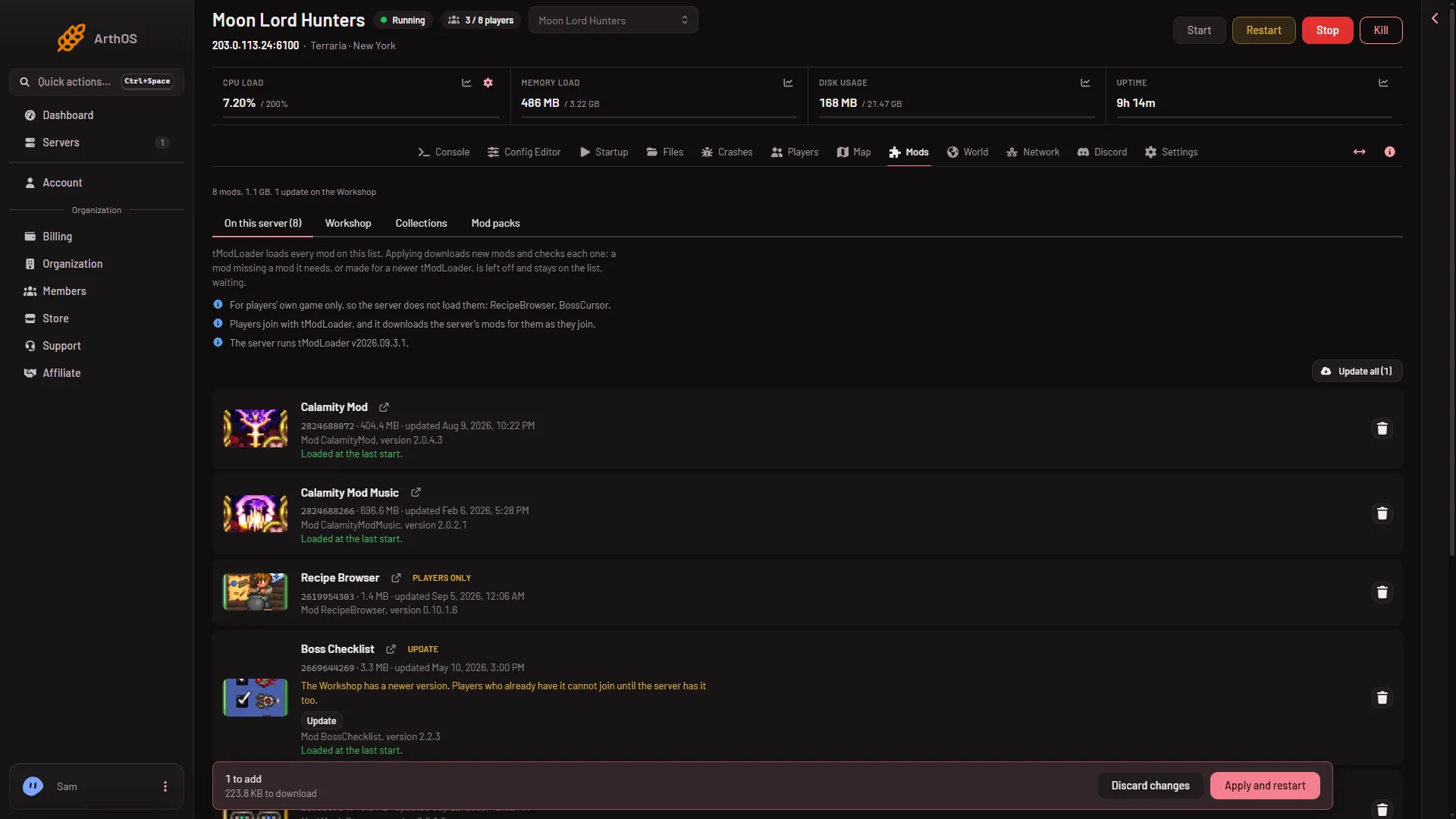
This is the list of mods the server loads, in the first tab (1). The page explains it: tModLoader loads every mod on the list. Applying downloads new mods and checks each one. A mod that is missing a mod it needs, or that was made for a newer tModLoader, is not loaded. It stays on the list, waiting.
- On this server
- Workshop
- Collections
- Mod packs
- Update all
Each row shows the mod’s name, its Workshop number, size, when it was updated and small tags such as New, Update or Players only. A row lets you open the mod on the Workshop and take it off the list. Update all (5) updates every mod that has a newer version. Players only marks a mod that is for players’ own game only, so the server does not load it.
The list holds at most 200 mods. Below it, On the server, not loaded lists mod folders that are on disk but not on the list. They only take disk space. You can put them on the list or choose Delete files.
Workshop (2)
Search the tModLoader Workshop and add mods from the results. There is also Add by link or ID for a mod you already know. See search the Workshop.
Collections (3)
Keep the server’s list as a collection with a name. Use it again on another Terraria server, or share it with your organization. Collections made for Terraria work on Terraria servers only. See mod collections.
Mod packs (4)
This tab loads a mod pack made in tModLoader, and it can download the server’s own mods as a pack for players. A pack goes on the list the same way as other mods, and nothing changes until you apply.
The bar and Apply
When the list differs from what the server runs, a bar appears at the bottom. It counts what will be added or removed, for example “1 to add”, and how much will download. Choose Discard changes to drop them, or Apply (server stopped) or Apply and restart (server running). Both need a role that may change the startup and restart the server. See install mods.
What players need
Players join with tModLoader. The page says at the top of the list: “Players join with tModLoader, and it downloads the server’s mods for them as they join.” Not checked on tModLoader v2026.09.3.1 as of 13 November 2026: a join with a real player.
If it does not work
- There are no tabs. The server runs Vanilla or TShock. Switch on the World page.
- You can see the list but cannot add. Your role may not allow changing the startup.
- A mod is on the list but not loaded. It is waiting. The row says why, for example that it needs another mod.
More about the game: Terraria servers.
Sources: store.steampowered.com: TModLoader