
















Open the Mods page, choose the Workshop tab, type a word in Search the Workshop, and choose Add on a result. The mod goes on the server’s list. It downloads when you apply. The server must run tModLoader.
The search reads the tModLoader Workshop on Steam (app 1281930). That is not the Workshop of Terraria itself, so you only see tModLoader mods.
Steps
- Open the Mods page and choose the Workshop tab.
- Type a word in Search the Workshop (1), such as the name of a mod.
- Open the sort menu at the right of the search box. The picture shows Most subscribed. The choices are Most subscribed, Trending, Recently updated and Newest.
- Look through the results. Each shows the mod’s name, when it was updated and how many subscribers it has. The page shows how many mods matched, and Page numbers with Previous and Next.
- Choose Add on a mod. The page says: “Added to the list. Apply to download.”
- A mod that is already there shows On the list instead of Add.
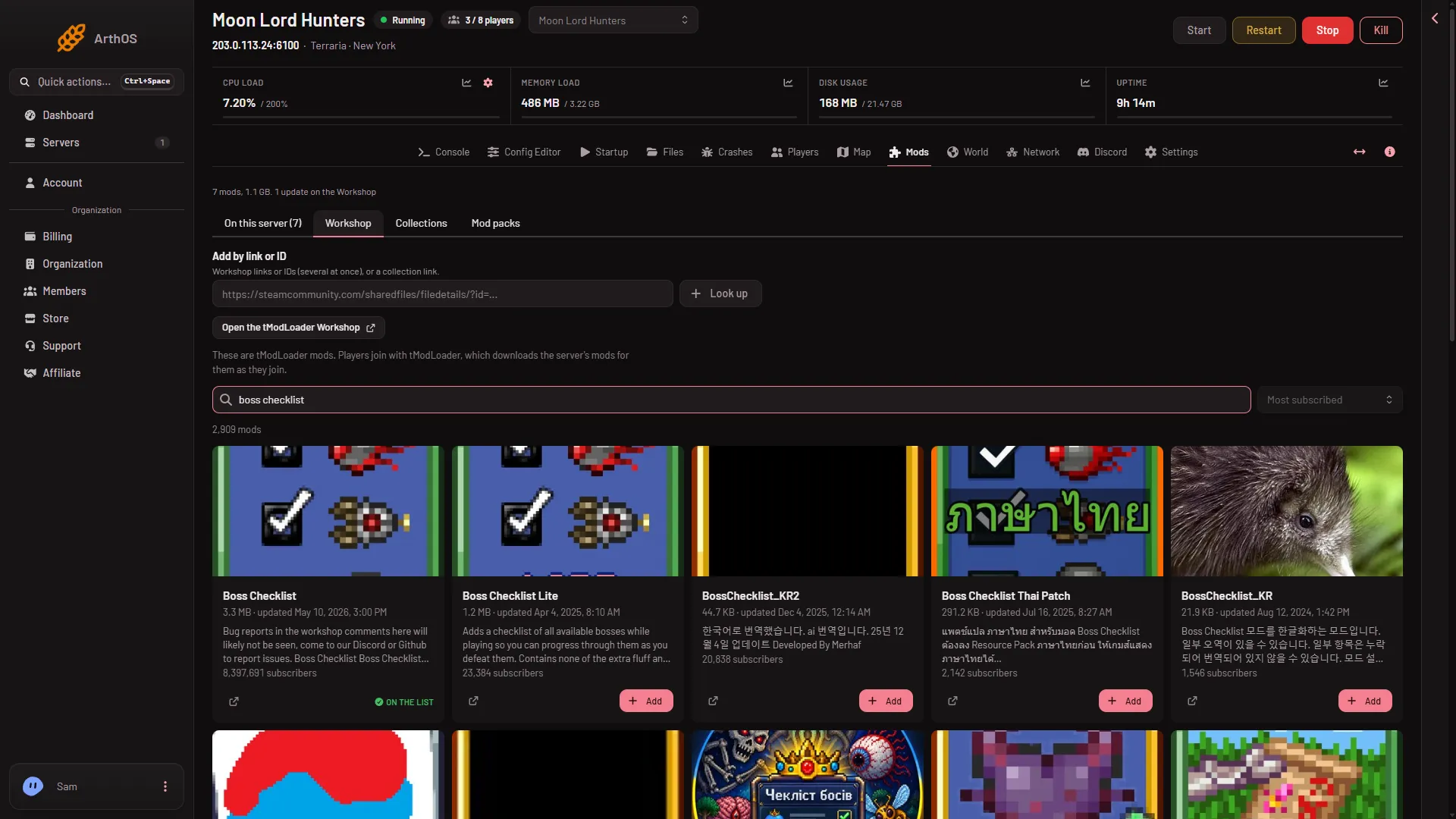
- Type a word to search
To read more about a mod first, choose Open on the Workshop. Its Steam page opens.
Which sort to use
- Most subscribed: the mods with the most subscribers. A good place to start.
- Trending: mods the Workshop is ranking as trending now.
- Recently updated: mods their authors changed most recently.
- Newest: mods added to the Workshop most recently.
What happens when you add
Adding changes only the list. When a mod needs another mod, the page adds a box Add these mods? that lists what each needs. See add by link or ID. Then a bar at the bottom of the page counts what is waiting. Nothing downloads until you choose Apply. See install mods.
Players join with tModLoader. It downloads the server’s mods for them as they join. The page says so under the search box.
If it does not work
- There is no search box. On some servers the panel says: “Searching here is not set up. Find mods on the (game) Workshop, then paste their links above.” Paste the link of the mod into Add by link or ID instead.
- The Workshop tab is missing. The server runs Vanilla or TShock. Switch to tModLoader on the World page.
- Add is missing. Adding needs a role that allows changing the startup. The page says you can see the mods but not add them.
- A mod will not load after you apply. Open its row on the On this server tab. It says why. See the Mods page.
More about the game: Terraria servers.
Sources: store.steampowered.com: TModLoader