
















A .tmod file that is not from the Steam Workshop can be put on your server by hand. Upload it into the tModLoader/Mods folder with Files. The Mods page then lists it with the chip Local folder, and the panel never changes it.
This is for a server that runs tModLoader. On Vanilla or TShock the server loads no mods.
Upload the file
- Open Files.
- Open the folder
tModLoader, then the folderMods. - Open the New menu (1) and choose File from Upload.
- Pick the
.tmodfile from your computer.
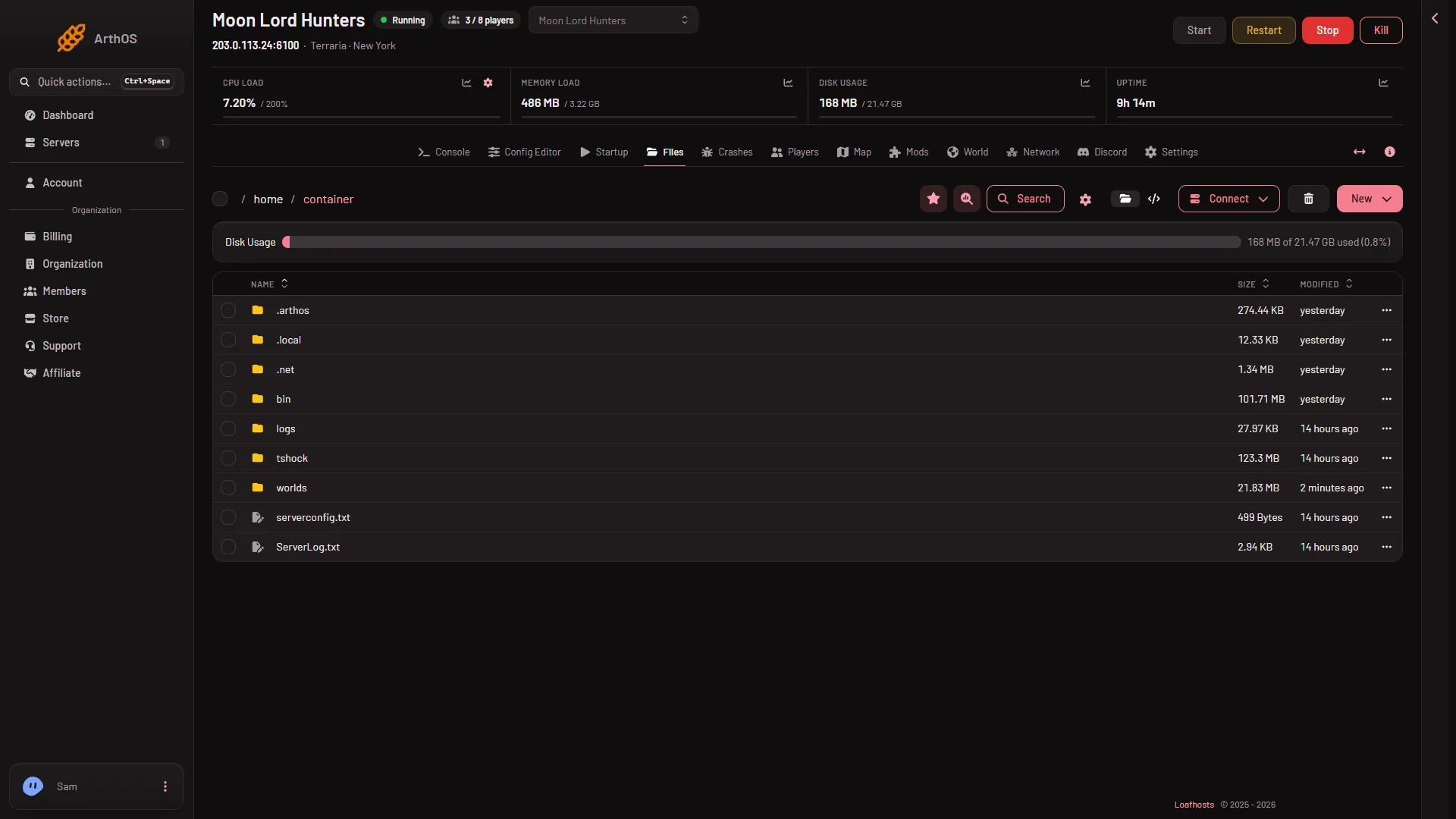
- New menu
- Connect menu
You can also upload over SFTP. Open the Connect menu (2) and choose via SFTP to see SFTP Details.
See it on the Mods page
- Open the Mods page.
- Open On this server.
- Find the mod. Its row carries the chip Local folder. The row says: “A folder on the server that is not a Workshop download. It is never changed here.”
The panel reads the mod’s own file for its name, version and what it needs. It does not update the file, move it or delete it. You change it yourself in Files.
Update or remove it
- Update. Upload the new
.tmodfile with the same name in Files. It replaces the old one. - Remove. Delete the file in Files. Deleted files go to the Trash for a while and can be restored there.
Changes load at the next start of the server. A restart disconnects everyone who is on, so use Message everyone first.
What the game does with it
The game loads mods named in tModLoader/Mods/enabled.json. At every start it drops names it finds no mod for, and turns off any mod that cannot load, for example one missing a mod it needs. Its log says which and why. See what enabled.json is.
A hand-placed mod must be built for the server’s tModLoader. The server runs the version shown on the Mods page. A mod made for a newer tModLoader cannot load.
Not checked on tModLoader v2026.09.3.1 as of 13 November 2026: whether a hand-placed mod is turned on for you, or whether you must add its name to enabled.json yourself. Check the row after the next start. It says “Loaded at the last start.” when the game loaded it.
If it does not work
- It is not on the Mods page. The file is in a sub-folder, or it does not end in
.tmod. - It does not load. Look at its row for the reason, such as a mod it needs or a newer tModLoader.
- A mod it needs is not there. Put the other mod on the list or in the folder too.
More about the game: Terraria servers.