
















A Terraria server plays one world at a time. To switch, choose Play this world on the other world’s row on the World page. The server plays it from its next start. Nothing is deleted: the world you leave stays on the server.
Switch the world
- Open the World page.
- Under Worlds, find the world you want. The world now in play has the tag Playing.
- On the row of the world you want, choose Play this world.
- Restart the server with Restart at the top of the server page. A restart drops everyone who is on, so first send a note with Message everyone on the Players page. A running server tells you: “Restart the server for it to take effect.”
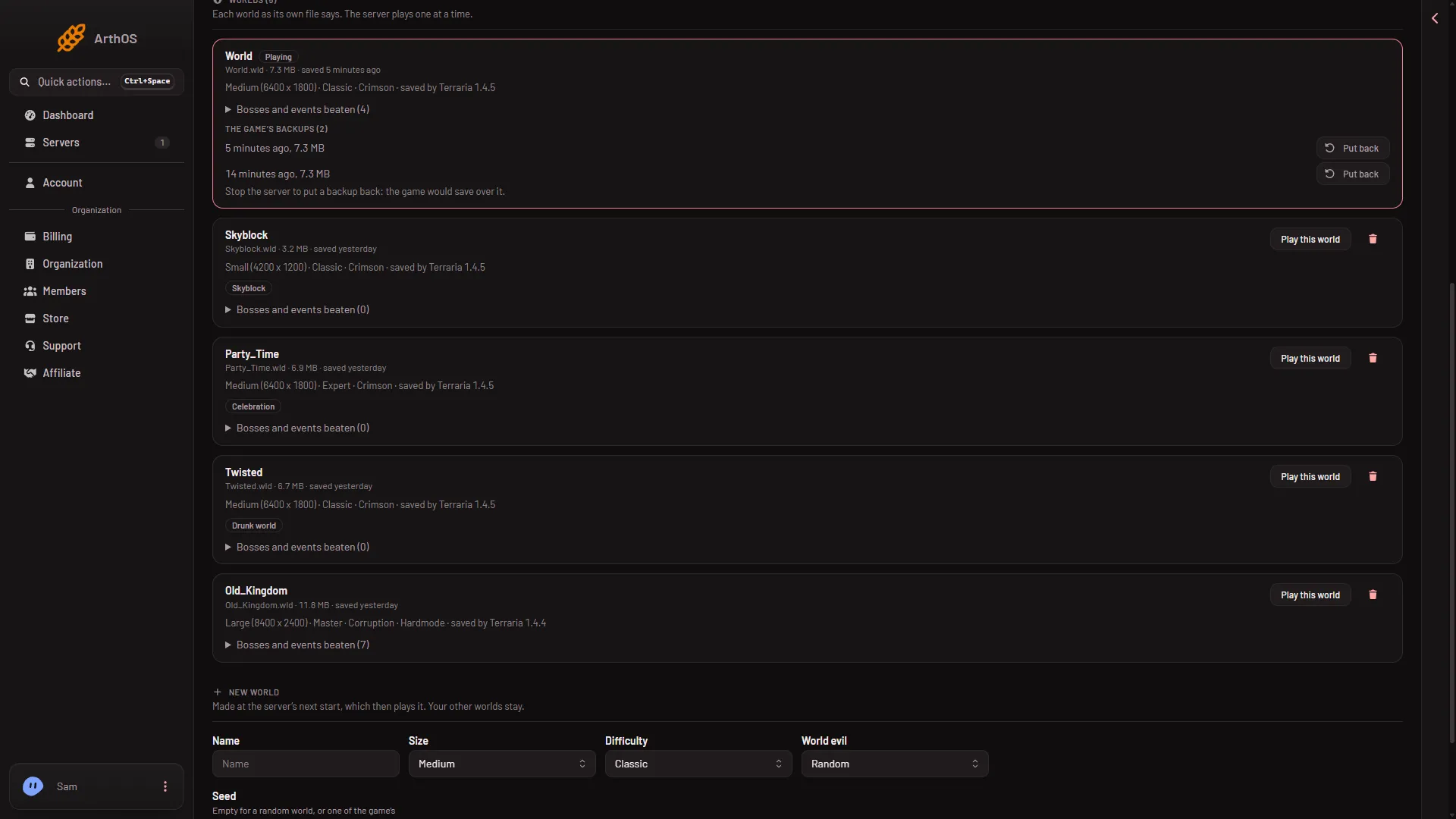
- Play this world
Choose Play this world (1) on the world you want.
Stopping the server saves the world it was playing. After the restart, the row you chose shows Playing.
What each row tells you
Each row says what the world’s own file says: its size, its mode (Classic, Expert, Master or Journey), Corruption or Crimson, Hardmode, and saved by Terraria with a version. The row shows saved and a time.
Check the version before you switch software or worlds. If the server runs tModLoader, a world saved by Terraria 1.4.5 shows Too new for tModLoader. tModLoader runs Terraria 1.4.4 and does not open it. Play that world on Vanilla or TShock.
Add a world to choose from
- Make a new one with Make this world in the New world card. See make a new world.
- Upload a
.wldfile into theworldsfolder in Files. The World page lists it.
Who can do it
Changing the world needs a role that allows changing the startup. The panel limits World page changes to 20 a minute for each server.
If it does not work
- That world is already the one the server plays. The panel answers this when you choose Play this world on the world in play. Pick another world.
- There is no such world on the server. The world was deleted or moved since the page loaded. Reload the page.
- The world did not change. The switch applies at the next start. Restart the server, then check that the Playing tag moved.
If you no longer want the old world, see delete a world. More about the game: Terraria servers.