
















TShock keeps its welcome text and its rules in two plain text files: tshock/motd.txt and tshock/rules.txt. Edit the files in Files. Restart the server after an edit to be sure it is used. How players read the files in the game is not checked (see the end).
These files belong to TShock, the server program that adds accounts, groups and bans. A Terraria server on Vanilla or tModLoader does not have them.
Edit the files in the panel
- Open Files and go to the folder
tshock(1). - Open
motd.txtfor the welcome text, orrules.txtfor the rules. - Edit the text and save the file.
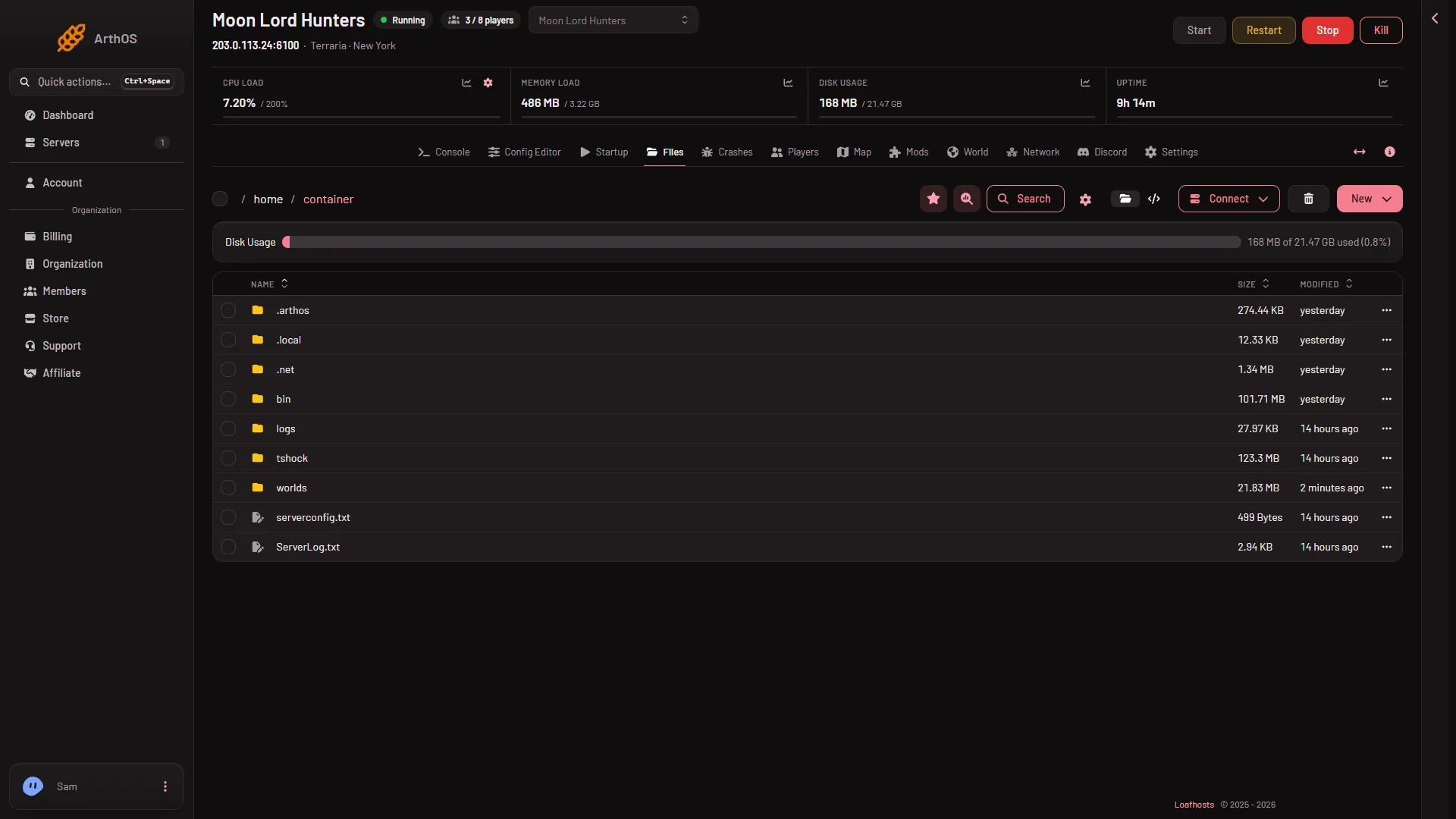
- Open the tshock folder
If the files are not there, the server has not started on TShock yet. Start it once and they appear.
How the files work
Each line of the file is one line of text. Keep rules.txt to one rule per line.
The default motd.txt uses colour tags, such as [c/ffff00:%map%]. The text after the colon is drawn in the colour between c/ and the colon. Copy that shape to colour your own words.
Placeholders
TShock swaps these words for live values each time it sends the file. They work in both files.
%map%is the server name when Use server name is on, and the world’s name when it is off. Both settings are in the Config Editor, file TShock, group Server.%onlineplayers%is how many players are on now.%serverslots%is the player limit in TShock’s own settings. The panel shows that value locked as Max players in the same file. The panel starts the server with the limit from Startup, whatever the locked value says. If the two differ,%serverslots%can show the other number, so check what it prints on your server.%players%is the names of the players on, with commas between them.%specifier%is the prefix players type before a command.
An example motd.txt:
Welcome to [c/ffff00:%map%]!
Online (%onlineplayers%/%serverslots%): %players%
An example rules.txt:
Be kind to other players.
Ask before you take from a shared chest.
No griefing.
Do not mix it up with Message of the day on Startup
The Startup page has a setting Message of the day. That one is the game’s own message and is separate. The text in motd.txt is TShock’s. The two files are different things.
If it does not work
- The folder
tshockis empty or missing. The server has not run TShock. Check the World page, then start the server. - A placeholder shows as
%map%. Check the spelling. The words are lower case with a percent sign each side. - A colour tag shows as text. Copy the shape of the default file exactly:
[c/ffff00:text]. - A line is missing. Check that the line is in the file and that you saved the file.
Not checked on TShock 6.2.1 as of 13 November 2026: how players read the files in the game, whether a change needs a restart, how blank lines are handled, whether TShock also shows the welcome text by itself when a player joins, and whether the Startup message shows on a TShock server.