
















TShock is the Terraria server with accounts, groups, bans by account and anti-cheat. To run it, switch the server to TShock on the World page and start it. Its first start makes a one-time code. Join the game, type /setup with the code, and make your owner account.
What TShock is
TShock describes itself as “a toolbox for Terraria servers and communities”. It adds accounts, groups, permissions, item bans and anti-cheat tools to the game’s server. Players join with the normal game. They do not need to install anything.
On Loafhosts, TShock also gets the panel’s own tools. The Players and Map pages use them to show health, mana, items and live positions.
Switch the server to TShock
- Open the World page.
- In the Server software card, choose TShock.
- A box asks “Run TShock?” It says that from the next start the server runs TShock, which downloads first, and that its first start prints a code that makes you its owner. Choose Continue.
- Restart the server. A restart disconnects everyone who is on, so warn them first with Message everyone on the Players page.
Your worlds are shared with the other programs. Switching back loses nothing, because each program keeps its own files.
The first start takes longer, because TShock downloads first. The panel takes the newest TShock release. To pin a release, set TShock version on the Startup page, for example v6.2.1.
Get the setup code
On its first start, TShock prints one line in the Console:
To setup the server, join the game and type /setup (code)
The Players page shows the same code for you. Look for the box Make yourself TShock’s owner. It says “TShock’s first start made a one-time code. Join the server and type this in chat; it then asks you to make an account.”
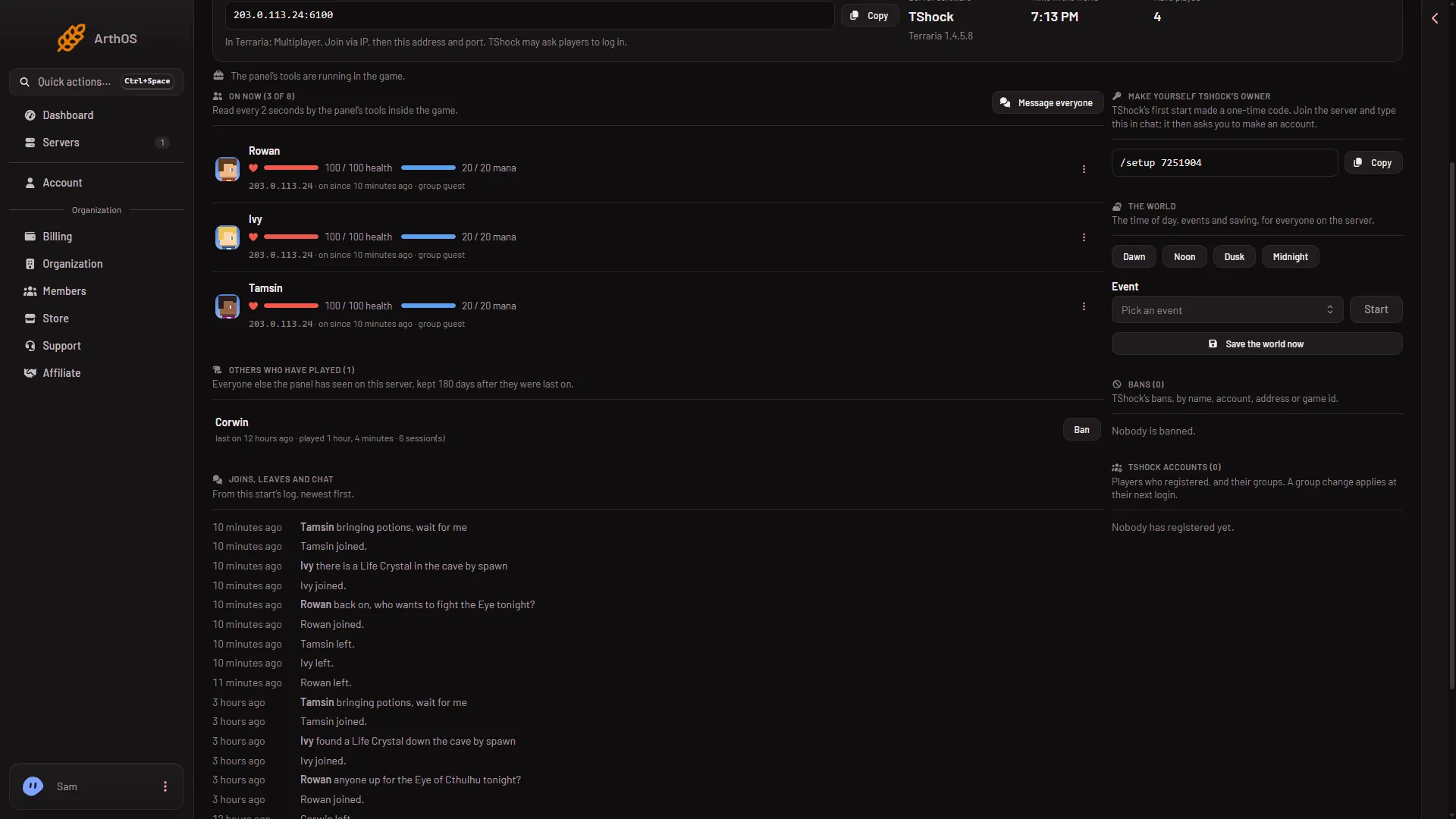
- The owner box
- Save the world now
The box (1) shows only while the server has no owner account. It shows only to a role that allows it. Once an account in the owner group exists, the code is gone.
Join and set up
- In Terraria, choose Multiplayer, pick a character, and choose Join via IP.
- Type the address and port from the Join box on the Players page.
- In the game’s chat, type
/setupand then the code from the Players page. - TShock then asks you to make an account. Follow the messages it shows in the game. The panel’s own text says only this, so the steps are TShock’s. More in the setup code guide.
When you have an account in the owner group, the box on the Players page disappears.
The code works once.
What TShock changes for players
- Joining. Players join with the normal game. TShock may ask them to log in.
- After a game update. TShock joins with the normal game only when a TShock version exists for the new game version. Until then, players on the new version are refused. Update at start on the World page is on by default and brings TShock up to date at every start.
- World evil. When you make a world, only TShock obeys World evil (Corruption or Crimson). The other programs pick at random.
- Bans. Ban (account, character and address) on a player’s menu bans all three. The Bans list shows each ban by name, account, address or game id.
Accounts and groups
The Players page has a TShock accounts list. It shows who registered and their groups.
- Choose Group on a row.
- In TShock group, type the group name. Use letters, digits,
_and-, up to 32 characters. - Choose Change group.
The change applies at the player’s next login. Changing groups needs a role that allows it. The list shows each player’s group, for example guest. More in accounts and groups.
Settings
The Config Editor has a file called TShock with settings such as Account needed to play, Whitelist only, PvP, Spawn protection and Backup every. Changes apply at the next start. The port and the player limit are not set there: the panel starts TShock with the server’s own port and the Max players from Startup.
If it does not work
- There is no code on the Players page. The box shows only while no owner account exists. If an account was made, you are done. If not, look for the
/setupline in the Console. - The game refuses the join after an update. There is no TShock version for the new game version yet. Wait for a new TShock release and restart with Update at start on.
- The panel’s tools do not report. Nobody is on, so the world is paused. The tools work once someone joins.
- You want Vanilla back. Choose Vanilla in the Server software card and restart.
More about the game on Loafhosts: Terraria servers.
Sources: github.com: TShock, terraria.wiki.gg: Server