
















When a server runs TShock, the Config Editor shows TShock’s own settings file as named rows. There are 52, in eight groups. Two are locked. Saved changes apply after a restart.
This applies to a Terraria server that runs TShock. The program is chosen on the World page. For the plain serverconfig.txt rows that every Terraria server has, see the Terraria Config Editor.
Open the file
- Open the server’s Config Editor tab.
- Choose TShock from the row of file buttons. It is the file
tshock/config.json.
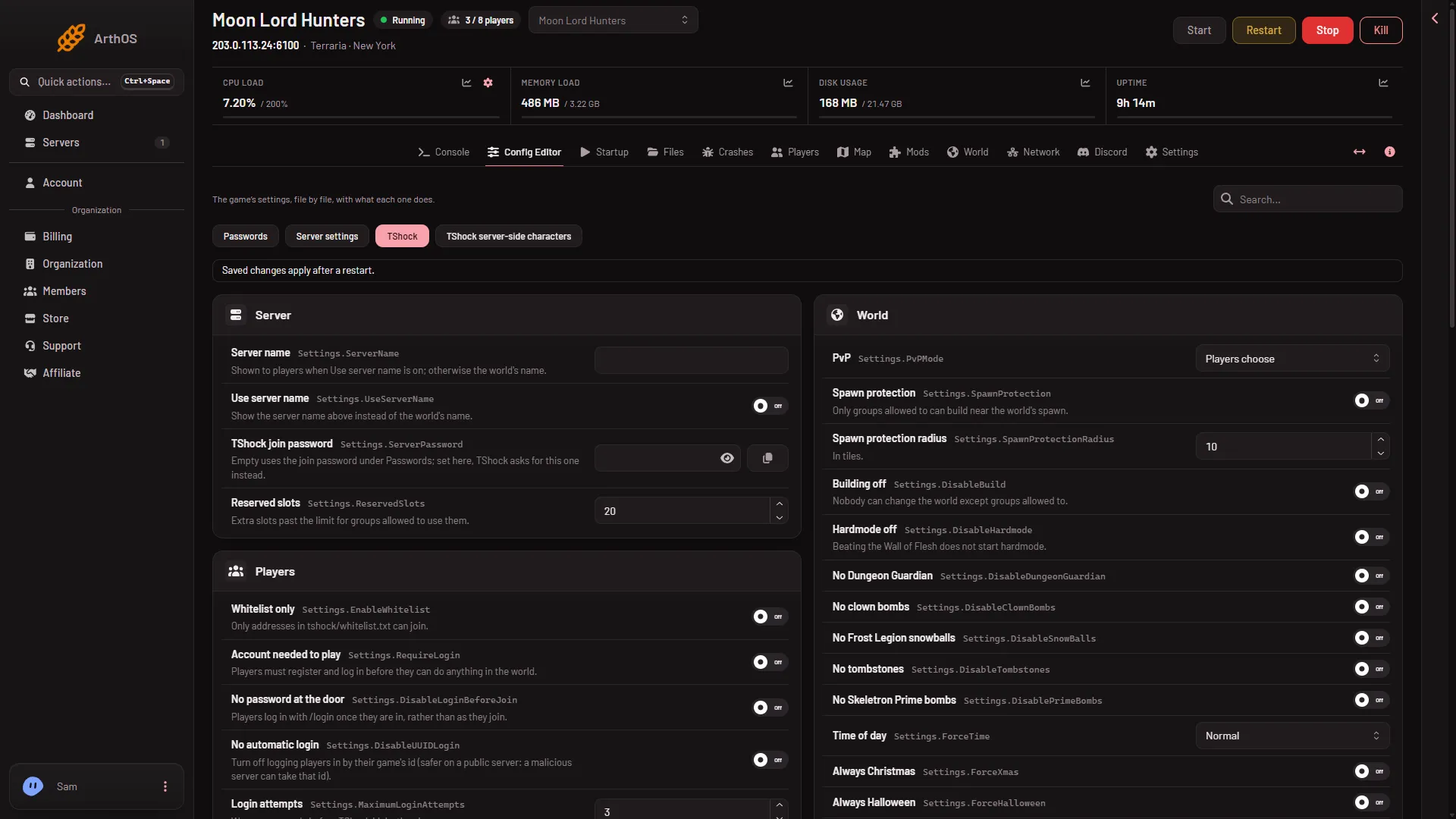
Two things to know first:
- TShock writes
config.jsononly when it is missing. If the page says the file does not exist yet, start the server once. - Next to it is TShock server-side characters, the file
tshock/sscconfig.json. It has no named rows. It opens as a file. See server-side characters.
Each row shows its help line. Some rows have none, because their label says enough. The number rows have the limits given below. Beneath the rows, an Advanced card says how many more settings the file holds (“Most servers never change them”) with Show them.
Not checked on TShock 6.2.1 as of 13 November 2026: what each row does in game beyond the help line the panel shows. The tables below add plain wording where the panel shows none.
Server
| Row | What it does |
|---|---|
| Server name | Shown to players when Use server name is on. Otherwise the world’s name is shown. |
| Use server name | Show the server name above instead of the world’s name. |
| TShock join password | Empty uses the join password under Passwords. Set here, TShock asks for this one instead. |
| Reserved slots | Extra slots past the player limit for groups allowed to use them. 0 to 255. |
Players
| Row | What it does |
|---|---|
| Whitelist only | Only addresses in tshock/whitelist.txt can join. |
| Account needed to play | Players must register and log in before they can do anything in the world. |
| No password at the door | Players log in with /login once they are in, rather than as they join. |
| No automatic login | Turn off logging players in by their game’s id. Safer on a public server, because a malicious server can take that id. |
| Login attempts | Wrong passwords before TShock kicks the player. 1 to 100. |
| Shortest account password | For /register. 4 to 64. |
| Group for new accounts | The group a player joins when they register. |
| Group for guests | The group of a player who has not logged in. |
| Kick proxy users | Kick players who join through a known proxy. |
Characters
| Row | What it does |
|---|---|
| Hardcore characters only | Only hardcore characters can join. |
| Mediumcore characters only | Only mediumcore characters can join. |
| Softcore characters only | Only softcore characters can join. |
| Most health | A character with more is caught as cheating. 100 to 10,000. |
| Most mana | A character with more is caught as cheating. 20 to 10,000. |
| Respawn time | In seconds. 0 uses the game’s own. Up to 600. |
| Respawn time during a boss | In seconds. 0 uses the game’s own. Up to 600. |
World
| Row | What it does |
|---|---|
| PvP | Choose Players choose, Always on, Always off or On, teams not allowed. |
| Spawn protection | Only groups allowed to can build near the world’s spawn. |
| Spawn protection radius | In tiles. 0 to 1,000. |
| Building off | Nobody can change the world except groups allowed to. |
| Hardmode off | Beating the Wall of Flesh does not start hardmode. |
| No Dungeon Guardian | Turns the Dungeon Guardian off. |
| No clown bombs | Turns clown bombs off. |
| No Frost Legion snowballs | Turns the Frost Legion’s snowballs off. |
| No tombstones | Players leave no tombstone when they die. |
| No Skeletron Prime bombs | Turns Skeletron Prime’s bombs off. |
| Time of day | Normal, Always day or Always night. |
| Always Christmas | Keeps the Christmas event on. |
| Always Halloween | Keeps the Halloween event on. |
| Crimson spreads | Lets the Crimson spread. |
| Corruption spreads | Lets the Corruption spread. |
| Hallow spreads | Lets the Hallow spread. |
| Invasion size | How many enemies an invasion brings, as a multiple of the game’s own. 1 to 100. |
| Most enemies near a player | TShock’s limit. The game’s own is 5. 0 to 200. |
| Enemy spawn rate | Lower spawns more often. The game’s own is 600. 1 to 10,000. |
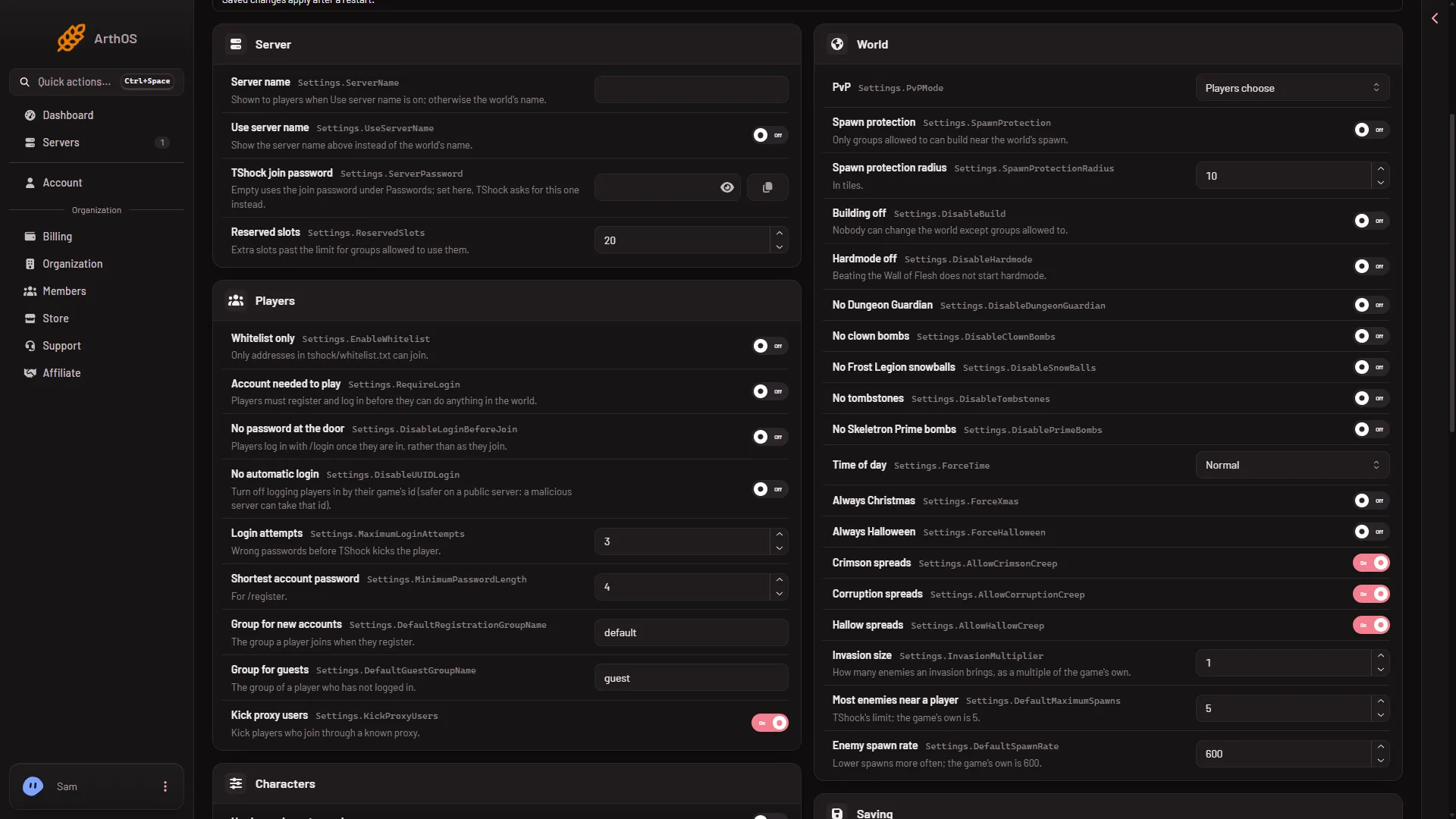
- PvP
- Spawn protection
- Time of day
Saving
| Row | What it does |
|---|---|
| Save the world now and then | Turns the world’s automatic saving on or off. |
| Say when it saves | Announces each save in chat. |
| Backup every | Minutes between TShock’s own world backups, kept in tshock/backups. 0 turns them off. Up to 1,440. |
| Keep backups for | How long to keep them, in minutes. |
| Save when the last player leaves | Saves the world when the server empties. |
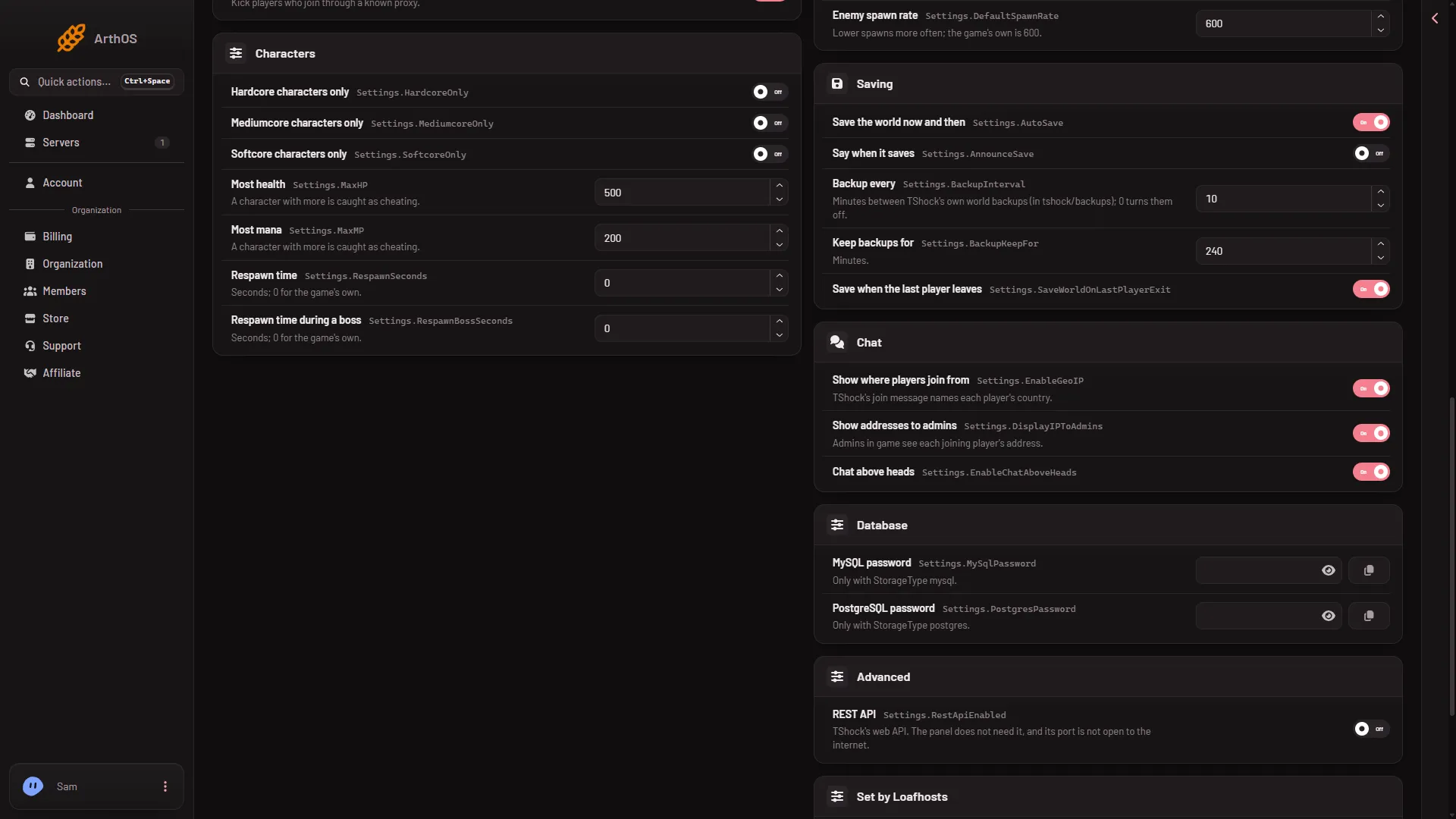
- Save the world now and then
- Backup every
- Keep backups for
TShock’s backups are separate from the game’s own backups on the World page and from the panel’s Backups tab.
Chat
| Row | What it does |
|---|---|
| Show where players join from | TShock’s join message names each player’s country. |
| Show addresses to admins | Admins in game see each joining player’s address. |
| Chat above heads | Shows chat above the player’s head. |
Database
| Row | What it does |
|---|---|
| MySQL password | Only used when TShock stores its data in MySQL. A secret. |
| PostgreSQL password | Only used when TShock stores its data in PostgreSQL. A secret. |
Advanced
| Row | What it does |
|---|---|
| REST API | TShock’s web API. The panel does not need it, and its port is not open to the internet. |
Locked rows
Two rows sit under Set by Loafhosts and cannot be changed here.
- Port: the panel starts TShock on the server’s own port, whatever this says.
- Max players: the panel starts TShock with the limit set on the Startup page, whatever this says.
Change the player limit on Startup. The port is shown on the Players page and in the server’s network settings.
Passwords
The three secret rows (TShock join password, MySQL password, PostgreSQL password) are passwords, so do not show them in a screenshot. The ordinary join password, the one most servers use, is under Passwords in the Config Editor. A new server has none.
Saving, and when it applies
Change a row. A bar reads “Unsaved changes: (n)” with Discard and Save. Choose Save. A running server says “Saved. Restart the server to apply the changes.” Choose Restart at the top of the server page. A restart drops everyone who is on, so warn them first with Message everyone on the Players page. A stopped server says “Saved. The changes apply when the server starts.”
If it does not work
- The TShock file is not listed. The server is not running TShock. Check the World page.
- The file does not exist yet. Start the server once so TShock writes it.
- You changed a row and nothing changed in game. Restart the server.
- Players cannot get in after you turned on a requirement. Whitelist only and Account needed to play both stop players who are not set up. Turn the row off, save, and restart.
- The row for the player limit has no effect. It is locked. Use Startup.
Sources: github.com: TShock