









ValheimPlus adds many settings to the game, such as stamina, carry weight and building. For Valheim 1.0 the package to use on Thunderstore is ValheimPlus Grantapher Temporary by Grantapher. Install it from the Mods page, start the server once, then change its settings in the Config Editor. Your players need the mod on their own game too.
Which package
The original ValheimPlus project could not be updated for a while. Its README calls the Grantapher version the “temporary home of the mod while the mod owners are unable to update the official repo”. As of 21 October 2026 its Thunderstore page shows the release as 10.3.0.
The mod’s own compatibility list writes the same release as 0.10.3.0 and lists it with Valheim 1.0.20 and BepInExPack Valheim 5.4.2351. The same list says to assume any combination it does not list does not work. Check that list again after a game update. Loafhosts cannot promise the mod works on a game version its author has not listed.
Other packages with ValheimPlus in the name exist on Thunderstore. Open the page of the one you pick and check that it says it works with the game version your server runs.
In the ArthOS panel
- Open the Mods page and the Add a mod tab.
- Type
ValheimPlusinto the search box and choose Search. - Open ValheimPlus Grantapher Temporary and choose Install.
- The box lists every package it will install. Mods need BepInEx to load, so it is on the list if the server does not have it yet. Choose Install.
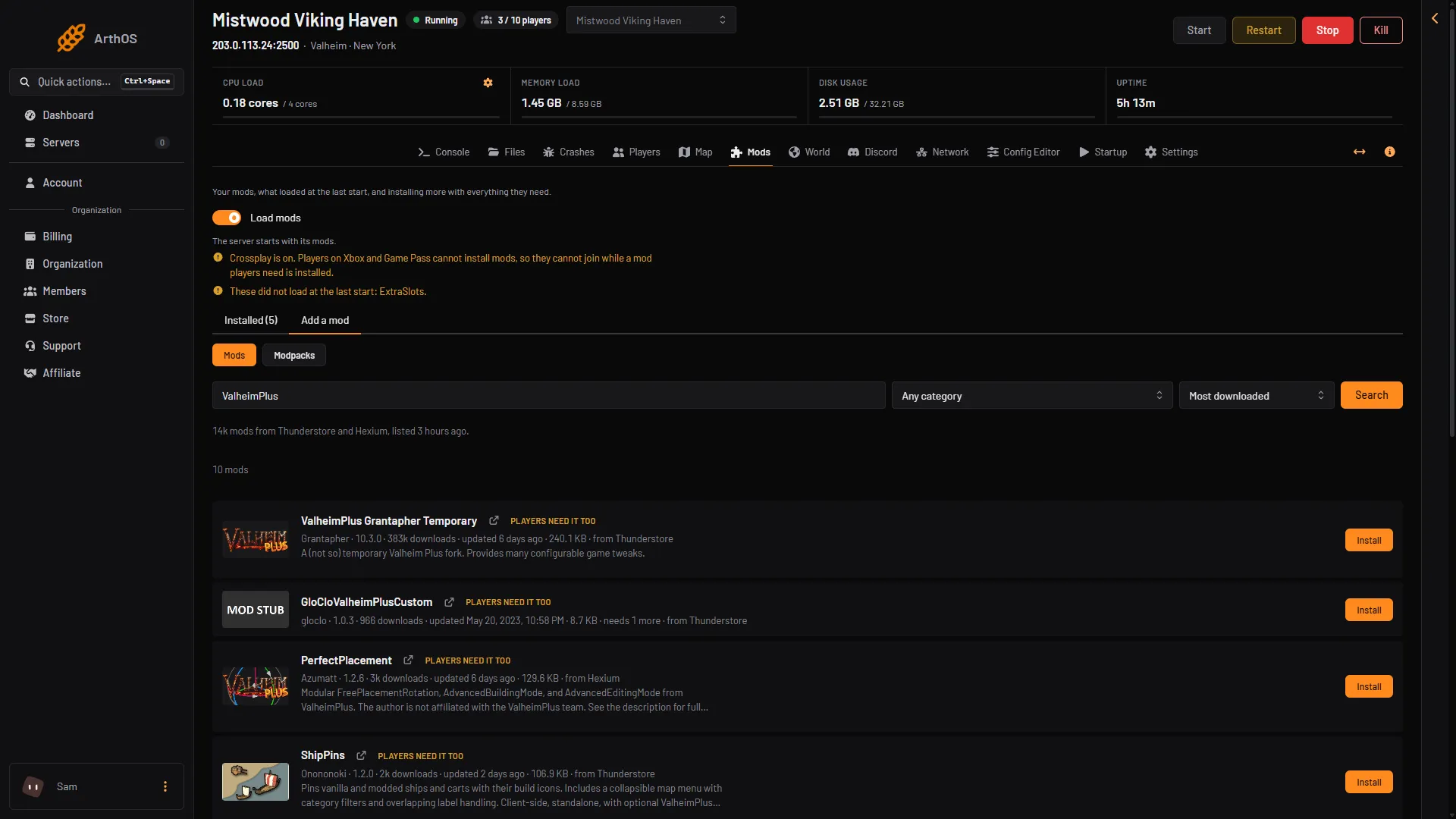
- Search
- Results
Choose Search (box 1) and pick the package from the results (box 2).
If crossplay is on, tick the box that says console players cannot join while a mod they need is installed. Install stays grey until you do. Players on Xbox and Game Pass cannot install mods.
On the Installed tab, the row for the mod shows Players need it too. That tells you every player must install it as well.
Change its settings
ValheimPlus writes its settings file the first time the server starts with it. The file is BepInEx/config/org.bepinex.plugins.valheim_plus.cfg. Every feature is off until you turn it on in this file.
- Start the server and wait until it is running.
- Open the Config Editor.
- Open the ValheimPlus settings file from the list.
- Find a setting with the search box, change it, and choose Save.
- Restart the server. The mod reads its settings at the start.
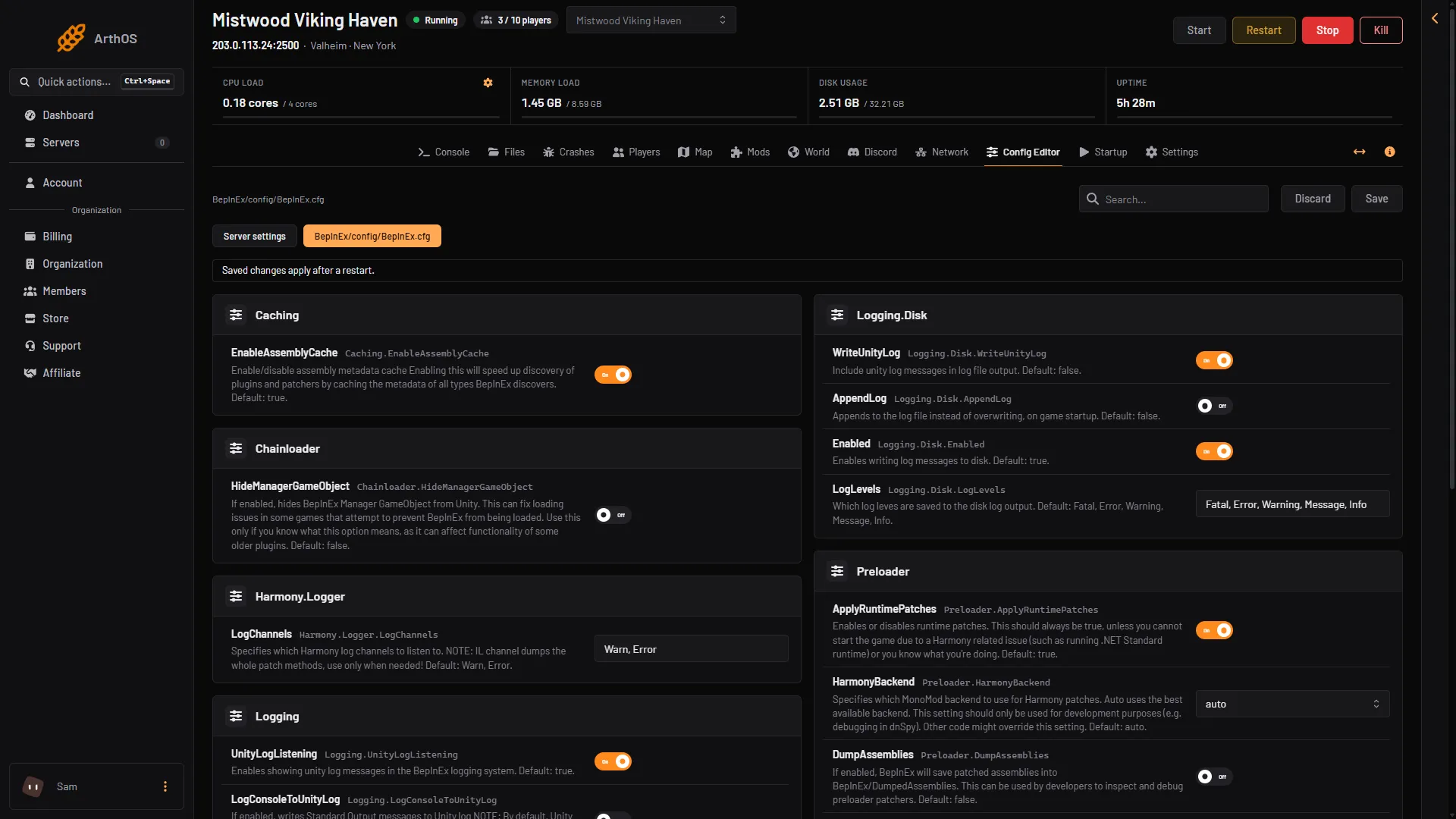
- A settings file
- Search
- Save
The picture shows another mod’s file, BepInEx.cfg, because the page looks the same for every file: the file’s tab (1), the search box (2) and Save (3). ValheimPlus’s own file is not shown here.
If the file is not in the list, the server has not started with the mod yet. Start it and look again.
The settings are grouped in sections, such as the player, building and server. The mod’s package page describes what each part does.
Make players match the server
ValheimPlus has a Server section with two settings that matter on a shared server:
enforceMod: only players with the same mod version can join.serverSyncsConfig: every player who joins gets the server’s settings. Their own file is not changed, and their own settings come back when they leave. Key bindings, screen display and field of view always stay the player’s own.
Use both if you want everyone to play with the same rules.
Players need it too
The mod’s page says both the game and the server should have it. Players cannot join a server that enforces the mod unless they run the same version. See how players install the same mods.
If it does not work
- The server does not show the mod as loaded. Open the Installed tab. Did not load means BepInEx reported a problem. See mods not loading.
- Players are refused after a mod update.
enforceModneeds the same version on both sides. Ask players to update to the version in the Installed list. - A feature does nothing. Features are off by default. Turn it on in the settings file and restart.
- The game updated and something broke. Look at the mod’s compatibility list for the new game version. The mod’s page says updates are unlikely to break more than some features.
More about the game: Valheim servers.
Sources: valheim.thunderstore.io: ValheimPlus Grantapher Temporary, raw.githubusercontent.com: COMPATIBILITY.md, raw.githubusercontent.com: INSTALL.md