











The whitelist decides who may join. When it is empty, anyone who knows the join password can join. Once you add the first player, only the players on the list can join, from the next start of the server. Everyone else is kept out. Add yourself and your admins first.
Not checked on 0.025 as of 27 October 2026: that a whitelisted player is joined and everyone else refused in the game. The super admin list was proven in the game; the whitelist was not.
Before you start
Put your own id, and the ids of your admins, on the list before anyone else’s. The panel’s box says: “While the whitelist has anyone on it, only those players can join. Everyone else is kept out from the next start.”
Not checked on 0.025 as of 27 October 2026: whether an admin who is not on the list can join. Add your admins too, until you know.
From a player’s row
- Open the Players page.
- Find yourself under Online or Everyone who has played.
- Open the menu on your row (the three dots).
- Choose Add to the whitelist.
- A box asks “Start a whitelist with (name)?”. Choose Add to the whitelist.
- Do the same for each friend. The box appears only for the first name.
The row gets the tag Whitelist, and the name appears in the Whitelist list.
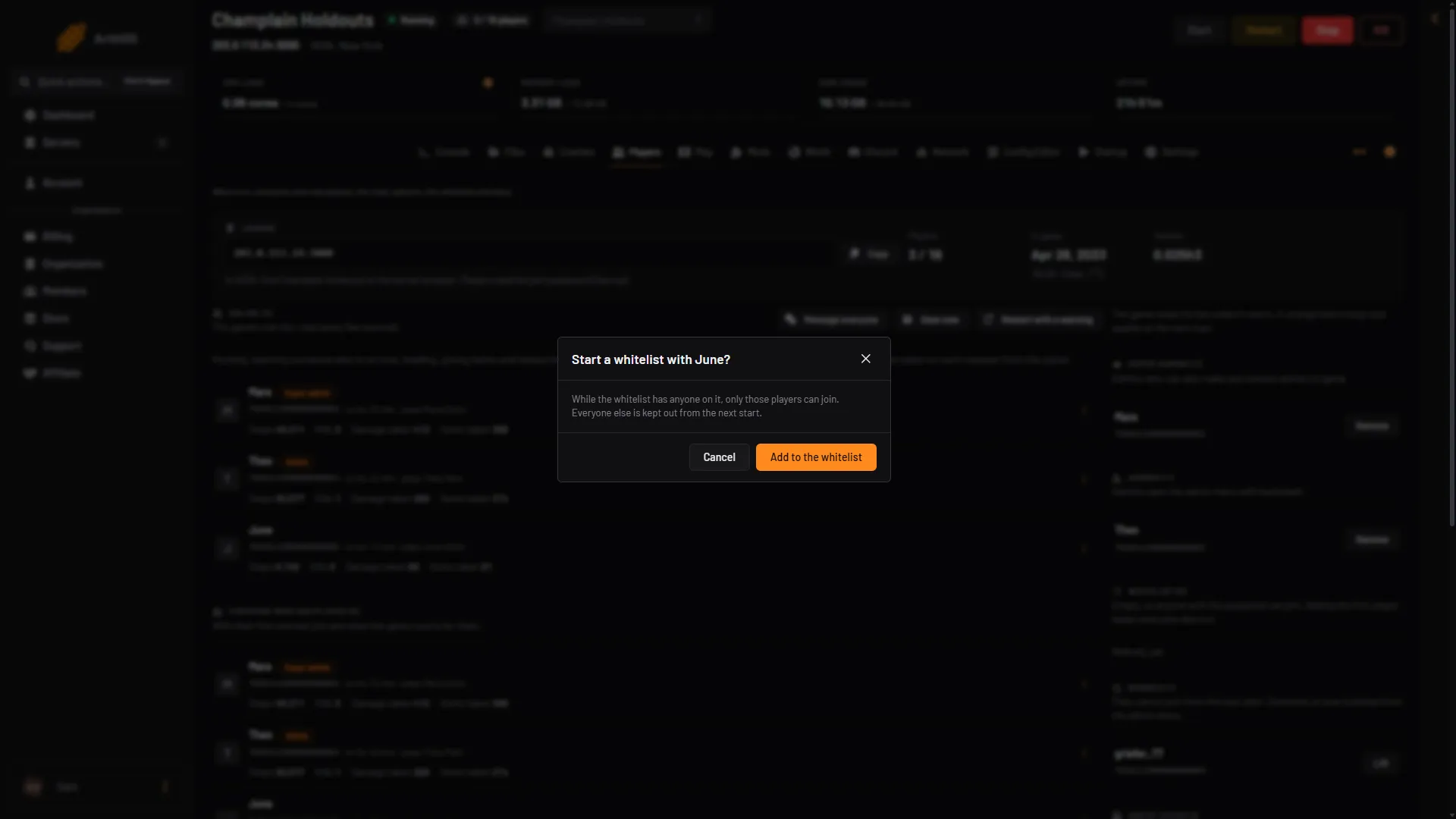
- Only those on it can join
- Add to the whitelist
A friend who has not joined yet
- Get their SteamID64. See find a Steam id.
- In the card Add by Steam id, type it in SteamID64.
- In Add to, choose Whitelist.
- Choose Add.
Take someone off
In the Whitelist list, choose Remove next to the name. Or open the menu on their row and choose Take off the whitelist.
To let everyone with the password in again, take every name off. The list then reads “Empty, so anyone with the password can join.”
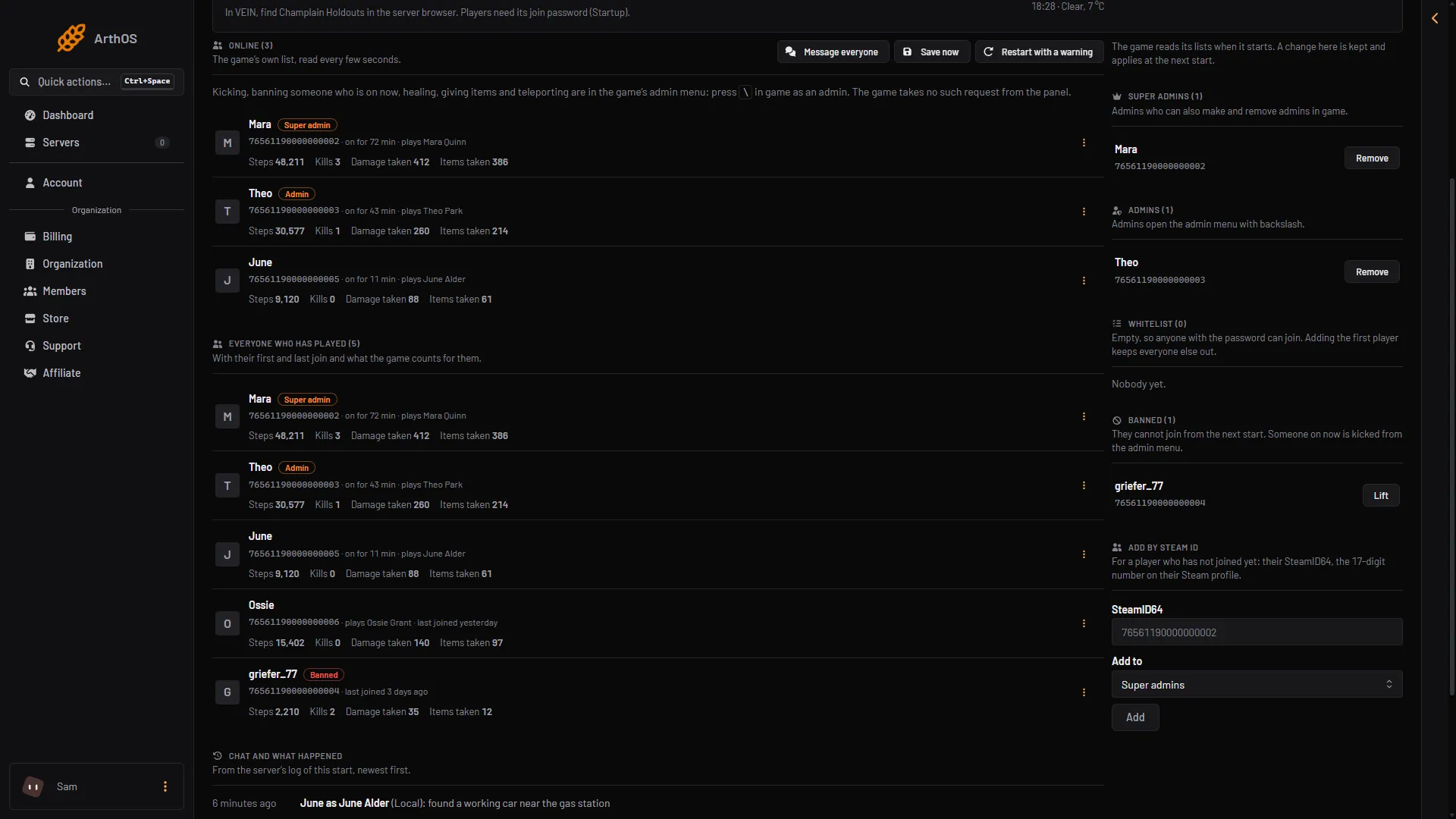
- The Whitelist list
When it takes effect
The game reads the whitelist when it starts. If the server is running, the change is kept by the panel and applies at the next start. The list shows Next start until then. If the server is stopped, it is saved at once. Choose Restart at the top right of the server page for the whitelist to start working.
A password or a whitelist
A password lets in anyone who knows it. The whitelist lets in only the names on it. You can use both. See set a join password.
If it does not work
- You locked yourself out. You were not on the list. Open the Players page, choose Add by Steam id, add your id to Whitelist, and choose Restart. Or remove every name.
- A friend cannot join. They are not on the list, the id is wrong, or the server has not started since you added them.
- Add to the whitelist is missing. Your role on the panel may not allow moderating players.
By hand
The whitelist is in Vein/Saved/Config/LinuxServer/Game.ini (Files). Change it only while the server is stopped, because the game rewrites the file when it stops. Not checked on 0.025 as of 27 October 2026: that the game reads this key. The first id has no plus sign and every other id starts with one.
[/Script/Vein.VeinGameStateBase]
WhitelistedPlayers=76561190000000101
+WhitelistedPlayers=76561190000000102
More about the game: VEIN servers.