











VEIN lists admins, bans and the whitelist by SteamID64. It is a number of 17 digits that starts with 7656, for example 76561190000000101. For someone who has played on your server, copy it from the Players page. For someone who has not, find it on their Steam profile.
Someone who has played on your server
- Open the Players page.
- Find the person under Online or Everyone who has played.
- Their id is shown under their name. Click it to copy it.
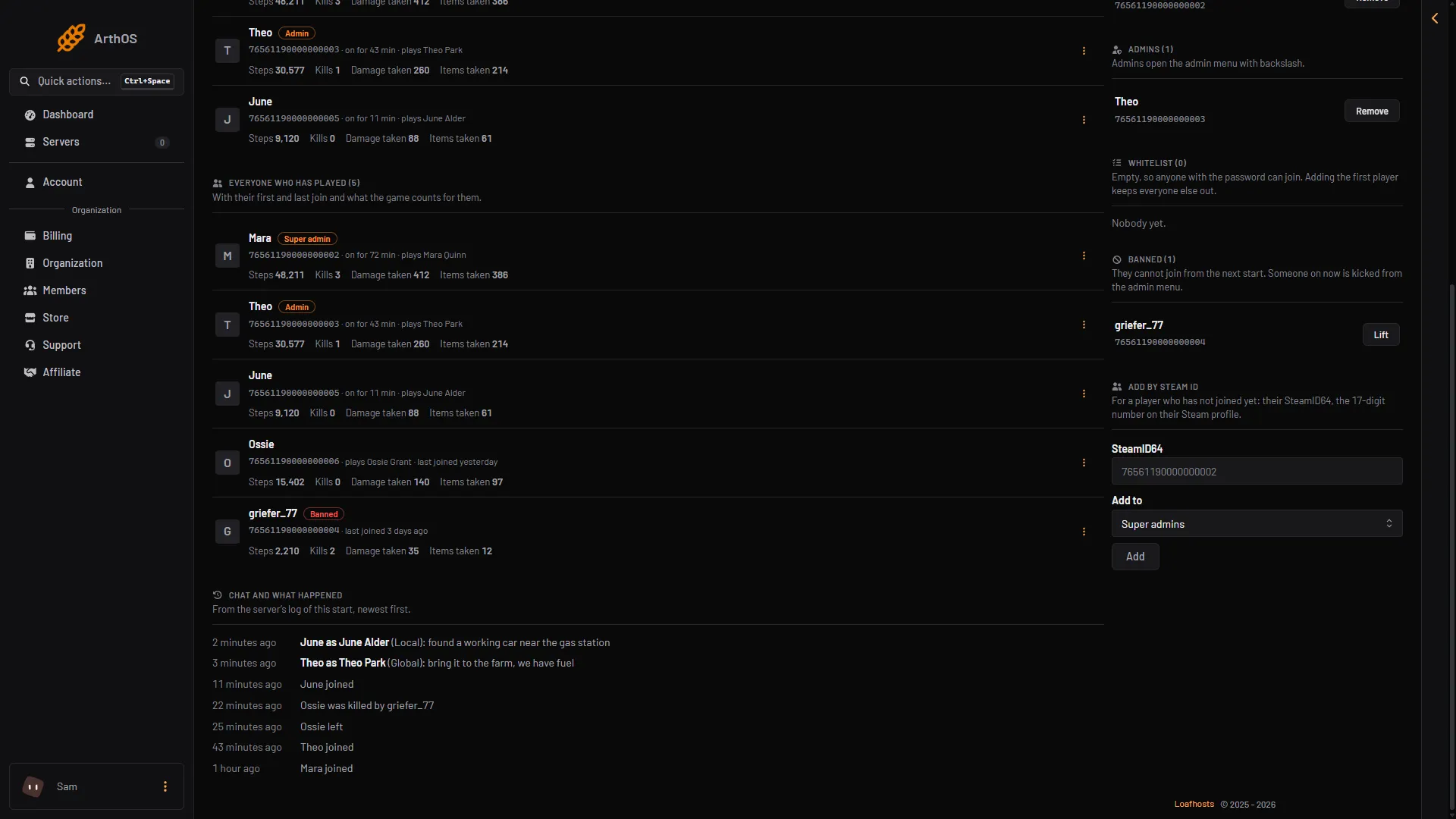
- Everyone who has played
You do not need to copy it to use it on that player. The three-dot menu on their row bans, whitelists or makes them admin directly.
Someone who has not played yet
Ask them for their SteamID64, or find it from their Steam profile. A profile address that is a number is the id itself: in steamcommunity.com/profiles/76561190000000101, the number is the id. A profile with a custom name in its address does not show the number there.
Use it
- On the Players page, find the card Add by Steam id.
- Type or paste the id in SteamID64 (1).
- In Add to, open the list (2) and choose Super admins, Admins, Whitelist or Banned.
- Choose Add.
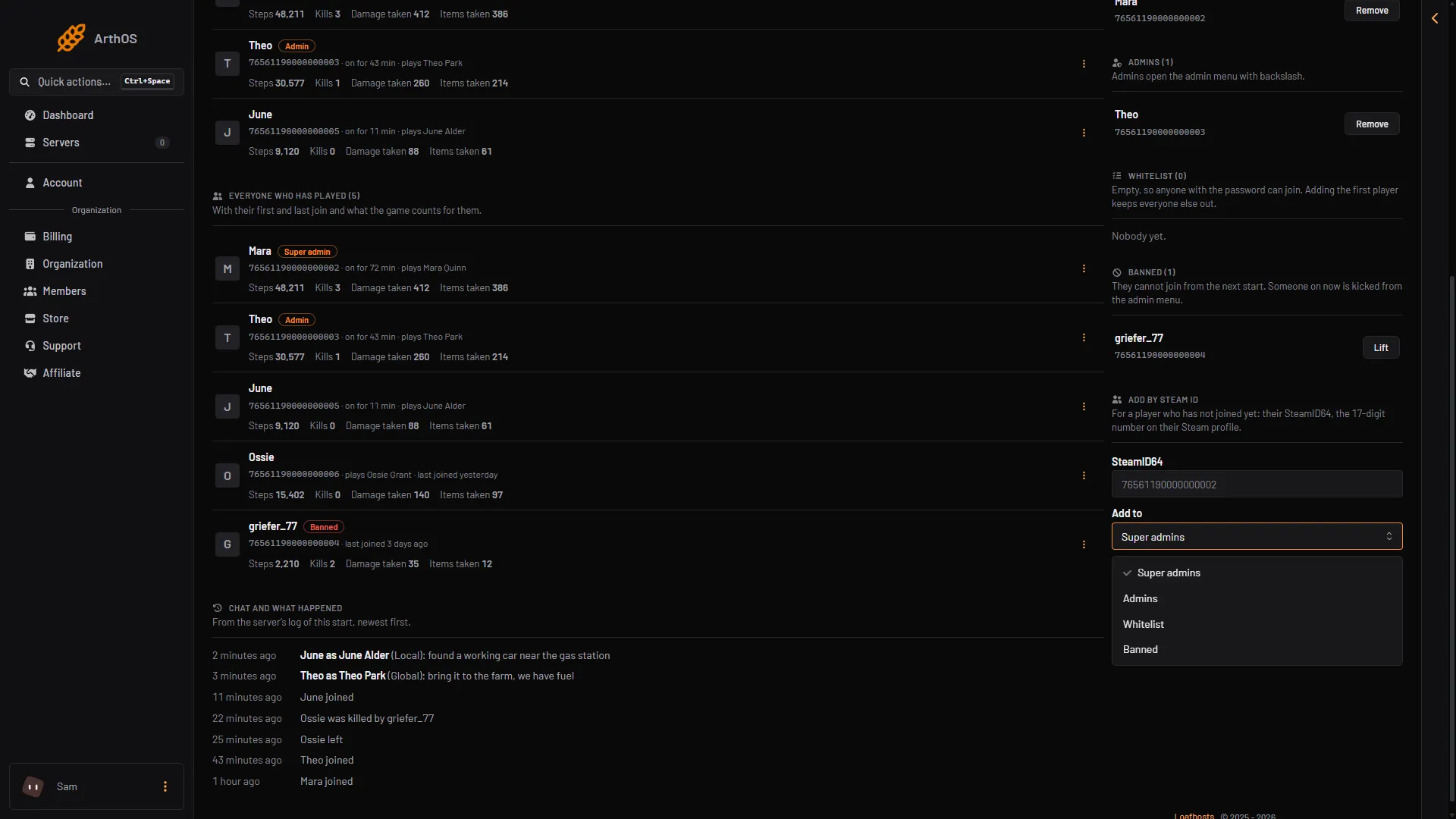
- Paste the SteamID64
- The list choices
The lists apply at the next start of the server. See make yourself admin, the whitelist and bans.
If it does not work
- The panel refuses the id. The page says “17 digits, starting 7656”. Count the digits. Remove spaces and letters.
- The id is the wrong person. The page cannot check it. Compare it with the profile.
- Nobody is listed under Everyone who has played. The list comes from the game, so it shows while the server runs.
More about the game: VEIN servers.