
















If you know the mod you want, paste its Steam Workshop link or ID into Add by link or ID on the Workshop tab of the Mods page, then choose Look up. This also works for a whole collection. The mod goes on the list. It downloads when you apply.
Find the link or ID
- Open the mod’s page on the Steam Workshop. The Open the Arma 3 Workshop link on the Workshop tab takes you to the Workshop.
- Copy the address from the browser. A mod’s address ends with
id=and a number, for examplehttps://steamcommunity.com/sharedfiles/filedetails/?id=450814997. That number is the mod’s ID. - You can paste the whole address or only the number.
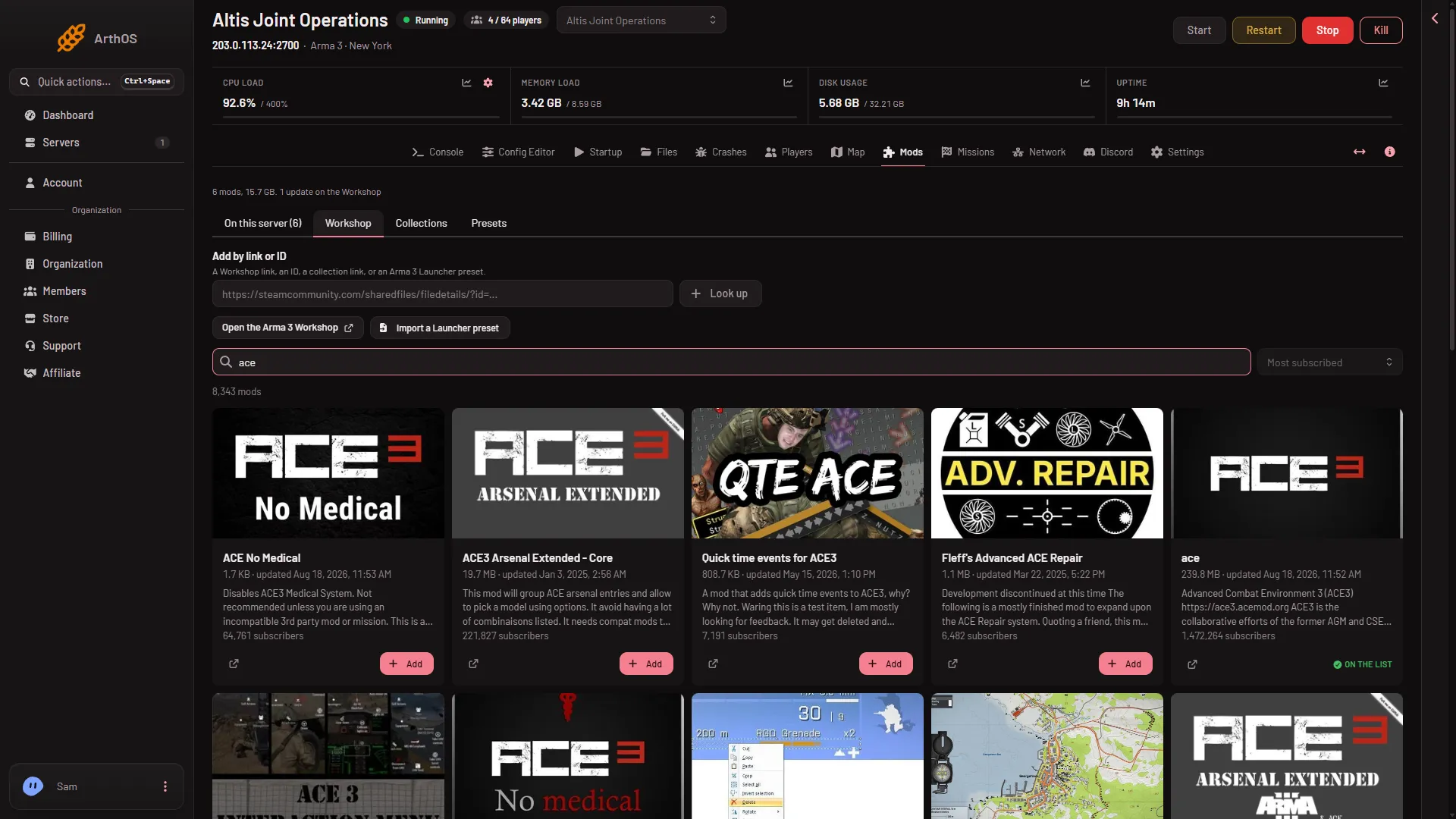
- Add by link or ID
- Look up
Add it
- Open the Mods page and choose the Workshop tab.
- Paste the link or ID in Add by link or ID (1). The box accepts a Workshop link, an ID, a collection link, or an Arma 3 Launcher preset.
- Choose Look up (2).
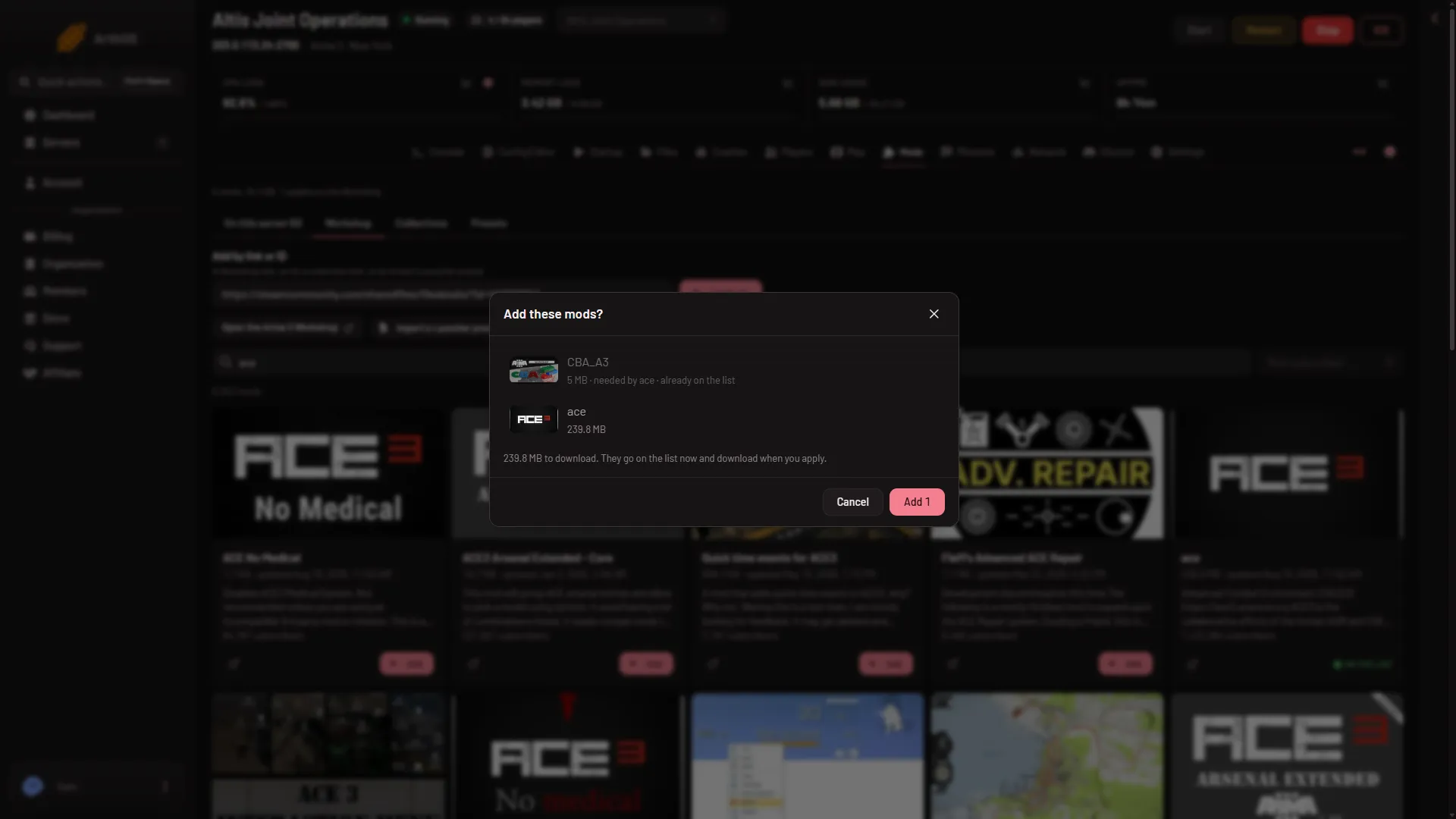
- The panel shows a box called Add these mods?. It lists each mod, and marks:
- mods it adds only because another mod needs them (“needed by” the mod’s name),
- mods that are “already on the list”,
- how much will download.
- The box says: “They go on the list now and download when you apply.” Choose Add with the count to confirm.
Nothing reaches the server yet. A bar at the bottom shows what is waiting. Choose Apply and restart, or Apply if the server is stopped. On a running server, Apply and restart drops everyone who is on, so warn players first with A message to everyone on the Players page. See install a Workshop mod.
If a mod cannot be added, the panel names it and gives the reason.
Collections
A Steam Workshop collection is a set of mods that somebody put on one Steam page. Paste the collection’s link the same way. The panel adds every mod in it, with the mods they need. This is not the Collections tab of the Mods page, which holds lists you keep in the panel. For those, see mod collections.
If it does not work
- “There is no Workshop ID or link in that”: the text had no ID in it. Copy the address again.
- “Is not a Workshop ID”: one part of what you pasted is not a number. Remove extra words.
- “The Workshop has no public item”: the mod is hidden, private or was removed. Ask its author for a public link.
- “Is a mod for” another game: the item is made for a different game, not Arma 3.
- “The Workshop did not answer; try again in a minute”: wait and choose Look up again.
- “Can load at most 200 mods”: take some mods off the list first.
Looking for a mod by name instead? See search the Workshop. More about Arma 3 servers.
Sources: steamcommunity.com: Workshop