
















A collection is your mod list saved under a name. It is the panel’s Collections tab, not a Steam Workshop collection link (that goes in Add by link or ID). You can use it again later, on this server or on another Arma 3 server, without adding each mod by hand. It keeps the load order.
Save the list
- Open the Mods page and choose the Collections tab.
- Find the card Keep this list of (number) mods as a collection.
- Type a Name. Add a Description (optional) if you want one.
- Under Who can use it, choose Your organization or Everyone.
- Choose Save collection.
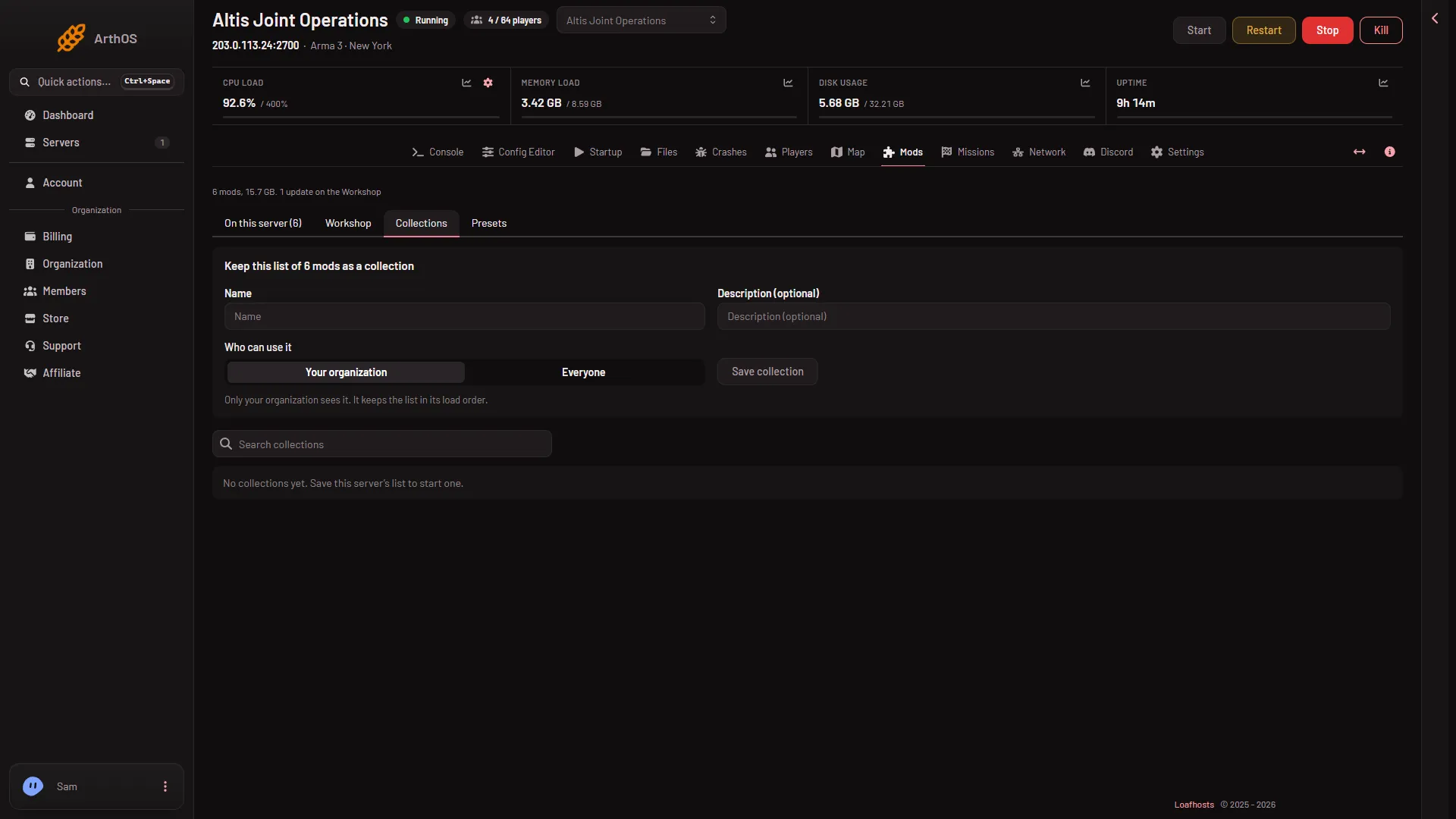
Your organization means only people in your organization see it. Everyone means every panel user with a server of this game can find and use it. Only your organization can change or delete it.
You can change this later. On the collection, choose Make public or Make private.
Use a collection
Each collection row shows how many mods it holds and how often it was used. Choose Show the mods to read the list first. Use Search collections to find one by name.
Then choose one of two buttons:
- Add to my list adds the collection’s mods to the list you already have.
- Replace my list swaps your whole list for the collection’s.
Each button opens a box that says what will change, for example “(number) added and (number) taken off. The server changes only when you apply the list.” Read it, then confirm.
Nothing changes on the server yet. The panel says “Used (name). Apply the list to load it on the server.” The collection only fills your draft list on the Mods page. Check the list, then choose Apply (or Apply and restart if the server is running). The server then downloads the mods. See apply mod changes.
Delete a collection
Choose Delete on a collection your organization owns. Not checked on 2.22.154089 as of 13 November 2026: what happens to servers that already used it.
If it does not work
- The buttons are missing. Changing a collection needs a role that allows changing the startup. Ask the server owner for one.
- A mod will not come onto the list. A server holds at most 200 mods. Take some off first.
- You replaced the list by mistake. Choose Discard changes in the bar on the Mods page before you apply. Nothing has changed on the server until you apply.
More about the game: Arma 3 servers.