
















You can search the Arma 3 Steam Workshop without leaving the panel. Open the Mods page, choose the Workshop tab, and type a name in Search the Workshop. Pick a Sort, then choose Add on the mod you want.
Search
- Open the Mods page.
- Choose the Workshop tab.
- Type part of the mod’s name in Search the Workshop.
- Read the results. Each one shows the mod’s name, how many subscribers it has (“subscribers”), and when it was updated.
- Choose Open on the Workshop if you want to read its Steam page first.
- Choose Add. The button changes to On the list.
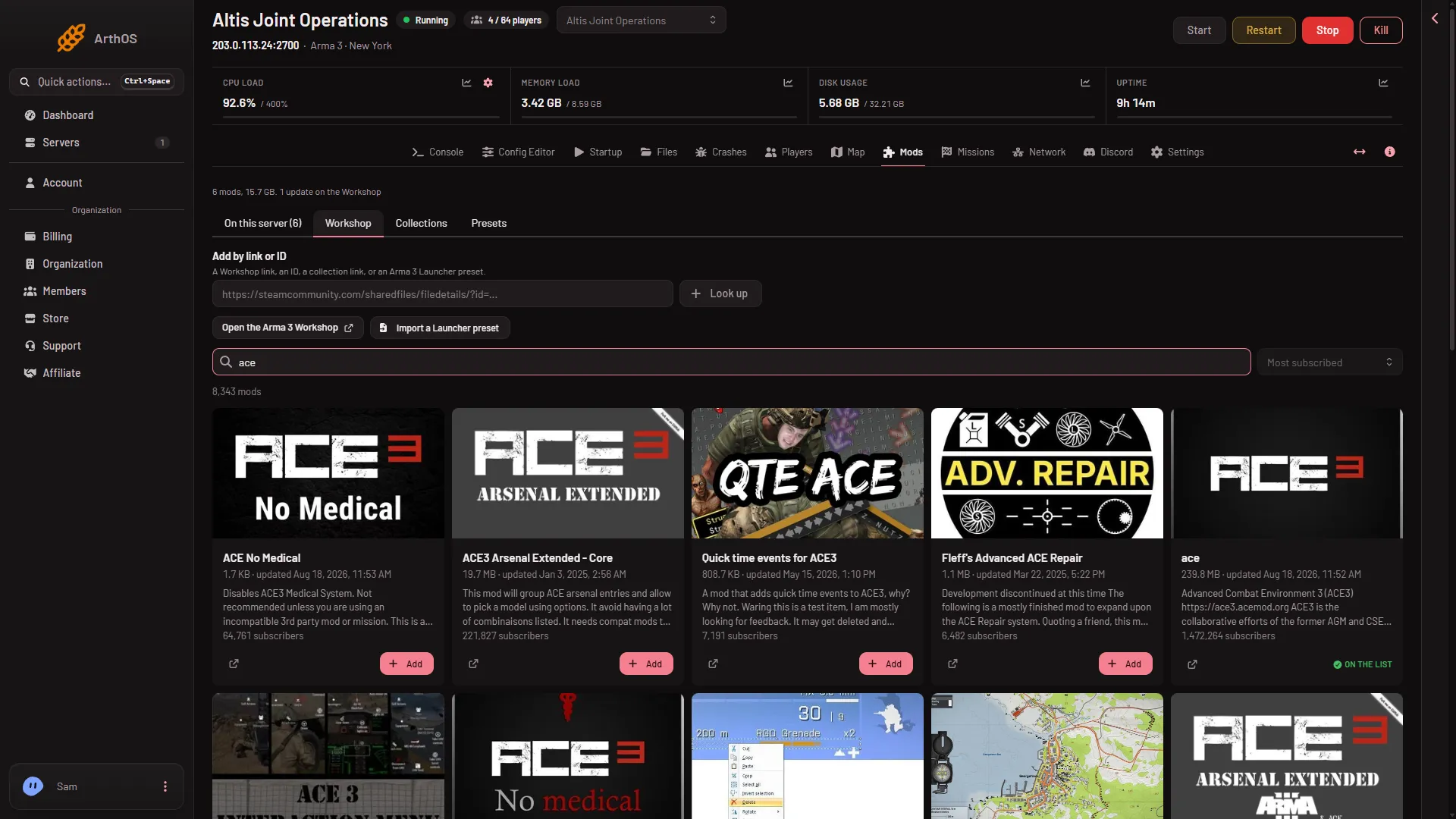
- Search the Workshop
The search box (1) has the sort menu at its right end. It reads Most subscribed until you change it.
The mod is only on your draft list. It downloads when you apply. See install a Workshop mod.
Sort the results
Sort has four choices:
- Most subscribed: the mods with the most subscribers first.
- Trending
- Recently updated: the mods changed lately first.
- Newest: the mods added most recently first.
The page shows how many mods match (“mods”) and which page you are on. Use Previous and Next to move between pages.
Before you add a mod
- Check the subscriber count and the update date shown on each result.
- Open the Workshop page and read what the mod needs. Many mods need a framework such as CBA. A row on On this server that needs another mod says “Needs (name), which is not on the list.” and offers Add (name). Whether Add on a search result adds the needed mods by itself is not checked; Look up shows them in a box (see add a mod by link or ID).
- Players need the same mods. Give them the list with the Presets tab. See client mods and server-only mods for the difference between mods players load and mods only the server loads.
If it does not work
- No results: try a shorter or different word, or paste the mod’s link instead. See add a mod by link or ID.
- “The Workshop did not answer; try again in a minute”: wait a minute and search again.
- Search is refused after 30 searches in a minute. Wait a little.
- The mod you want is not there: find it on the Steam Workshop and paste its link instead.
More about Arma 3 servers.
Sources: steamcommunity.com: Workshop