
















The admins list holds Steam IDs of players who may become admin with #login alone, with no password. Add a Steam ID on the Players page, in the Admins card. The list holds 30 IDs at most, and a change applies at the next start.
The game’s server config page puts it this way: whitelisted clients can use #login without a password. Everyone else needs the Admin Password. See admin login with the password.
Add an admin
You need the player’s Steam ID. It is a 17-digit number that starts with 7656. A made-up example is 76561190000000101.
- Open the Players page.
- Find the Admins card. Its title shows how many IDs are on the list.
- In Add by Steam ID, type the 17-digit number.
- Choose Add.
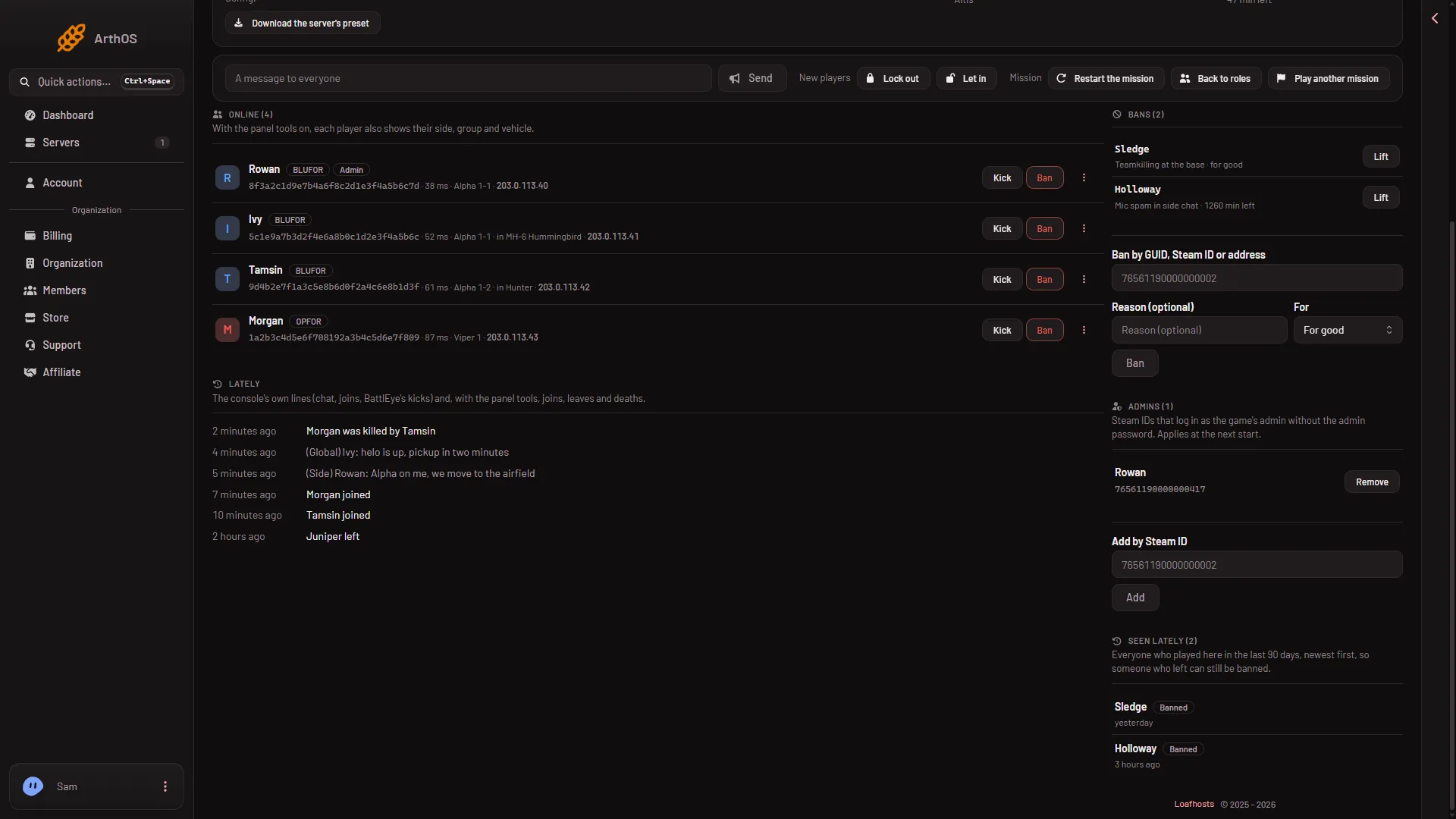
- Admins
- Add by Steam ID
- Remove
The title (1) shows the count, Add by Steam ID (2) takes the number, and Remove (3) takes an ID off.
The panel says the player is added and can log in without the password from the next restart. The card’s own note says the same: “Steam IDs that log in as the game’s admin without the admin password. Applies at the next start.”
Restart the server, or wait for the next start. A restart drops everyone who is on, so warn them first with A message to everyone and Send. Then the player joins, presses the / key to open the chat (on a German keyboard: Shift and 7), and types #login. No password follows it.
Take an admin off
In the Admins card, choose Remove next to the ID. This also applies at the next start.
Other places to see the list
The same list is the setting Admins without a password in the Config Editor, under server.cfg. You can edit it there as well. The Players page is its main place, so use that.
You can also add a player from their row on the Players page: open the menu on the row and choose Make admin. That needs the panel tools, because the row needs the player’s Steam ID. See make someone admin.
If it does not work
- A Steam ID is refused. It must be 17 digits and start with 7656. The panel says “A 17-digit Steam ID.”
- “They are already on the admins list.” The ID is on the list. Nothing to do.
- “The admins list holds at most 30.” Remove an ID you no longer need first.
- “The server has no server.cfg yet; start it once.” Start the server one time, then add the ID.
- The player still needs a password. The change applies at the next start. Restart the server.
- You cannot add or remove. Your role may not allow changing the startup of the server.
More about the game: Arma 3 servers.
Sources: Bohemia wiki: Server Config File