
















When a mod cannot be downloaded, the server does not load it, but it stays on your list. The Mods page says the mod was left off and is waiting. Read the reason, fix it, then press Apply again to try again.
Where the message is
Open the Mods page. After an apply, a line near the top reports what happened. For a failed mod it reads: “(Mod name) could not be downloaded (reason), so it was left off. It is still on the list, waiting.”
The rest of the apply carries on. The other mods are downloaded, and their keys are copied.
If the failed line says “could not be updated” instead, the mod was already on the server. The copy the server had stays and keeps loading. Only the update is missing.
What stays safe
- The mod stays on the list. You do not have to add it again.
- If the whole download step stops, the page says “nothing in the mod list changed”. The console says where it stopped.
Try again
- Wait a few minutes. The Steam Workshop sometimes does not answer, and the page then says “nothing on the server changed, so try again in a few minutes”.
- Choose Apply (the button reads Apply and restart (1) while the server runs). Apply and restart restarts the server and drops everyone who is on, so choose a quiet moment and warn players first with A message to everyone on the Players page, then Send. Applying again downloads the mods that are still waiting.
- Read the Last apply line again.
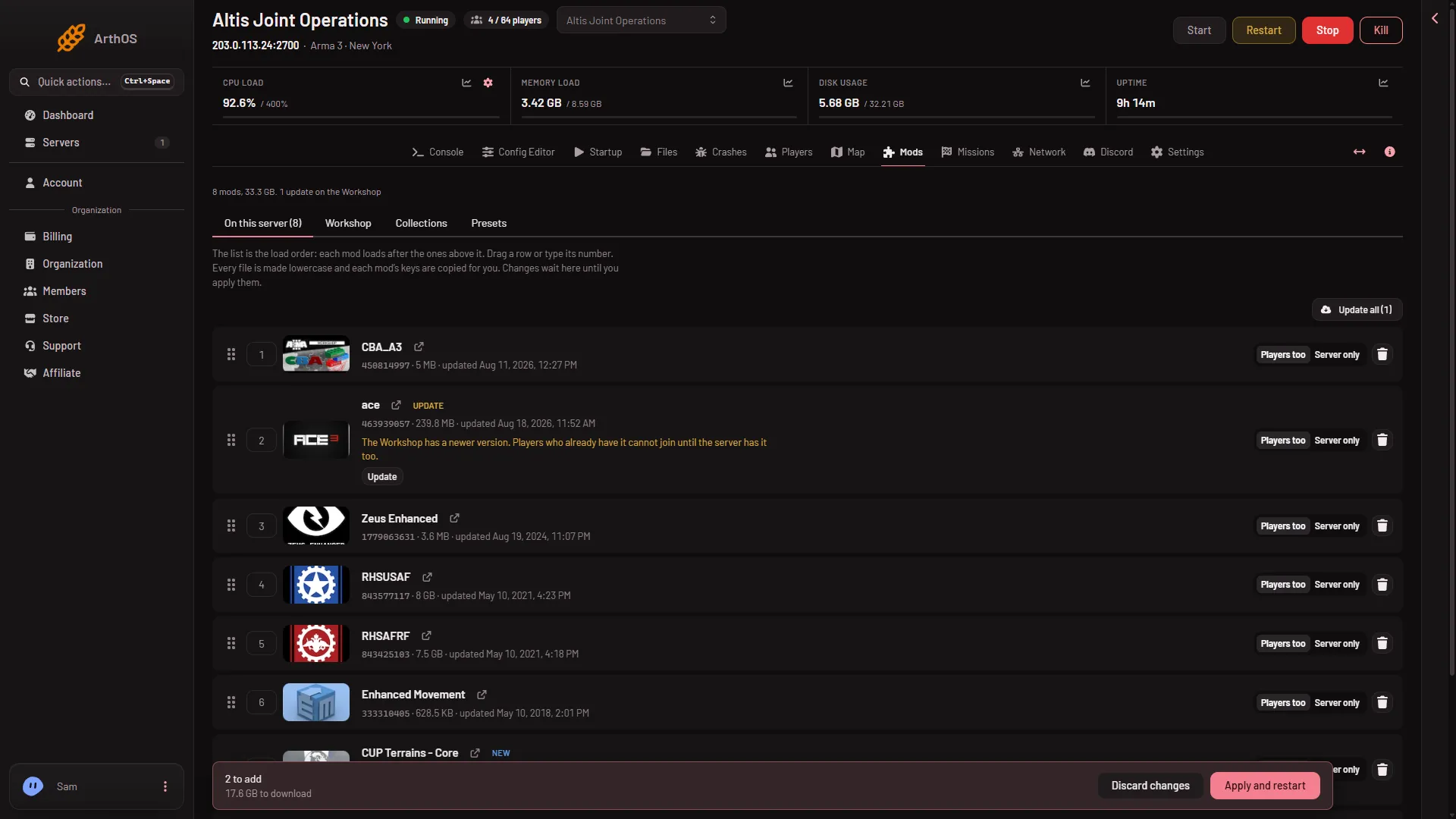
- Apply and restart
You never enter a Steam account.
Other reasons to check
- Not enough disk. The page refuses with a line such as “the downloads need (x) GB and the server has (y) GB free”. Take off mods you do not need, delete the folders listed under On the server, not loaded, or raise the disk. The panel also keeps a small margin free.
- The mod is gone from the Workshop. The Workshop no longer offers it. If it is not on the server either, the page asks you to take it off the list.
- The mod is for another game. The page says it is a mod for another game, so this server cannot use it. Take it off.
- The mod needs another mod. See a mod needs another mod. Add what it needs and apply again.
- The list changed in another window. The page says to reload. Reload, check your changes, and apply again.
If it does not work
- The same mod fails every time. Take it off the list and apply. If the others work, the mod is the problem. Ask in the mod’s Workshop page.
- A banner says there is no Steam account for Workshop downloads. The server cannot download new mods or updates. This is on the Loafhosts side. Ask support to set one up.
- A banner says the start line was changed by hand. The server cannot apply mods. Ask support to set it back. A Custom start line is not available for Arma 3.
- The server would not start after the apply. The page says the server stopped while starting with the new mods. The console says why. See install a Workshop mod for the steps, and take off the last mod you added.
More about the game: Arma 3 servers.
Sources: steamcommunity.com: Workshop