
















Antistasi and KP Liberation keep their progress in the server’s profile, in one file. The Missions page shows it in a card called Campaign saves. Press Copy aside there to keep a copy you can put back later.
Where the save is
Most missions keep nothing between sessions. A campaign mission does. It writes its progress into the profile of the server. The file is:
serverprofile/home/Player/Player.vars.Arma3Profile
On a Loafhosts server you can see it in Files. The panel never changes it, except when you use the buttons below. On a plain Linux server the game keeps its profile in ~/.local/share/Arma 3 - Other Profiles, as Bohemia documents. The profile folder is named after the profile (Player here): not checked on 2.22.154089 as of 13 November 2026 for other names.
The mission decides when it writes the file. The panel only reads the file’s size and time.
See the save in the panel
- Open Missions.
- Find the card Campaign saves (1) on the right. It says “Missions such as Antistasi and KP Liberation keep their progress in the server’s profile.”
- Look at The save in use. It shows the size of the file and when it was last written.
If the card says “No mission has saved anything yet.”, the file does not exist yet. The mission has not written a save, or no campaign mission has run on this server.
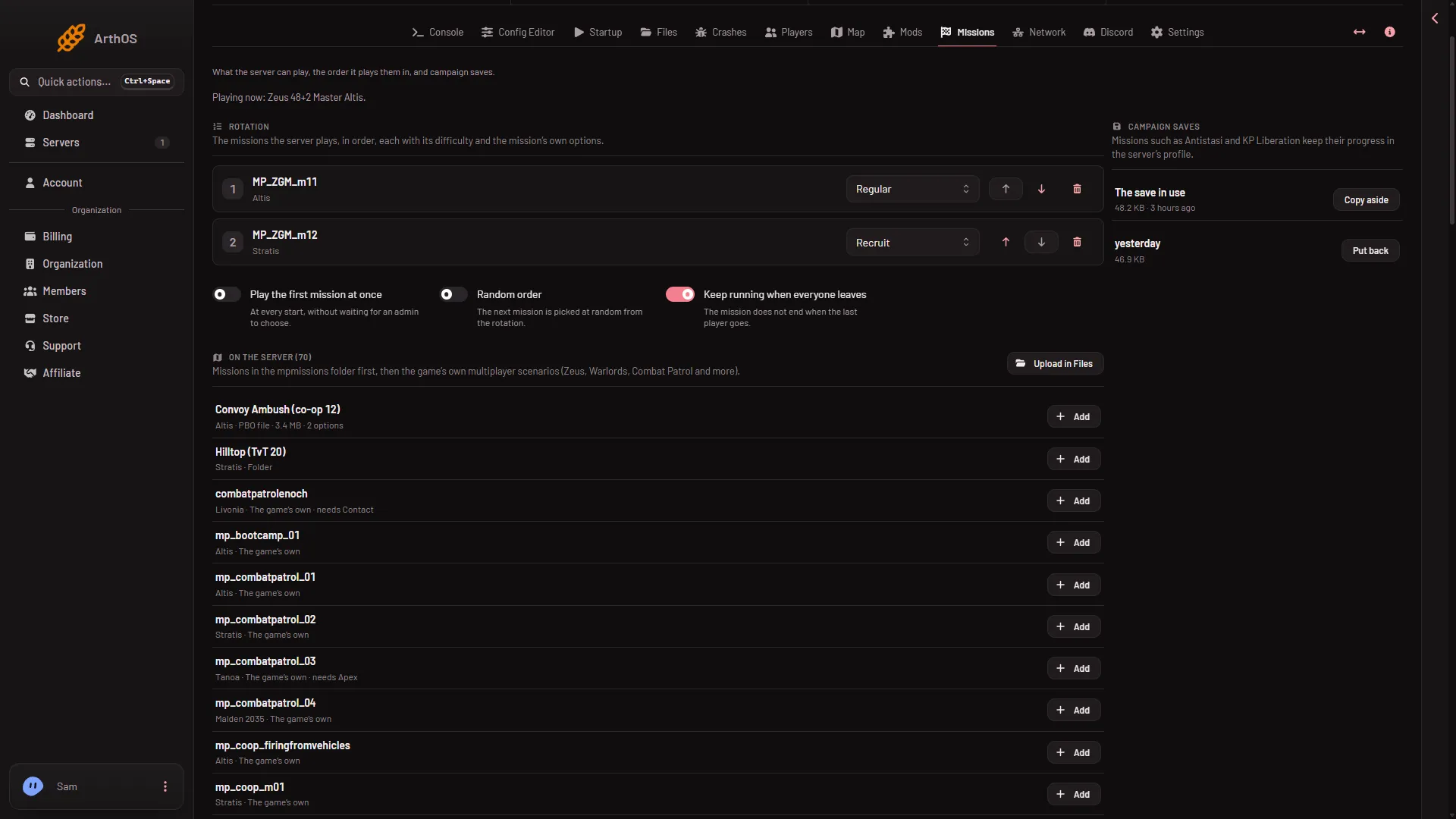
- The card
- Keep a copy
Keep a copy
- In Campaign saves, choose Copy aside (2).
- The panel says “The save was copied aside.”
The copy is a file next to the save, named like Player.vars.Arma3Profile.20261109-101500.bak. The numbers are the date and time of the copy. The copies are listed below The save in use, newest first, each with its size.
You can copy while the server runs. The copy is the file as it is at that moment: copy again after the mission says it saved. The panel keeps the newest ten copies. When you make an eleventh, the oldest is deleted. A copy is made only when you press the button. Nothing makes one for you.
A copy is not a backup of the whole server
Copy aside copies this one file. For the whole server, use Settings, then Backups. A backup copies the server’s files as they are, and the game is not asked to save first. See backups.
Restarting the mission
The button Restart the mission on the Players page starts the mission again from its beginning. The panel warns that progress is lost unless the mission saves it. Copy the save first if you are unsure.
To use a copy again, see put a campaign save back.
If it does not work
- Copy aside says the server has no mission save yet. A mission that keeps a save writes it as it plays. Play the mission, let it save, then try again.
- Copy aside is missing. Your role on the panel may not allow changing files.
- The save does not change. Not every mission keeps a save in the profile. Only the missions that do will show it here.
More about the game: Arma 3 servers.