
















Change the Admin Password under Passwords in the Config Editor, save, and restart the server. The new password applies at the next start. The panel writes it into server.cfg as passwordAdmin every time the server starts.
Change it
- Open the server in the panel and choose Config Editor.
- In the list of settings files, choose Passwords.
- In Admin Password, type the new password. It can be up to 64 characters long. Letters and digits are the safe choice.
- Choose Save. Running, the page says “Saved. Restart the server to apply the changes.”; stopped, “Saved. The changes apply when the server starts.”
- Restart the server. A restart drops everyone who is on: warn them first with A message to everyone and Send on the Players page.
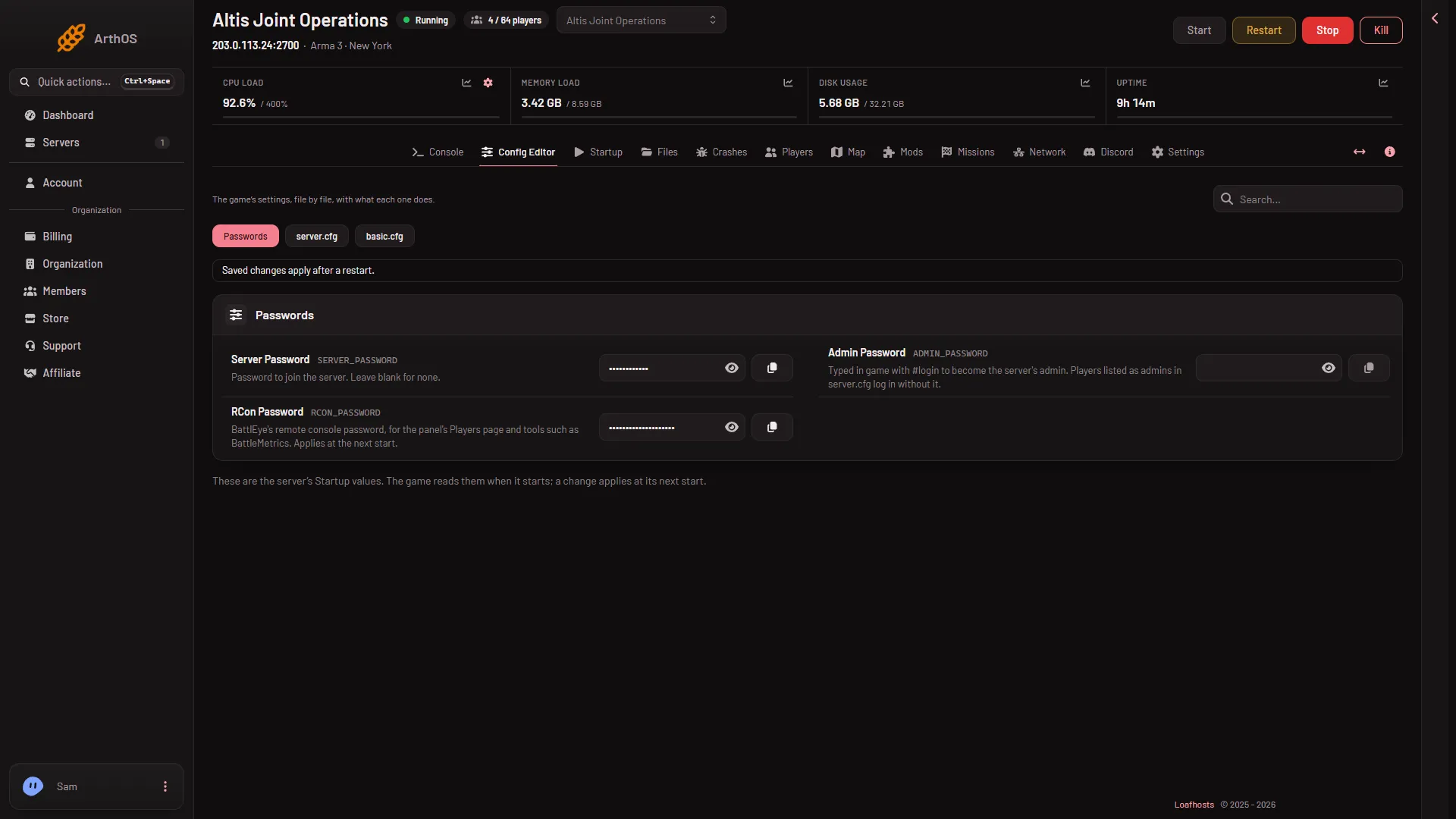
- Passwords
- Admin Password
Open Passwords (1), then type in Admin Password (2).
After the restart, players type #login and the new password in the chat. See admin login.
Why not edit server.cfg
The panel writes passwordAdmin from Admin Password at every start, but not while the server runs. A value you type into server.cfg yourself is replaced at the next start. In the Config Editor, the setting Admin password in server.cfg is locked, with the note “Changed under Passwords, which the panel writes here on every start.” and a link named Open Passwords.
One case is different. If server.cfg already holds its own admin password and the Admin Password field is empty, the panel takes the one from the file and keeps it in the field. After that, change it under Passwords only.
Who is not affected
Steam IDs on the admins list still log in with #login and no password, whatever the password is. See admins without the password.
If it does not work
- The old password still works. The server has not restarted yet. Restart it.
- The new one is refused. Check the spelling, the case, and any space at the start or the end.
- You want to share the password. Send it to people you trust through a private message. Never put it in Extra Start Parameters on Startup: the start line is printed in the log.
- You cannot open Passwords. Values reach only people whose role allows changing them.
More about the game: Arma 3 servers.