
















An Arma 3 server has three passwords. All three are kept in one place: Passwords, in the Config Editor. They are not on the Startup page. Startup only says “This server’s passwords are kept with its other settings now.” and gives a link, Open Passwords on the Config Editor.
The three fields
| Field | What it is for | Limits |
|---|---|---|
| Server Password | The password players type to join. Leave it empty for a server anyone can join. The server.cfg card shows the same setting as a locked row called Join password. | At most 64 characters |
| Admin Password | Typed in game as #login and the password, to become the server’s admin. | At most 64 characters |
| RCon Password | BattlEye’s remote console password (BattlEye is the game’s anti-cheat). Nobody types it in game. The panel’s Players page uses it, and so can other remote console tools. | Letters and digits only, at most 40 characters |
Players whose Steam ID is on the server’s admin list log in with #login and no password. The Players page manages that list.
Change one
- Open the Config Editor.
- Under Settings files, choose Passwords.
- Type the new value in the field you want: Server Password (1), Admin Password (2) or RCon Password (3).
- A bar reads “Unsaved changes: (n)” with Discard and Save. Choose Save.
- Restart the server. A change applies at the next start. A restart drops everyone who is on, so choose a quiet moment and warn players first with A message to everyone and Send on the Players page.
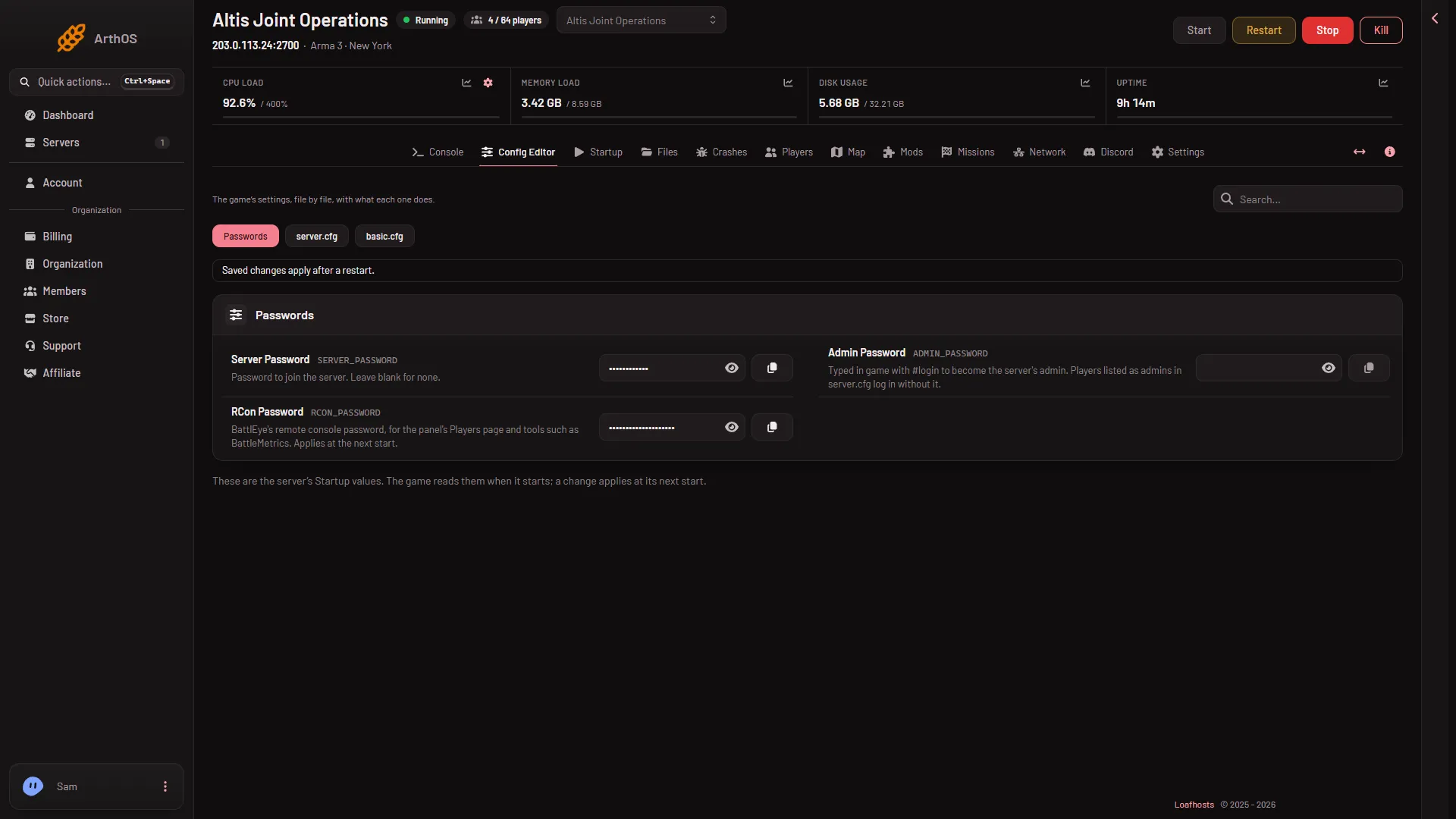
- Server Password
- Admin Password
- RCon Password
Each value is hidden until you choose the eye button beside it.
Why not edit the files
The panel writes the join and admin passwords into server.cfg, and the RCon password into BattlEye’s own config, every time the server starts. A password you type into those files by hand is replaced at the next start. Change it under Passwords instead.
When the RCon password changes
The game reads the RCon password once, at the start. If you change it while the server runs, the Players page cannot sign in and says that BattlEye refused the panel’s RCon password.
An RCon password that is empty, or has anything but letters and digits, is replaced by a random one at the next start.
A new server
A server ordered through the store starts with a random join password, admin password and RCon password. Open Passwords to read or replace them.
If it does not work
- Players are asked for a password you did not set. The Players page says in its Joining band whether the server has a join password. Clear Server Password and restart to make it public.
#loginis refused. Check Admin Password, and that you restarted after changing it.- The Players page says BattlEye is not answering or refused the password. Restart the server.
- You cannot see the Passwords file. Your role may not allow it.
More about the game: Arma 3 servers.
Sources: Bohemia wiki: Dedicated Server