
















A Creator DLC adds maps and content that need extra files on the server. Those files are not part of the normal server download. You turn them on with one switch on Startup, restart, then put the DLC on the mod list. Every player must own the DLC to join.
Which DLC the panel knows
The panel knows seven Creator DLC, each with a folder of its own on the server:
- Global Mobilization (
gm) - S.O.G. Prairie Fire (
vn) - CSLA Iron Curtain (
csla) - Western Sahara (
ws) - Spearhead 1944 (
spe) - Reaction Forces (
rf) - Expeditionary Forces (
ef)
Turn the files on
- Open the Startup page.
- Turn on Creator DLC Server Files. Its help says the server downloads “the Creator DLC’s server data (the creatordlc branch) at the next update, so missions on its maps and with its content can run.”
- Check that Automatic Updates is on. The server data comes with an update, and an update is checked at every start.
- Save, then restart the server. A restart drops everyone who is on. Warn them first with A message to everyone on the Players page, then choose Send.
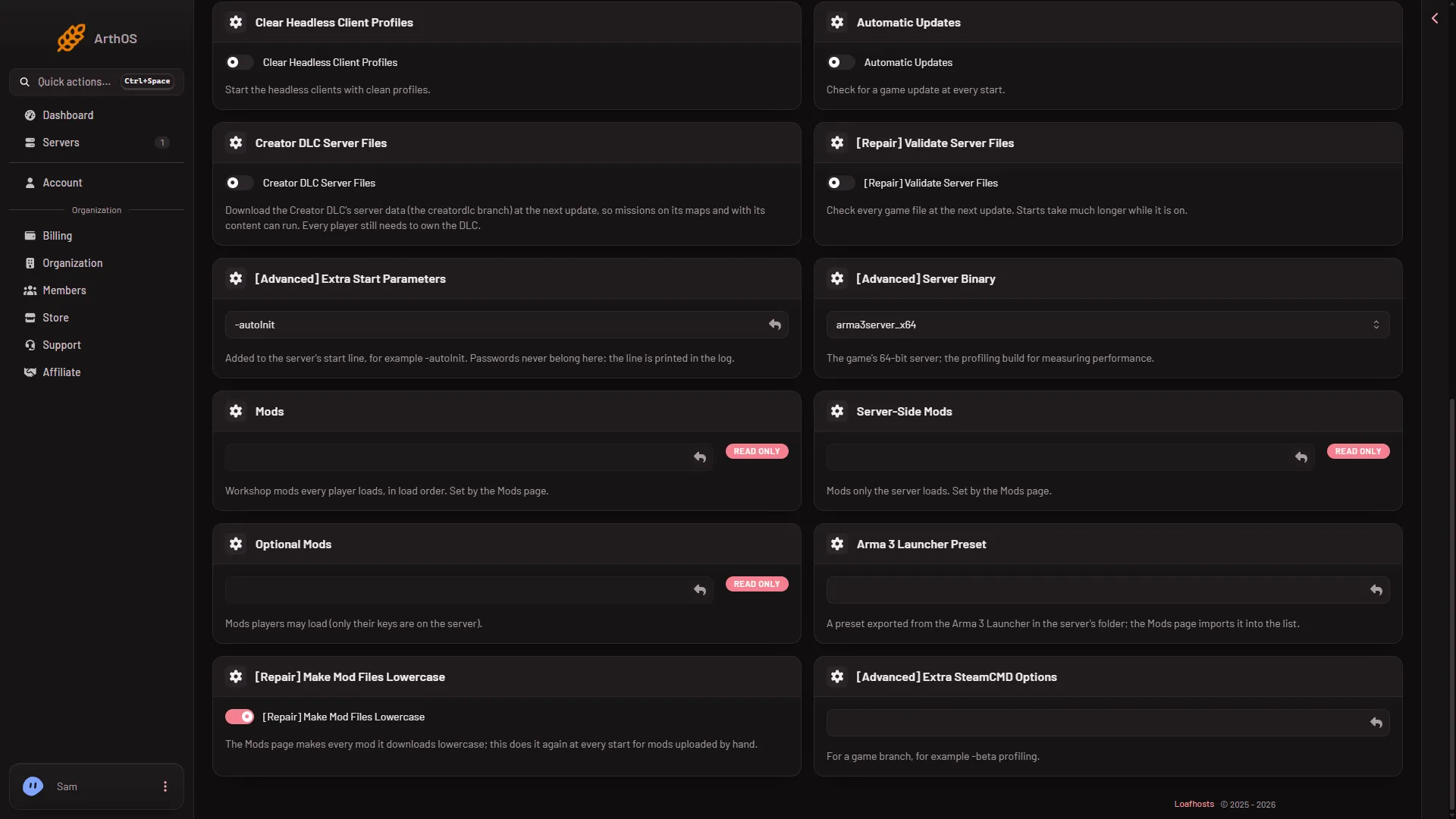
Both switches are shown off here. Turn them on, then save.
The files arrive at that start. Watch the Console. The server is ready when it prints Host identity created.. Many other lines read BattlEye Server: RCon admin #0 (...) logged in. That is the panel checking who is online, and it is normal.
Put the DLC on the mod list
A DLC is a folder that loads like a mod. The panel adds it from a Launcher preset that includes the DLC. Whether the panel has another way to add a DLC folder is not checked on 2.22.154089 as of 13 November 2026.
- In the Arma 3 Launcher, turn on the DLC you want and export a preset that includes it.
- Open the Mods page, choose the Presets tab, and find Import a preset.
- Choose Choose the preset file and pick your exported file. The panel lists the DLC, and for a Creator DLC it says “the server loads it: needs Creator DLC Server Files on Startup, and every player must own it.”
- Choose Add to the list, then confirm the box. The DLC is marked Creator DLC.
- Apply the changes with Apply (server stopped) or Apply and restart (server running, which drops everyone who is on).
See import a Launcher preset for the rest of that page.
Players
Players must own the DLC on Steam. Without it, they cannot play a mission that uses its content. The preset you download under Give players the server’s mods includes the DLC folders on your list, so players load them too.
If it does not work
- The log says a mission or mod needs content the server does not load. The Crashes page names this “A mission or mod needs content the server does not load”. Turn on Creator DLC Server Files, restart, and add the DLC to the list.
- The switch is on but the files are missing. Check that Automatic Updates is on and restart again.
- A player is refused. They do not own the DLC, or their mods differ from the server’s.
More about the game: Arma 3 servers.