
















A mission row with “needs” and a name after it runs on a world that belongs to an expansion or a Creator DLC. Every player must own it to join. For a Creator DLC, the server also needs its own files, which you turn on under Startup, and the DLC on the Mods list.
What the note means
Every Arma 3 mission has a name in the form name.world. The part after the last dot is the class name of the world, the map the mission is played on. The panel knows the worlds of the expansions and the Creator DLC and adds a note when a world needs one.
Open the Missions page. In the list On the server, find the row. It carries a note such as “needs Apex” or “needs Creator DLC: Global Mobilization”.
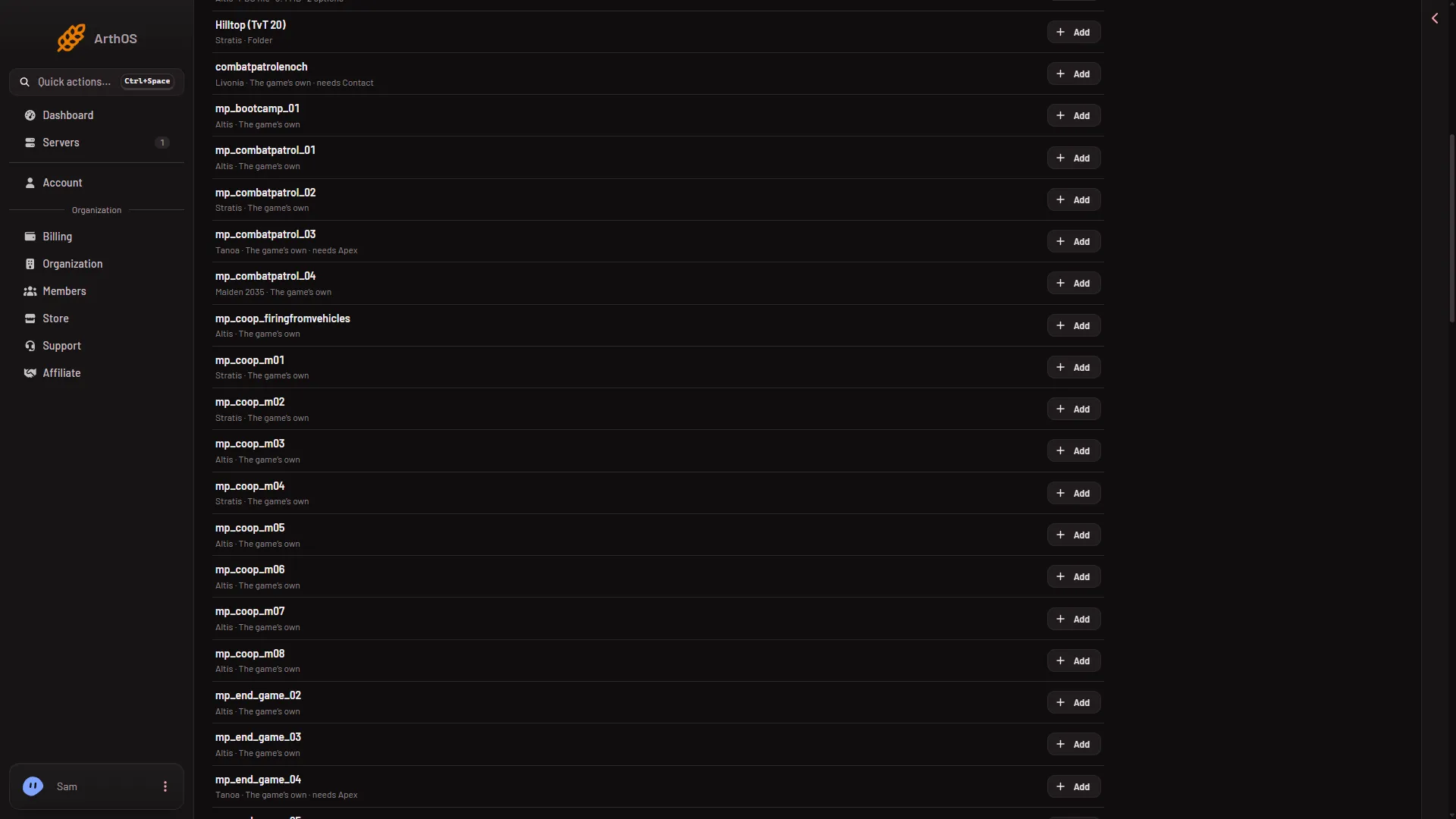
- This one needs Apex
These are the worlds the panel names, with what a mission’s name ends in:
- Tanoa (
tanoa) needs Apex. - Livonia (
enoch) needs Contact. - Weferlingen (
gm_weferlingen_summer) and Weferlingen (winter) (gm_weferlingen_winter) need Creator DLC: Global Mobilization. - Cam Lao Nam (
cam_lao_nam), Khe Sanh (vn_khe_sanh) and The Bra (vn_the_bra) need Creator DLC: S.O.G. Prairie Fire. - Bohemian Forest (
stozec) needs Creator DLC: CSLA Iron Curtain. - Sefrou-Ramal (
sefrouramal) needs Creator DLC: Western Sahara. - Normandy (
spe_normandy) and Mortain (spe_mortain) need Creator DLC: Spearhead 1944. - Anizay (
tem_anizay) needs Creator DLC: Reaction Forces. - Lingor (
lingor3) needs Creator DLC: Expeditionary Forces. Altis (altis), Stratis (stratis), Malden 2035 (malden) and Virtual Reality (vr) carry no note.
A row with no note is not always free of needs. The panel only knows the worlds above. A world that comes from a mod, such as a community map, shows no note. That mission needs its mod on the Mods page. See the Mods page.
Players must own it
You never enter a Steam account on the panel for this. The panel downloads the server’s files itself.
Turn on the server files for a Creator DLC
A Creator DLC needs two things on the server: its extra server data, and the DLC itself on the Mods list. The server only gets the data when you ask for it.
- Open Startup.
- Turn on Creator DLC Server Files. The panel describes it as downloading the Creator DLC’s server data at the next update, so missions on its maps and with its content can run.
- Check that Automatic Updates is on. The data arrives during the update that runs when the server starts.
- Open the Mods page and put the DLC’s folder on the list (import a Launcher preset that includes it). See Creator DLC server files.
- Choose Apply and restart. It drops everyone who is on, so warn them first with A message to everyone on the Players page.
Startup changes apply at the next start. The download can make the first start longer.
The switch covers the Creator DLC on the list above. Apex and Contact are shown as a note only: they tell you what players must own.
Then add the mission
Once the DLC is on the Mods list and the server has restarted, put the mission in the rotation (the list of missions the server plays, in order). See add a mission to the rotation. The worlds are also laid out in which world to play.
If it does not work
- A player cannot join or the mission will not load. They may not own the DLC or expansion. Ask them to check their library.
- The mission does not start and the log names missing content. Open Crashes. The finding “A mission or mod needs content the server does not load” names the addon. For a Creator DLC, turn on Creator DLC Server Files, put the DLC on the Mods list and restart. For a mod, add it on the Mods page.
- The switch is on but nothing changed. It works at an update. Make sure Automatic Updates is on, then restart.
- No note, but the mission fails. The world may come from a mod. Check the mission’s own page for the mod it needs.
More about the game: Arma 3 servers.