
















forcedDifficulty makes the server use one difficulty. In the panel it is the field Difficulty for every mission. You can pick Recruit, Regular, Veteran or Custom (the profile’s). A rotation entry can also carry its own difficulty, so check the Missions page too.
What each choice does
- Recruit, Regular and Veteran: the game takes the difficulty options from its own presets for that name.
- Custom (the profile’s): the game takes the options from a section called
CustomDifficultyin the server’s profile. The panel’s help says “Custom takes the profile’s own settings.” Only Custom is saved in the profile.
If the field is empty, the server forces no difficulty. The game’s own default is empty.
Set it in the panel
- Open the Config Editor page of your server.
- Choose server.cfg in the list of settings files.
- Find the Game card and the field Difficulty for every mission (1).
- Pick a choice from the list.
- Choose Save.
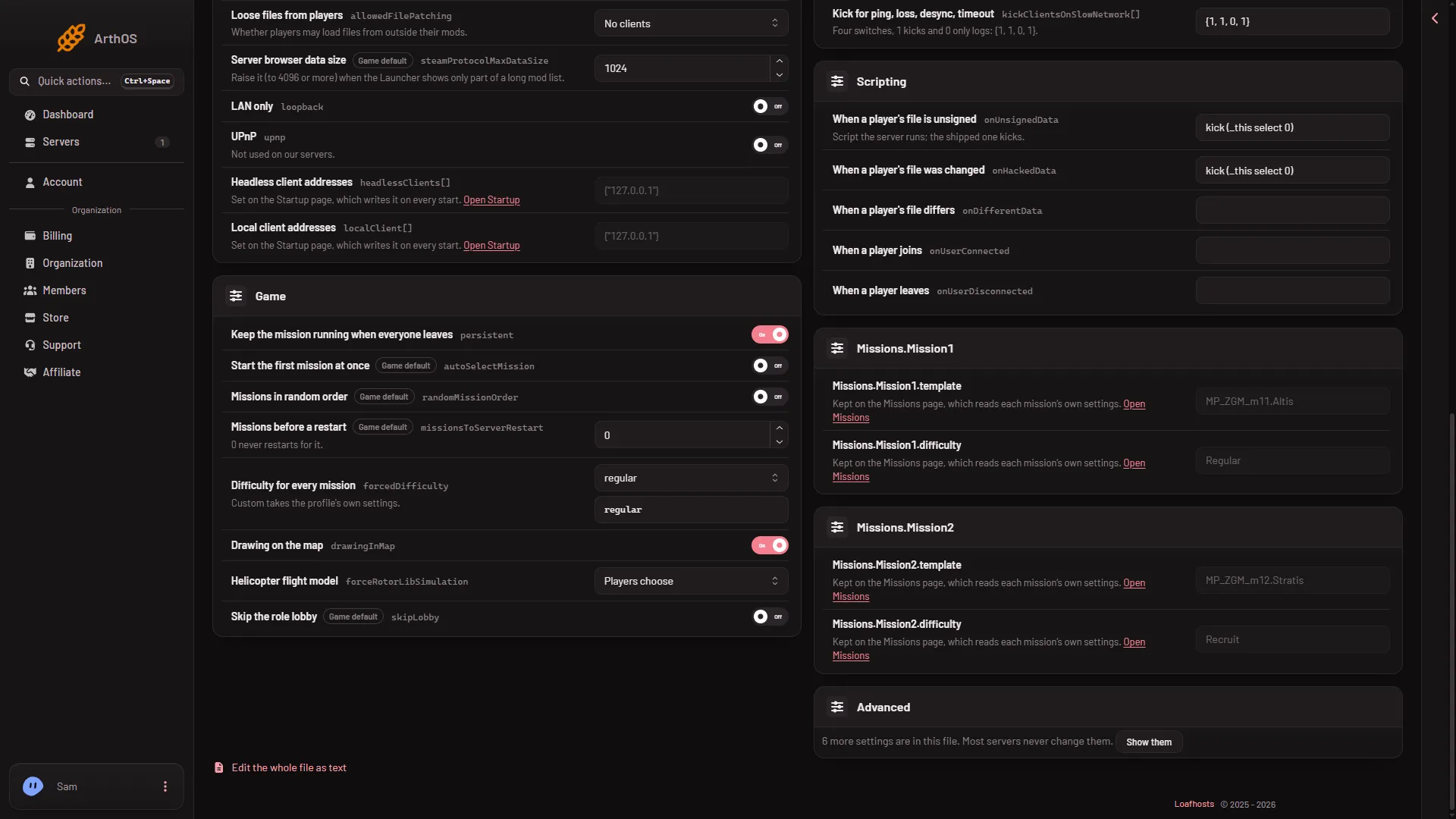
- Difficulty for every mission
A server the store made starts with this set to regular. The two sample Zeus missions in its rotation are set to Regular and Recruit.
The page says “Saved. Restart the server to apply the changes.” when the server is running. Choose Restart now or restart it yourself. The game reads server.cfg once, at the start, so a running mission keeps its difficulty until then. A restart drops everyone who is on. Warn them first with A message to everyone on the Players page (type the text, then choose Send).
By hand
Open Files, open server.cfg and set the line. Text values go in quotes:
forcedDifficulty = "Veteran";Save the file and restart the server.
Rotation entries
When the server has a mission rotation, each entry in it can carry its own difficulty.
- Open the Missions page.
- In the rotation, look at the picker Difficulty for (mission name) on each entry.
- An entry set to Server’s difficulty follows this setting. Which one wins when an entry is set to Recruit, Regular, Veteran or Custom and this setting is also set: Not checked on 2.22.154089 as of 13 November 2026. Set only one of the two if you need to be sure.
The Players page can also start another mission right now. Its Difficulty picker starts with The server’s own, which means this setting, unless you choose another.
Using Custom
Custom needs a profile that holds the CustomDifficulty section. The server’s profile is kept in the folder serverprofile/home/Player in Files. If that section is not there, Custom has nothing to read. Not checked on 2.22.154089 as of 13 November 2026: what a Loafhosts server’s profile holds for Custom. Open the profile in Files and look before you rely on it.
If it does not work
- A mission still plays on a different difficulty. Its rotation entry may have its own difficulty. Set it to Server’s difficulty on the Missions page.
- Nothing changed. The server was not restarted after you saved.
- The save is refused. Your role may not allow changing files.
- Custom plays like the default. The profile may have no
CustomDifficultysection.
See also mission difficulty and the rotation. More about the game: Arma 3 servers.
Sources: Bohemia wiki: Server Config File