
















You give an item to a player from the Map page. Click the player, choose Give, search the game’s list of items, pick how many, and send it. The item goes into their inventory. This needs the panel tools and a mission that is playing.
Before you start
- The panel tools must be on and running. See turn on the panel tools.
- The player must be on the server, in a mission. The map shows them as a mark in their side’s colour.
- Your role must be allowed to act on players.
Give an item
- Open the Map page.
- Click the player on the map. A card opens with their health, the vehicle they are in, the weapon they hold and where they are.
- In the card, choose Give (1). A box opens titled Give and the player’s name.
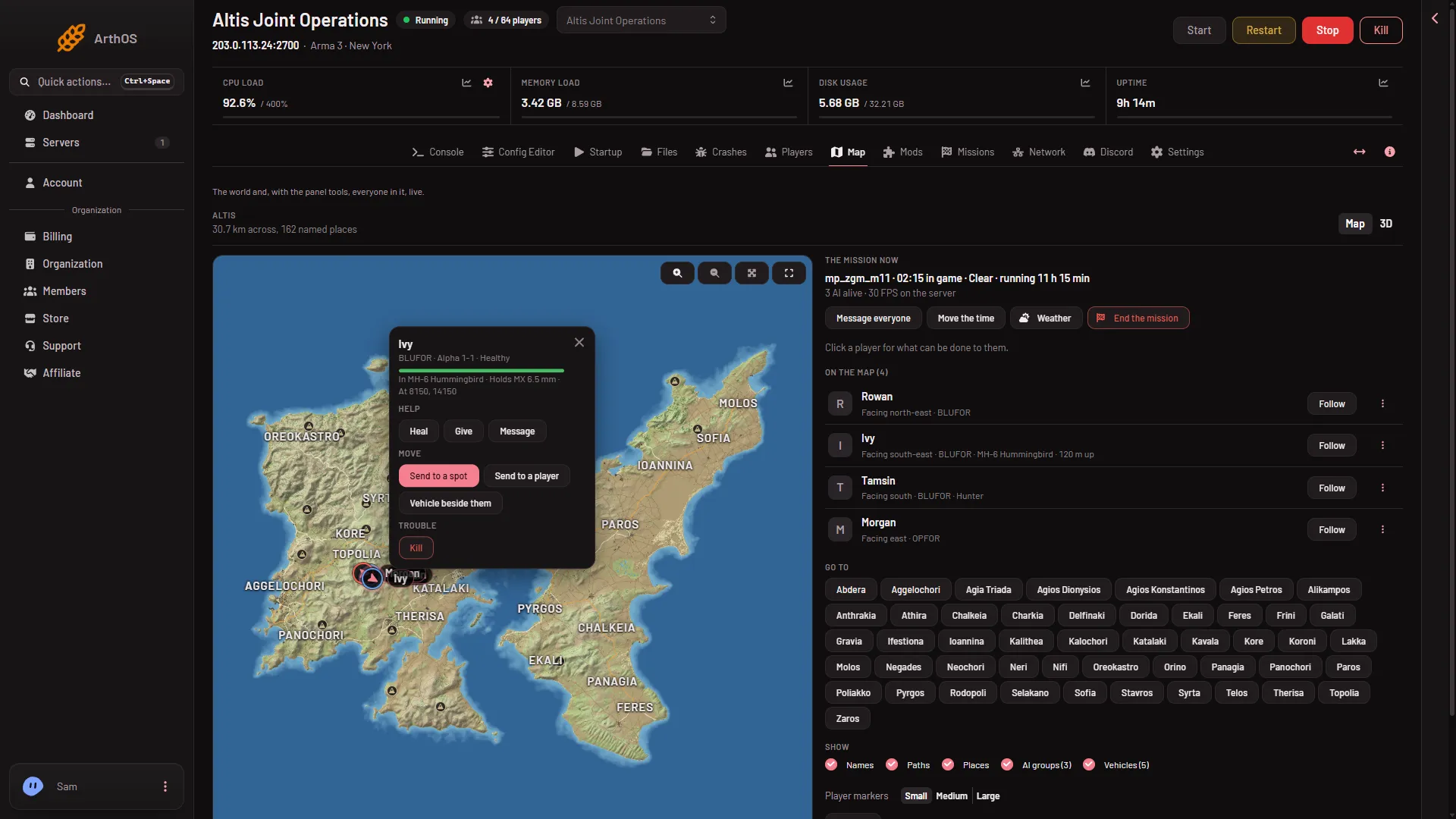
- Give
- In Find an item, type part of an item’s name, such as
rifle,magazineormedkit. The list is the game’s own. - To narrow the list, open Category and pick a kind: Weapons, Launchers, Pistols, Items, Magazines or Backpacks.
- Choose the item.
- In How many (1), enter a number from 1 to 50.
- Choose Give at the bottom of the box.
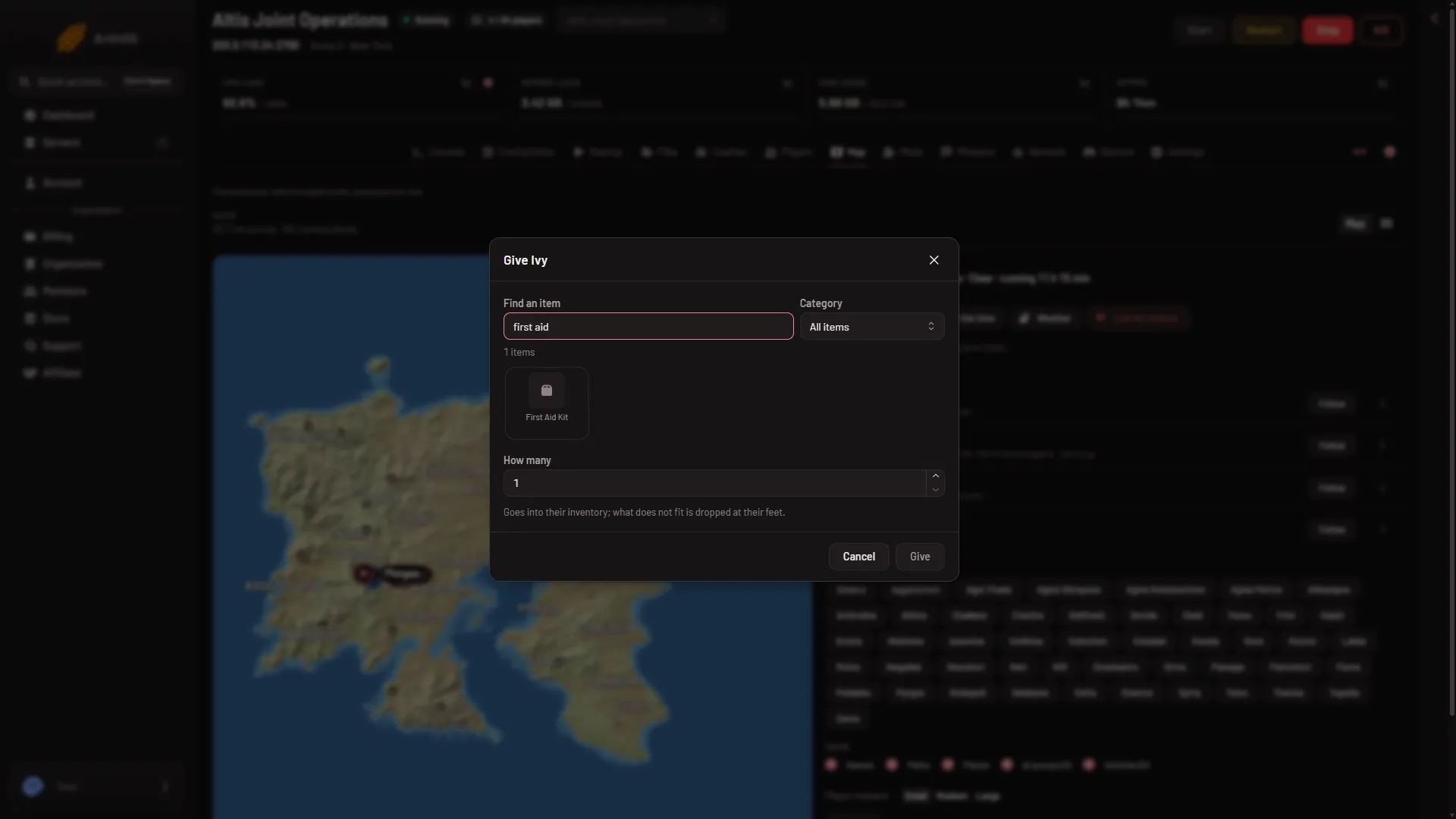
- How many
The box says what happens: “Goes into their inventory; what does not fit is dropped at their feet.” If a player’s inventory is full, the rest of the items lie on the ground next to them.
Magazines and weapons
A weapon and its magazines are separate items. To give a rifle that can fire, give the rifle, then give magazines for it. The list shows each item’s name and the game’s own class name, but not which magazines fit which weapon. Look up the weapon’s class name in the game’s Arsenal or on Bohemia’s wiki, then search for magazines with that name.
Not checked on 2.22.154089 as of 13 November 2026: whether items added by mods appear in the list.
The list of items
The game’s list is read from the game the first time the panel tools run a mission. Until then the box says: “The game’s list of items is read the first time the panel tools run a mission. Try again once one is playing.” Start a mission, wait a little, and open the box again.
If it does not work
- Give is missing or the panel says to turn the tools on. The panel tools are off. Turn them on from the Map page and restart.
- The panel says the tools load at the next start. The server has not restarted since you turned them on.
- The panel says the game did not answer in time. The panel tools carry out actions while a mission plays. Start a mission and try again. Actions are carried out within a few seconds.
- The list is empty. The game’s list has not been read yet. See above.
- Too many actions. The panel allows a limited number of actions a minute on a server. Wait a minute.
- The item is not in the inventory. It may be on the ground at the player’s feet.
Not checked on 2.22.154089 as of 13 November 2026: giving items to real players during a live mission.
More about the game: Arma 3 servers.