
















The Map page shows the world your Arma 3 server is playing. With the panel tools turned on, it also shows where everyone is, live. Without them you get the world and its named places, but no people.
What it needs
The panel does not use a satellite picture. It draws each world once, from what the game itself answers about it: heights, sea, forests, roads, buildings and named places. This happens while the panel tools run a mission on that world.
- The first time on a world, the page says the map is drawn the first time the panel tools run a mission. Start a mission. The map shows within a few minutes. While it reads, the page shows how far it is: “The panel is reading (world) from the game to draw it”.
- Once drawn, the picture is kept. It stays on the page, even if you later turn the panel tools off.
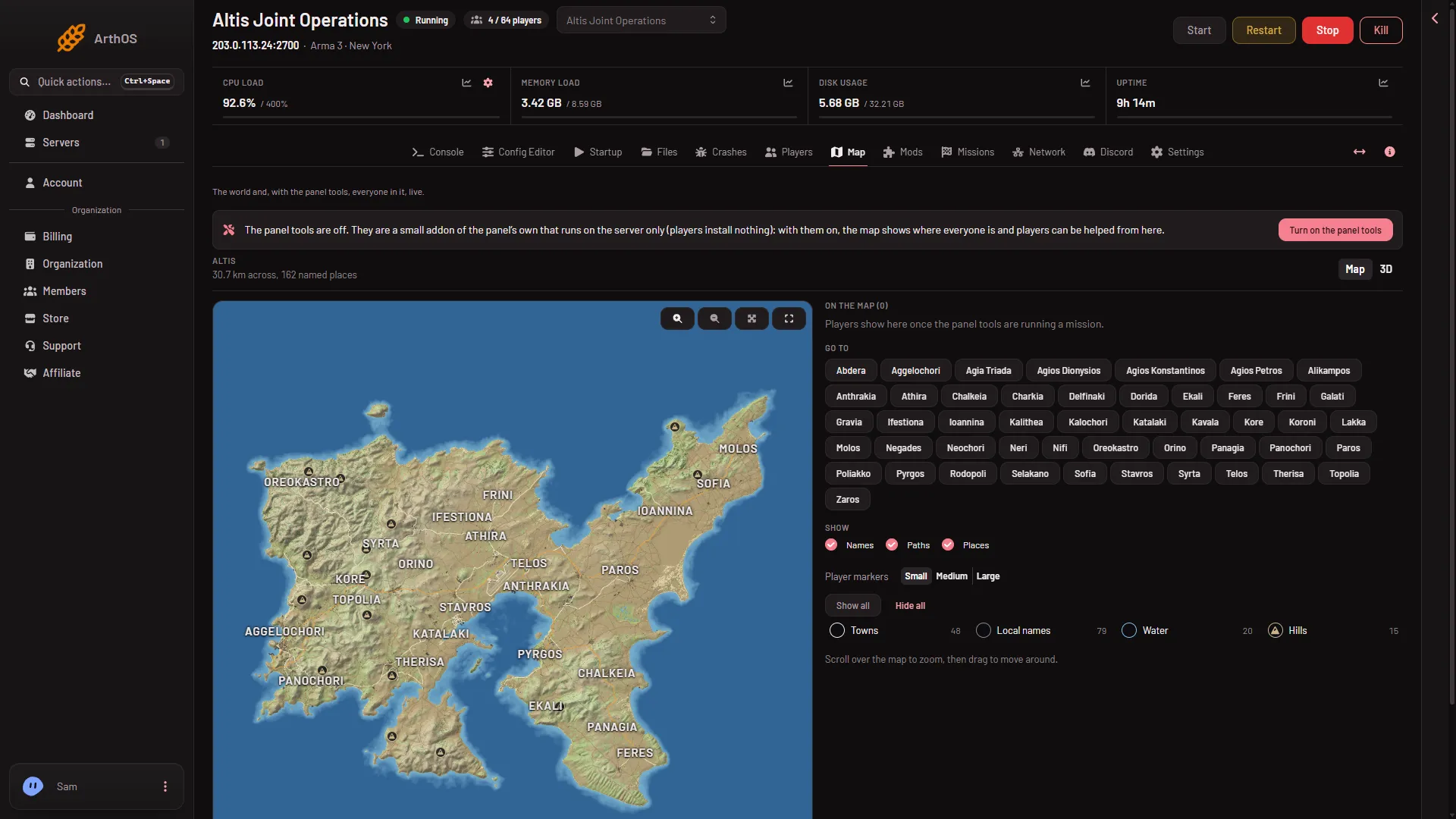
- The panel tools are needed for people, groups and vehicles. See turn on the panel tools.
What the page shows
At the top, the page tells you how big the world is and how many named places it has, for example how many kilometres across. A switch called How the world is shown changes the picture between Map and 3D. See the 3D view.
With the panel tools running, the bar The mission now (2) shows: the time in the game, how long it has run, how many AI are alive, and the server’s frames a second. It also shows the weather: Clear, Cloudy, Rain, Storm or Fog.
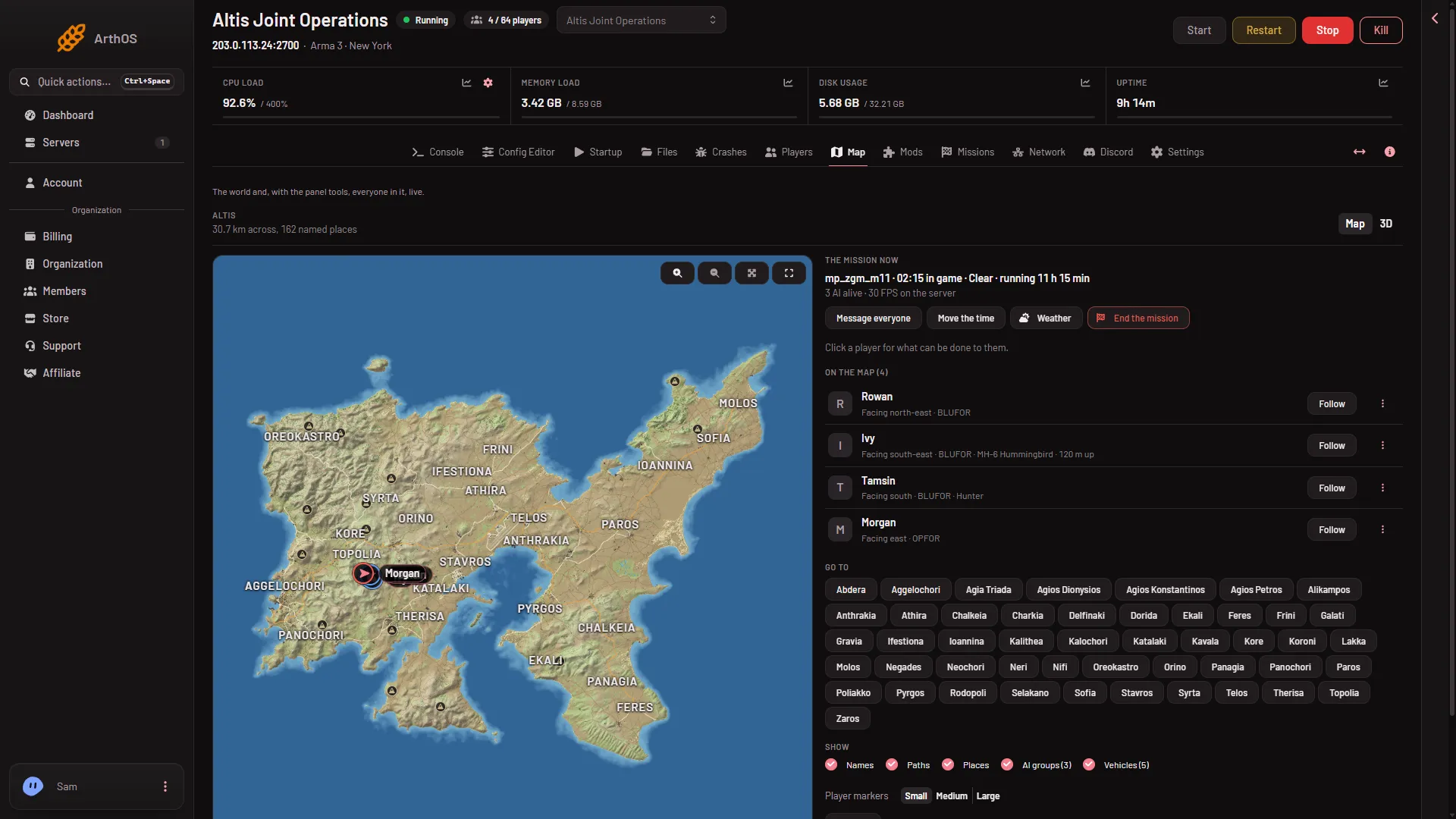
- A player
- The mission now
- On the map
- Go to
- AI groups
- Vehicles
Each player is a mark in the colour of their side, with their name (1). The list On the map (3) has a Follow button for each, and Go to (4) jumps to a town. Click a player to see what can be done to them. The card shows their health (Healthy, Injured, Down or Dead), the vehicle they are in, the weapon they hold, and where they are. Other guides cover the actions, such as giving items.
Layers
Under Show, switches add or remove things from the picture. Names, Paths and Places show whenever the page can draw them. AI groups (5) and Vehicles (6) join them while the panel tools run a mission. Next to them, Player markers sets the size of the marks: Small, Medium or Large.
- AI groups. A group shows its name and how many of its members are alive.
- Vehicles. A vehicle shows how many are aboard, or “empty”.
Place filters
The named places come from the game. Under the layers, filters choose which kinds to draw, each with a count: Towns, Local names, Water and Hills. Other kinds, such as airfields, appear only when the world has them. Altis has no airfield kind. The panel also has Show all and Hide all buttons for them.
If it does not work
- The map is empty. The world has not been drawn yet. Start a mission with the panel tools on and wait a few minutes.
- The page says the mission is on a world that is not drawn yet. It shows once the panel tools have read that world.
- No players are shown. The panel tools are off, or have not loaded. They load at the next start. The page says “Players show here once the panel tools are running a mission.”
- The page says nobody is on, or the server is stopped. The map shows people only while a mission plays.
Not checked on 2.22.154089 as of 13 November 2026: the map with many real players moving at once.
More about the game: Arma 3 servers.