
















You can place an empty vehicle a few metres from any player who is in the game. You do it from the player’s card on the Map page. Pick a kind, search for the vehicle, and confirm. The vehicle appears empty, so the player has to get in.
This needs the panel tools and a mission that is playing. The panel tools are a small addon of the panel’s own. They run on the server only, so players install nothing. See turn on the panel tools if they are off.
What you need
- The panel tools are on and running. They load at the next start after you turn them on.
- A mission is playing and the player is in it.
- A role that allows helping players from the map. Without one, the player card shows no actions.
Spawn the vehicle
- Open the Map page.
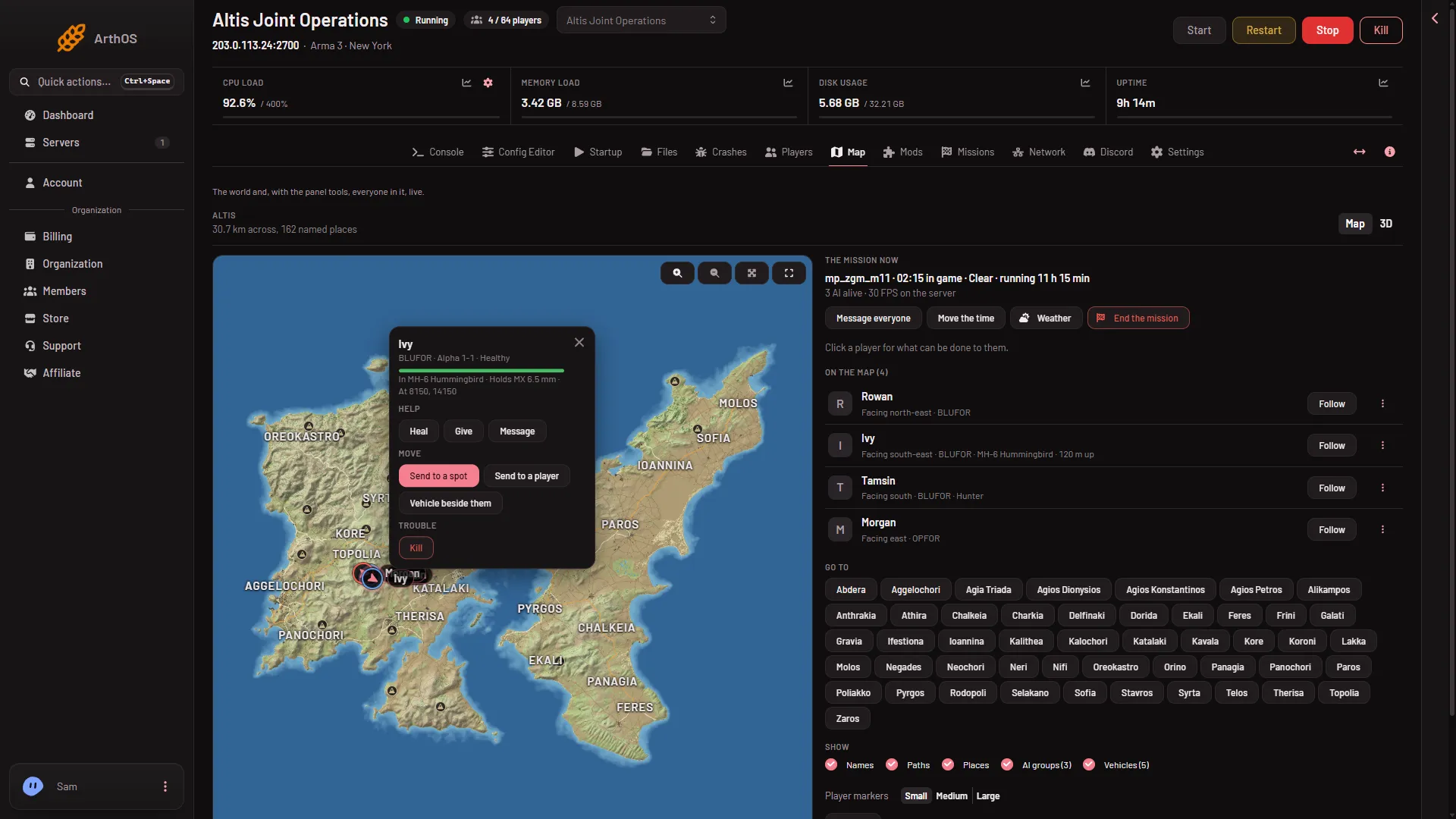
- Click the player on the map. Their card opens with their health, and what they hold or sit in.
- In the Move row, choose Vehicle beside them. A box titled A vehicle beside (the player’s name) opens.
- Pick a kind in Category: Cars, Armour, Helicopters, Planes, Boats or Static weapons. Or type in Find an item. The box suggests names such as
Hunter, Ghost Hawk, boat. - Choose the vehicle in the list. The list shows each vehicle’s name and the game’s own class name under it.
- Choose Vehicle beside them again at the bottom of the box. The button stays grey until you have chosen a vehicle.
- Vehicle beside them
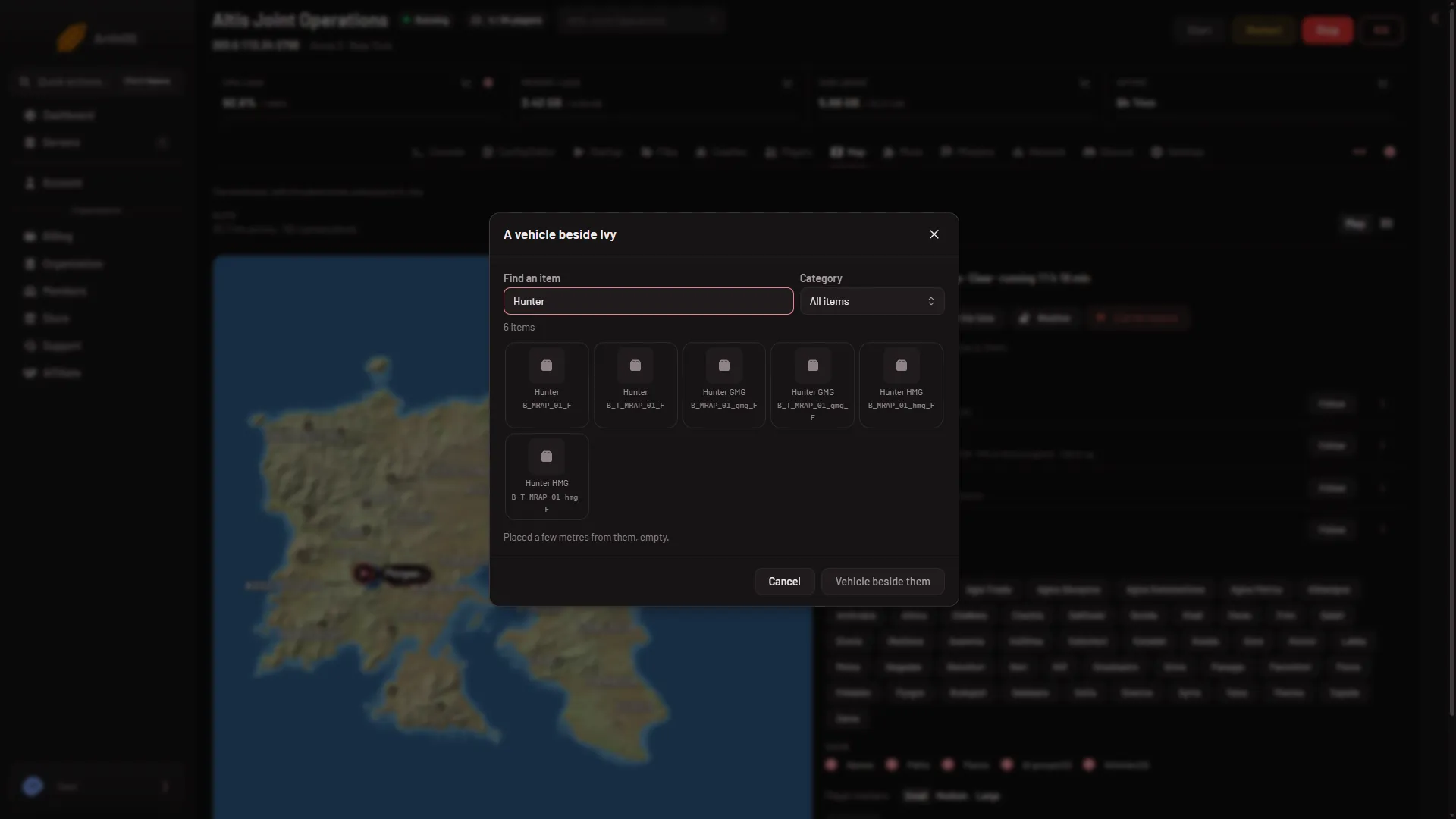
The box says: “Placed a few metres from them, empty.” The vehicle shows on the map. Its marker reads empty until someone gets in, then it shows how many are aboard. Turn on the Vehicles layer if you do not see it.
What the list contains
The list is the game’s own. The panel reads it from the game the first time the panel tools run a mission. If the box says “The game’s list of items is read the first time the panel tools run a mission. Try again once one is playing.”, start a mission and open the box again.
When it happens
Within seconds. The panel sends the command and the addon carries it out in the game. No restart is needed.
If it does not work
- No Map page, or no player card actions. Your role may not allow it. Ask the owner to give a role that allows helping players.
- “turn on the panel tools first”. Turn them on from the Map page, then restart the server.
- “the panel tools load at the server’s next start”. You turned them on while the server was running. Restart it.
- “the game is not running the panel tools now: they run while a mission plays”. The server is in the mission list or the lobby. Start a mission.
- “the game did not answer in time”. The panel waits about 8 seconds for the game. Try again once the mission has loaded.
- The player is not on the map. Players show once the panel tools are running a mission. See live map.
- The list is empty. Start a mission once so the panel can read the list.
More about the game: Arma 3 servers.