
















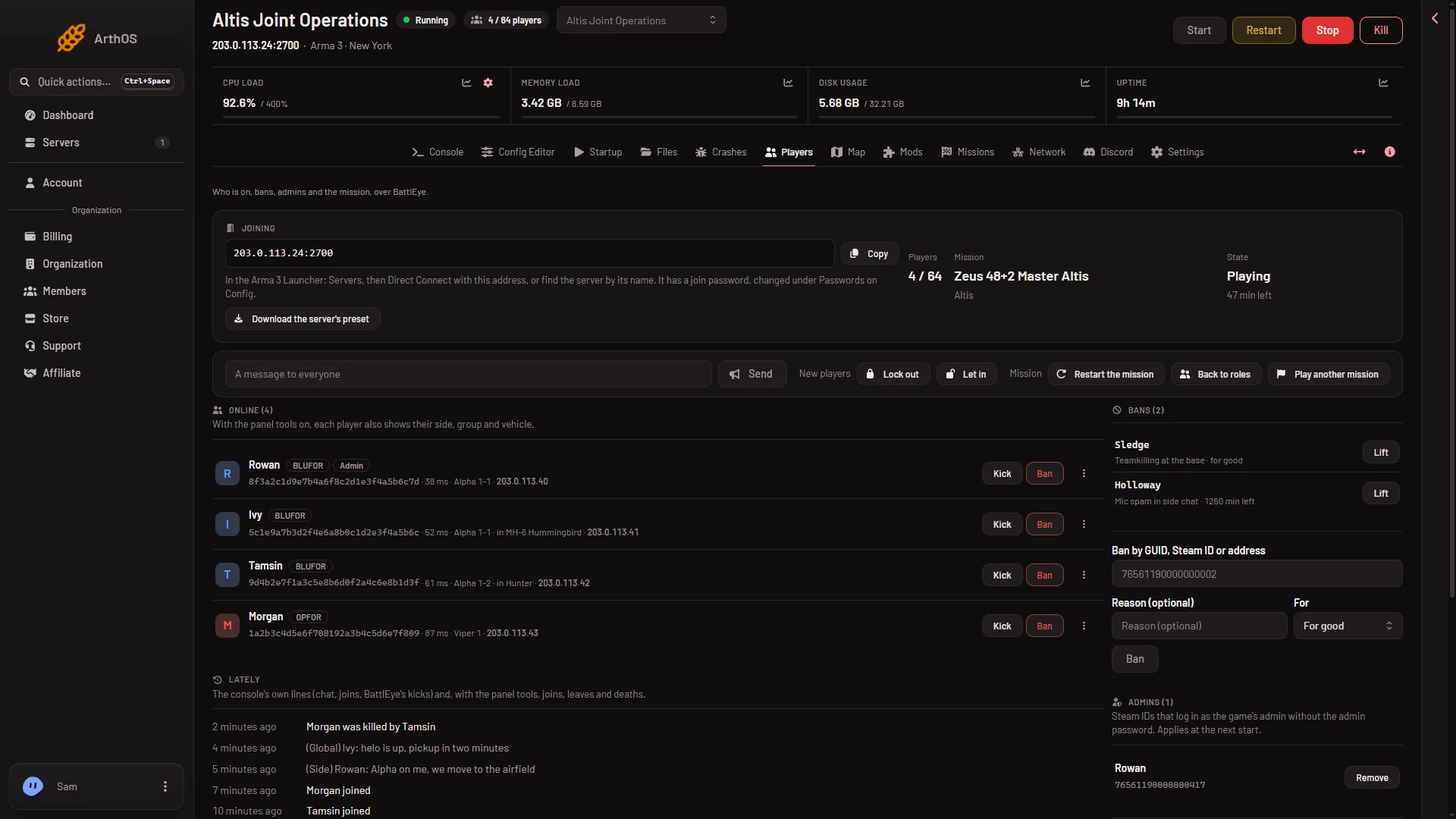
To tell everyone on your Arma 3 server something, open the Players page, type up to 120 characters in A message to everyone, and choose Send. The panel sends it to every player through BattlEye, the game’s anti-cheat, at once.
Send the message
- Open the Players page of your server. The server must be running and BattlEye must be answering.
- Find the row of controls above the Online list.
- Click the box A message to everyone and type your message. The box stops you at 120 characters.
- Choose Send (1).
- Send
The message box is to the left of Send (1).
The panel shows the note Message sent to everyone and empties the box. Send stays grey while the box is empty.
What to write
Keep it short. 120 characters is about one line. Plain text works best. The box does not take control characters, so a message is always one line.
Good uses:
- A warning before a restart: “Server restarts in 5 minutes. Finish what you are doing.”
- A rule reminder: “No base building near the airfield.”
- A call to action: “Mission ends soon. Return to the main base.”
For a message to one player only, open the menu More for (name) on their row and choose Message. That sends it to that player and no one else.
By hand
If you run the server yourself, BattlEye sends the same message with the say command. -1 means every player:
say -1 Server restarts in 5 minutesWhy the row is missing
The row shows only when both of these are true:
- BattlEye is answering. The server must be running and fully started. Until then the page says “The server is running, but BattlEye is not answering yet.” or “The server is starting.”
- Your role on the organization is allowed to message players. Ask the owner to change your role if the row is not there.
A bigger message, with the panel tools
The Map page can also show a message to everyone. With the panel tools on, you choose Message everyone, and you choose how it shows: In chat, As a hint, or Across the screen. That one takes up to 200 characters. The panel tools are turned on from the Map page and load at the next start of the server.
If it does not work
- Send does nothing and an error shows. The panel allows 30 actions a minute for one server. Wait a minute and send again.
- The page says the server is stopped. Start the server first. The message box needs a running server.
- Players say they did not see it. Ask them to look at the chat. For something they cannot miss, use the panel tools and choose Across the screen.
- The message cuts off. The limit is 120 characters. Make it shorter or send two.
Not checked on 2.22.154089 as of 13 November 2026: how the message looks in a player’s game, because the panel’s messages have not been tried with a real player.