
















To start the current mission over, open the Players page and choose Restart the mission. The server stays up. Only the mission begins again from its start. Progress made in it is lost unless the mission saves it.
This is not a server restart. The game keeps running.
Steps
- Open the Players page. The server must be running.
- In the Mission group, choose Restart the mission.
- Read the box titled “Restart the mission?”. It says: “The mission starts again from its beginning. Progress made in it is lost unless the mission saves it.”
- Choose Restart the mission (1) to confirm.
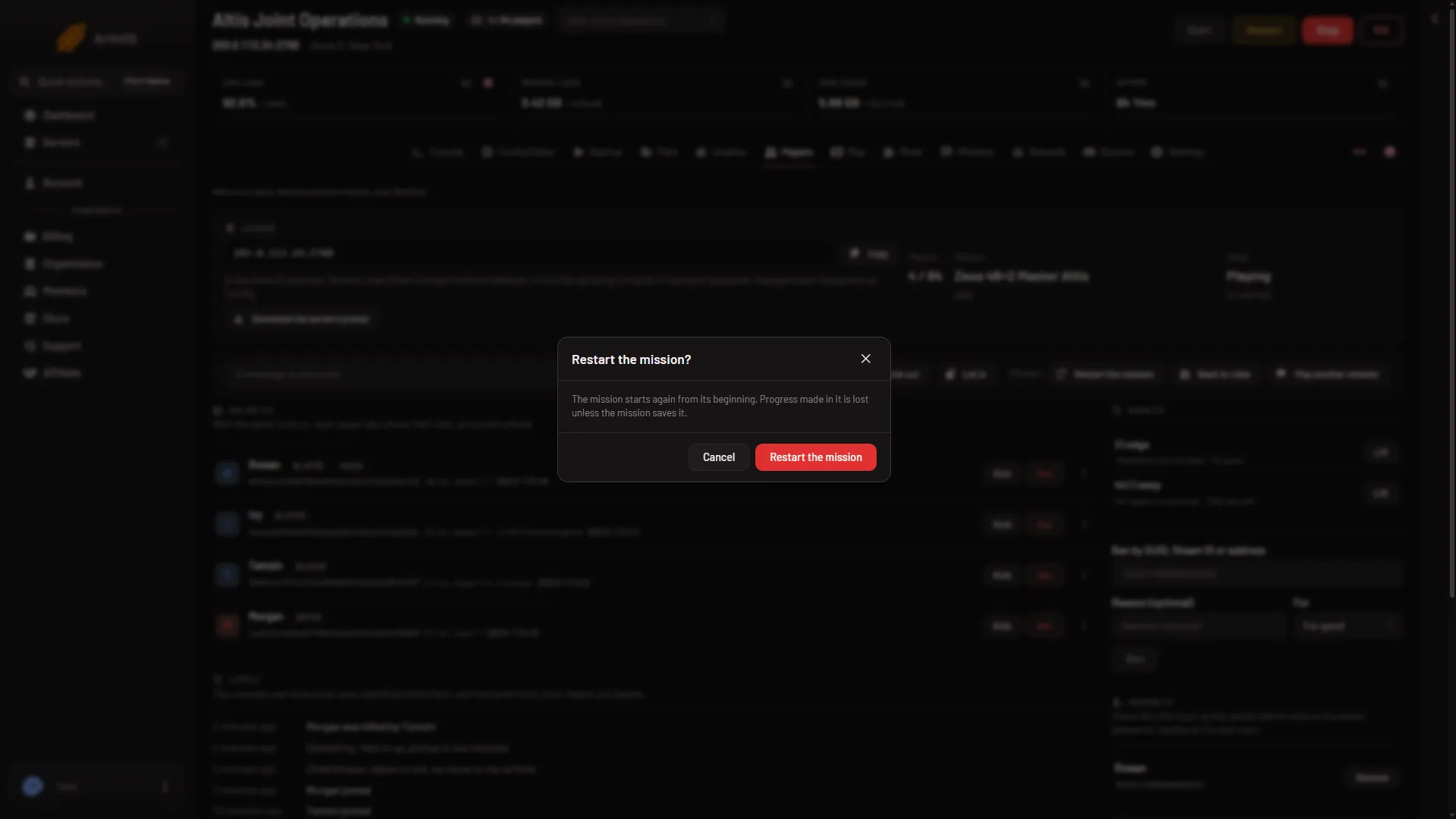
- Confirm the restart
The panel sends the game’s #restart admin command over the remote console of BattlEye (the game’s anti-cheat). By hand, an admin can type the same command in the game’s chat after #login.
What is lost
A normal multiplayer mission keeps nothing between runs. Restarting it starts the mission over, so what happened in the run is gone.
Some campaign style missions, such as Antistasi and KP Liberation, save their progress in the server’s profile. For those, the save is what you keep. The Missions page has a Campaign saves card where you can copy the save aside and put a copy back. See campaign saves.
A backup of the server is not a save of the mission. It copies the server’s files as they are, and it does not ask the game to save first.
Other buttons beside it
- Back to roles ends the mission, sends everyone back to choosing a role, then starts it again. The box says so: “The mission ends and every player goes back to choosing a role, then it starts again.” The panel sends
#reassignfor it. - Play another mission ends this mission and starts a different one. See change the mission now.
More about the game on Loafhosts: Arma 3 servers.
If it does not work
- The page says BattlEye is not answering. The server is still starting, or BattlEye is off. Wait until it is up. The buttons need the remote console.
- BattlEye refused the panel’s RCon password. The password was changed after the server started. Choose Restart at the top of the page so the game uses the new password. That restarts the whole server and drops everyone who is on, so warn them first.
- The Mission buttons are missing. Your role may not allow restarting the server. Ask the owner to change your role on the organization page (Settings, Access, Manage roles).
- You wanted the server itself restarted. Use Restart at the top of the page: see start, stop and restart the server.
Not checked on 2.22.154089 as of 13 November 2026: what players see when the mission restarts.
Sources: Bohemia wiki: Dedicated Server