
















A server with many mods can send more data about itself than the default size allows. The Arma 3 Launcher then shows only part of the mod list. The fix is one setting: Server browser data size. Raise it to 4096 or more, then restart.
Raise it
- Open the Config Editor and choose
server.cfg. - Open the Joining card.
- Find Server browser data size. The key is
steamProtocolMaxDataSize. It takes a number from 1024 to 20000. The game’s default is 1024. - Type 4096.
- Choose Save.
- Restart the server. Choose Restart now in the bar that appears after the save. A restart drops everyone who is on. Warn them first with A message to everyone on the Players page, then choose Send.
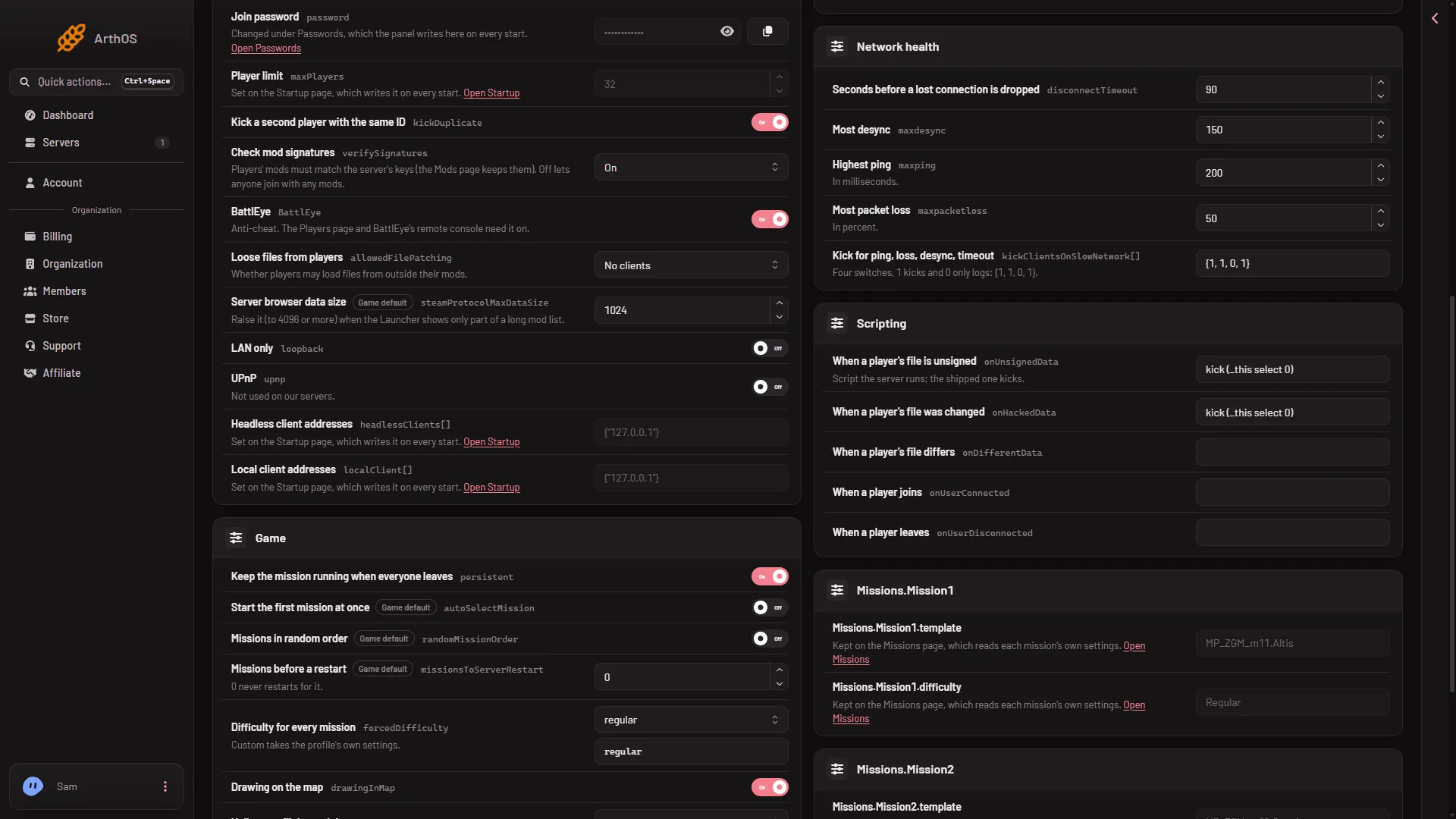
- Server browser data size
The row is the one marked (1).
The game reads server.cfg once, at start. A change shows only after a restart. The panel says “Saved. Restart the server to apply the changes.”
Then open the Launcher again and look at the server. If the list is still cut, raise the number a step more.
Take care
The game’s maker warns that a bigger value “is dangerous”: the server may send packets larger than the network path can carry. Raise the number only as far as the list needs. Go from 4096 upward in steps, not straight to 20000.
The network path to a Loafhosts node carries 1,360 bytes in one packet. Whether a server answer bigger than that still reaches the Launcher is not checked on 2.22.154089 as of 13 November 2026. If the server drops out of the browser after a change, set the value back to 1024 and restart.
Another way: give players a preset
Players do not need the Launcher’s server list to know which mods to load. On the Mods page, under Presets, choose Download the preset. Players drag the file onto the Launcher and it loads exactly the server’s mods. See give players a preset.
If it does not work
- You cannot save. Your role may not allow changing files. Ask the owner for a role that does.
- The list is still short after the restart. Check that the Save went through and that you restarted after it. Then raise the number again.
- The setting is missing from the card. Use the search box in the Config Editor and type
browser.
More about the game: Arma 3 servers.
Sources: Bohemia wiki: Server Config File