
















The join password is the Server Password under Passwords in the Config Editor. Type one, save, and restart the server. It applies at the next start. Leave it empty and anyone who finds the server can join.
Set the password
- Open the server in the panel and choose Config Editor.
- In the list of settings files, choose Passwords.
- In Server Password, type the password. It can be up to 64 characters long. Letters and digits are the safe choice.
- Choose Save. Running, the page says “Saved. Restart the server to apply the changes.”; stopped, “Saved. The changes apply when the server starts.”
- Restart the server. A restart drops everyone who is on: warn them first with A message to everyone and Send on the Players page.
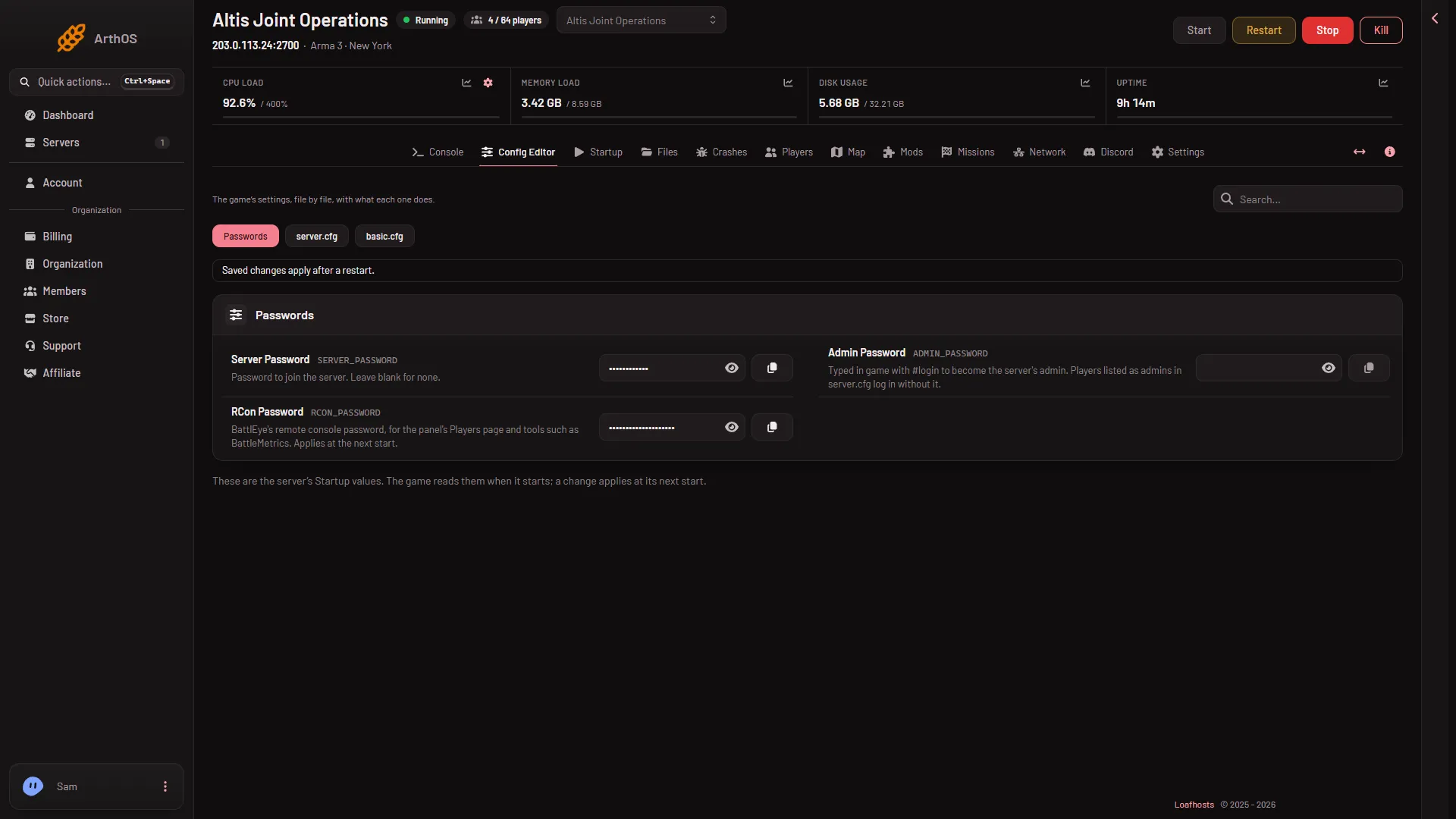
- Server Password
Type the password in Server Password (1).
The panel writes the password into server.cfg at every start. Do not edit password in server.cfg yourself. The Config Editor shows Join password there as locked, with the note “Changed under Passwords, which the panel writes here on every start.” and a link named Open Passwords.
A server ordered from the Loafhosts store starts with a random join password. Replace it with one you can share.
Remove the password
Empty Server Password, save, and restart. The server then has no join password.
See whether a password is set
Open the Players page and look at the Joining band. It says “It has a join password, changed under Passwords on Config.” (the Config Editor tab) or “It has no join password.” This line shows only while the server is running and answering.
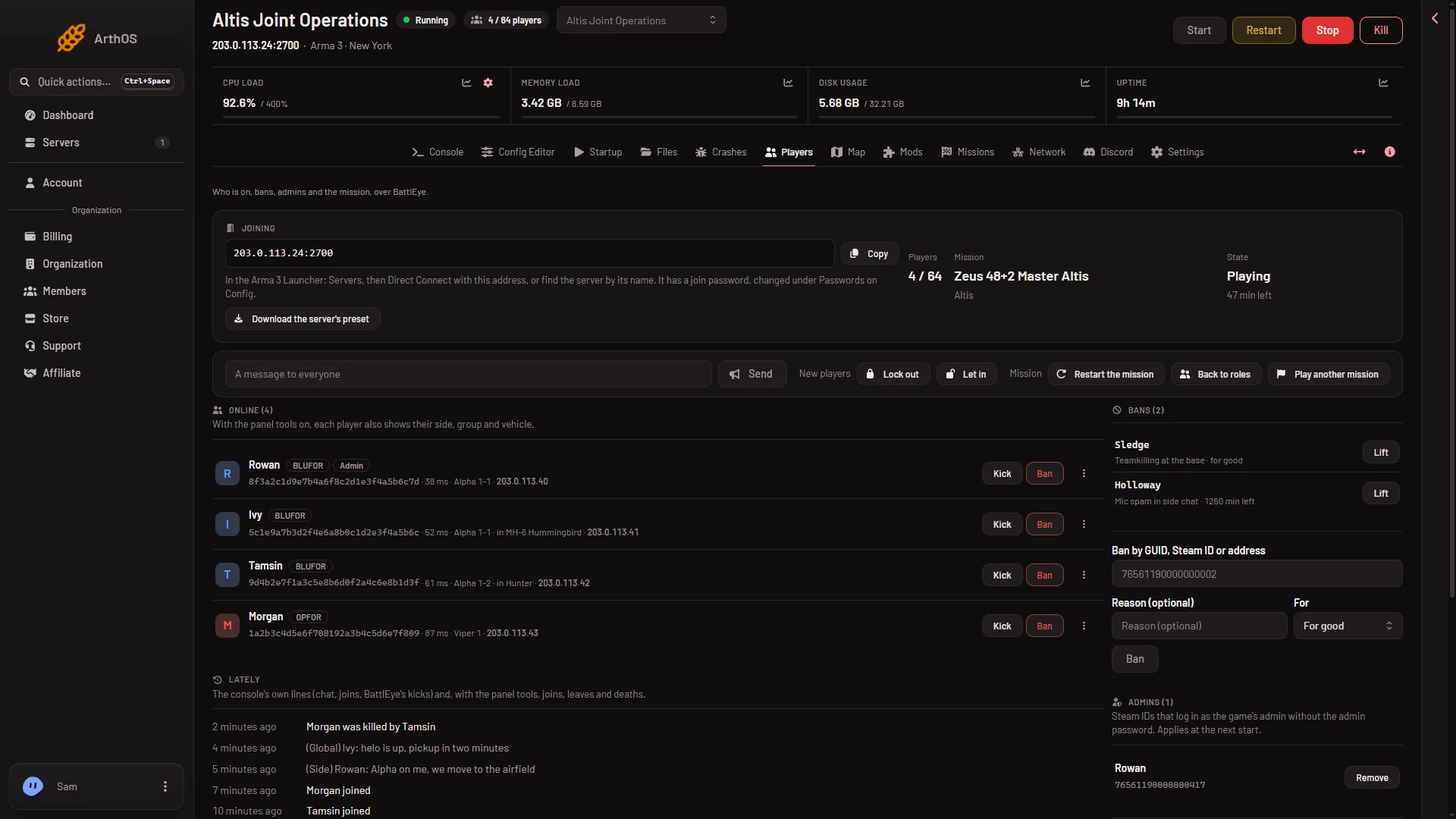
- Join password line
Tell your players
Give players the address and the password. The Players page shows the address with a Copy button. In the Arma 3 Launcher the Players page says: Servers, then Direct Connect with this address, or find the server by its name. Players need the password to get in.
If it does not work
- Players still get in without a password. The change applies at the next start. Restart the server.
- Players say the password is wrong. Check for a typo, and for spaces at the start or the end. Passwords are case sensitive. See wrong password when joining.
- You set the password in
server.cfgand it was overwritten. The panel writes the password from Passwords at every start. Set it there. - You cannot see or change Passwords. Values reach only people whose role allows changing them.
More about the game: Arma 3 servers.