
















The Players page asks BattlEye’s remote console (BattlEye is the game’s anti-cheat) who is online. Above the players it shows a status line. “The server is running, but BattlEye is not answering yet” almost always means the server is still starting. Wait, and the list fills in. If it never does, check three things: BattlEye is on, the RCon password is set, and the RCon port is right.
What each status line means
The page shows one of these:
- “The server is starting. Players show here once it is up.” The game has not finished starting. Wait.
- “The server is running, but BattlEye is not answering yet. Players show here once the server is up.” The game is up but BattlEye has not replied. This is normal for a short time after a start.
- “The server is stopped. Players show here while it runs; bans, admins and players seen lately are below.” Start the server. The bans, admins and seen-lately lists still work.
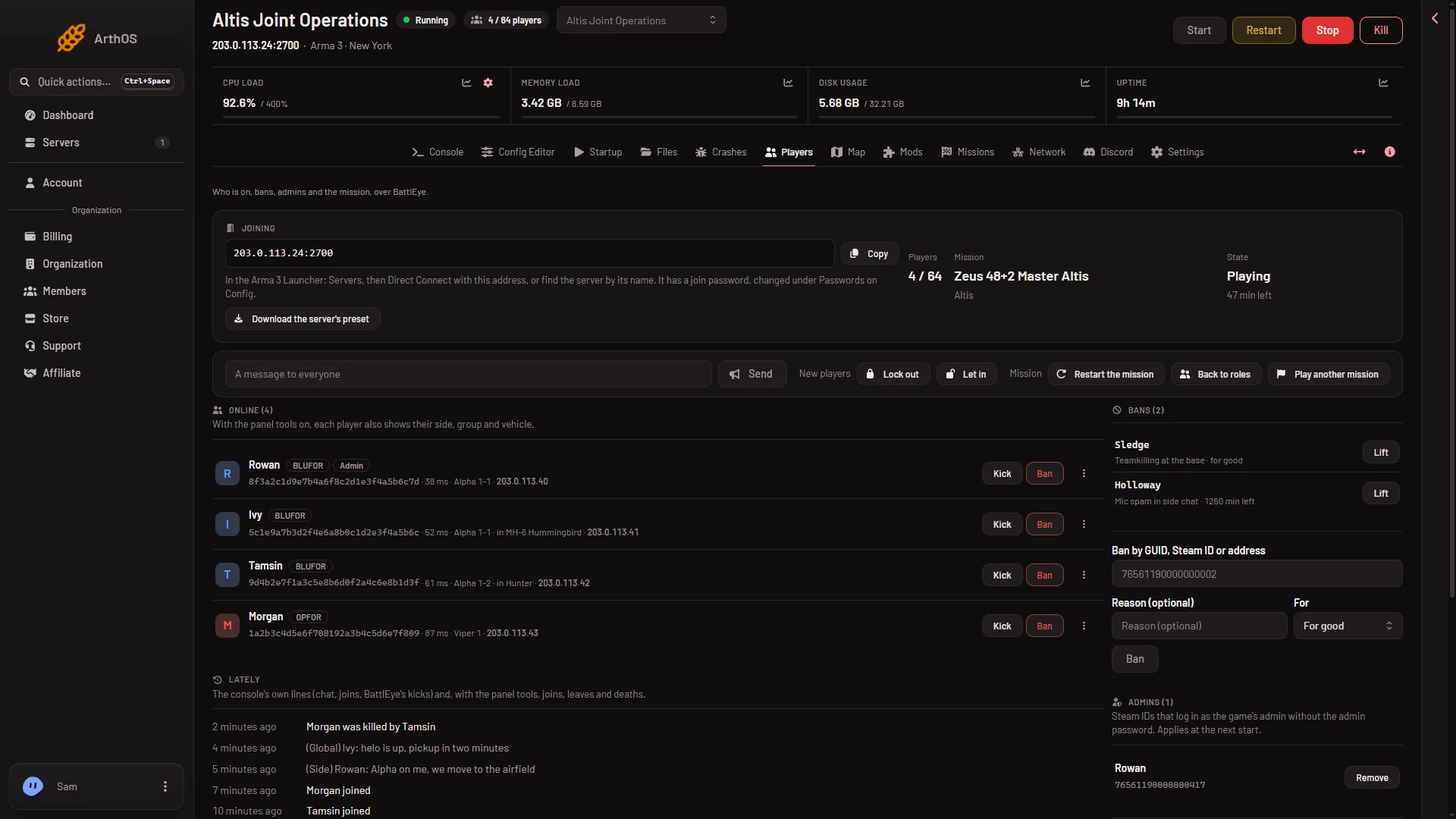
- State
The State tile (1) is a different thing: it shows what the mission is doing (Choosing a mission, Loading, Briefing, Playing, Debriefing or Starting). A healthy server that waits for an admin to pick a mission reads Choosing a mission. The status line above is the one that says whether BattlEye answers.
The page refreshes by itself: every 10 seconds while the server runs, every 30 seconds while it is stopped. You do not need to reload it.
Step 1: is the server really up?
Open Console. The game is ready when the console shows Host identity created. Many other lines read BattlEye Server: RCon admin #0 (...) logged in. That is the panel checking who is online, and it is normal. If the ready line never comes, the problem is the start, not BattlEye. See server stuck starting.
Step 2: is BattlEye on?
The Players page needs BattlEye. In the Config Editor, open server.cfg and find BattlEye. The help says: “Anti-cheat. The Players page and BattlEye’s remote console need it on.” If it is off, turn it on, choose Save, and restart the server. Changes apply at the next start.
Step 3: does the server have an RCon password?
Open Config Editor, then Passwords. Look at RCon Password. A new server gets one by itself. If the page says the server has no RCon password yet, the panel makes one at the next start, so restart the server.
If you set your own, use letters and digits only, up to 40 characters. A password that is empty or has other characters is replaced by a random one at the next start.
Step 4: is the RCon port right?
On Startup, RCon Port is shown but cannot be edited. The panel fills it in from the server’s ports. The Players page refuses a port that is the same as the game port or the BattlEye port.
To see the ports, open Network. The Allocations table has the columns Hostname, Port, Notes and Created, and no row says what it is for. The game port has a star. Count up from it: Steam query is the game port plus 1, Steam plus 2, voice (reserved) plus 3, BattlEye plus 4 and RCon plus 5. If the number on Startup is not the game port plus 5, contact support.
What the panel does for you
At every start, the panel writes BattlEye’s own file beserver_x64.cfg with the RCon port and password. Do not edit that file by hand. The panel replaces what you change.
If it does not work
- The line stays after several minutes. Check the three steps above in order.
- The page says BattlEye refused the password. See BattlEye refused the RCon password.
- The page says the server is not running, still starting, or BattlEye is off. Same fix: wait for
Host identity created., then check BattlEye. - You cannot see the Players page. Your role may not allow it. Ask the server’s owner.
More about the game: Arma 3 servers.
Sources: Bohemia wiki: BattlEye