
















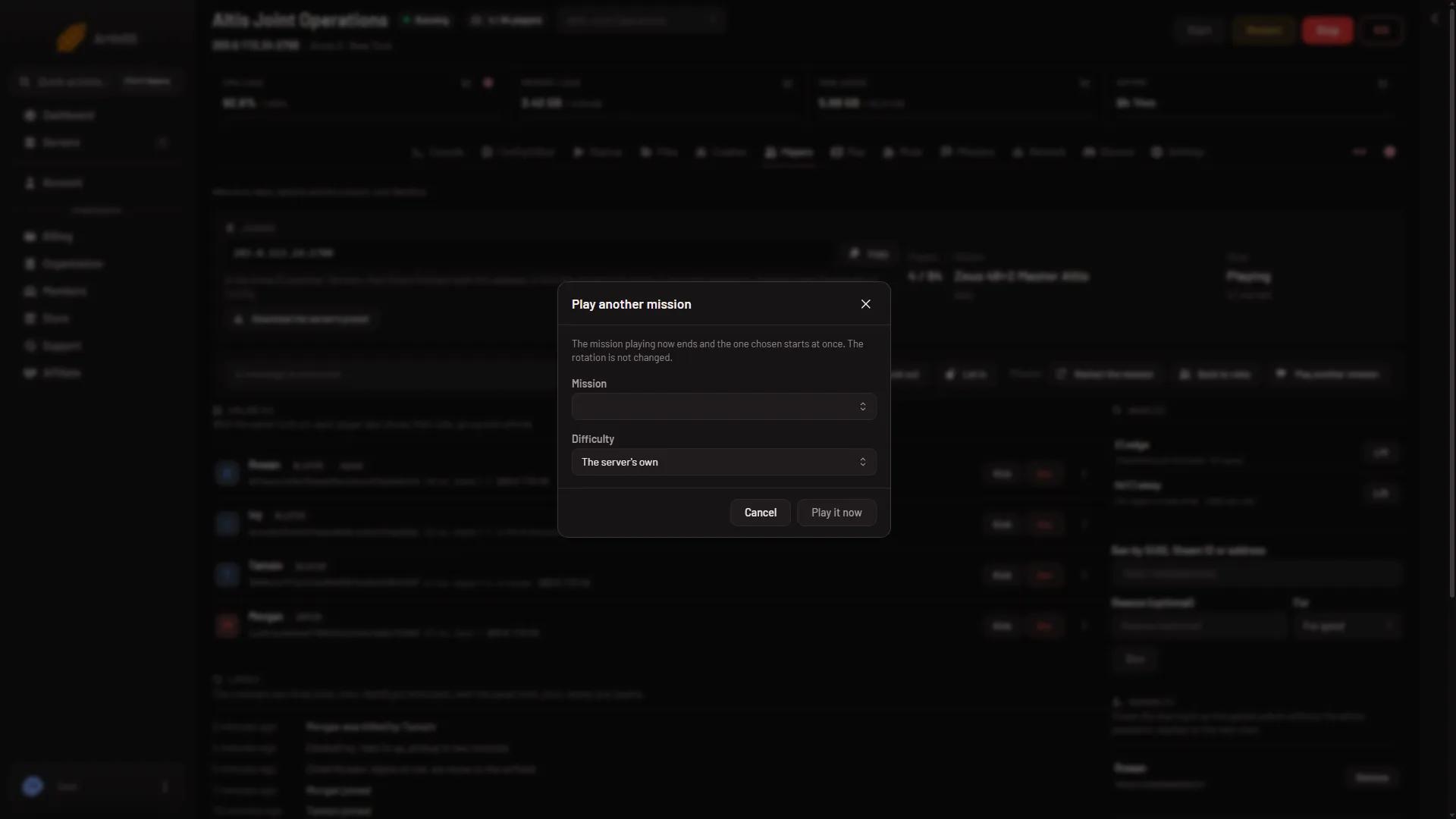
To switch the mission now, open the Players page, choose Play another mission, pick a mission and press Play it now. The mission playing ends and the one you chose starts at once. The rotation (the list of missions the server plays, in order) is not changed.
This is different from the Missions page. Saving there changes what the server plays from its next start. Playing another mission here changes what it plays right now.
Steps
- Make sure the server is running. The page says “The server is stopped. Players show here while it runs…” when it is not.
- Open the Players page.
- Find the Mission group of buttons. Choose Play another mission.
- In the dialog, choose a mission in Mission. The picker lists the missions on the server and the game’s own missions. While the panel reads them it says “Reading the missions”. If you type something that matches nothing, it says “No mission matches”.
- Choose a Difficulty: The server’s own, Recruit, Regular, Veteran or Custom. Custom uses the server’s own profile settings.
- Choose Play it now.
- Choose the mission
- Choose the difficulty
- Play it now
Choose the mission in Mission (1), the level in Difficulty (2), then Play it now (3). The dialog’s own text reads: “The mission playing now ends and the one chosen starts at once. The rotation is not changed.”
What the panel sends, and by hand
The panel sends the game’s own admin command #mission (name.world) (difficulty), with the mission’s name.world and the difficulty if you chose one. It goes over the remote console of BattlEye (the game’s anti-cheat), so BattlEye must be on and answering.
By hand, the same command works if you type it in the game’s chat after #login with the admin password.
A role needs the permission to restart the server to use these buttons. If you cannot see them, ask the server’s owner to change your role on the organization page (Settings, Access, Manage roles).
More about the game on Loafhosts: Arma 3 servers.
If it does not work
- The buttons do nothing and the page says BattlEye is not answering. The server is still starting, or BattlEye is off. Wait until it is up.
- The page says BattlEye refused the panel’s RCon password. The password was changed after the server started. Choose Restart at the top of the page so the game uses the new one. A restart drops everyone who is on.
- “Choose one of the server’s missions.” The panel only plays missions from its own list. Upload yours first: see upload a mission.
- “Choose a difficulty the game has.” Pick one of Recruit, Regular, Veteran, Custom or the server’s own.
- The mission is on a world that needs an expansion. Players who do not own it cannot join it. The Missions page shows “needs” on that row.
- You want it in the order, not just now. Add it on the Missions page: add a mission to the rotation.
Not checked on 2.22.154089 as of 13 November 2026: what players see during the switch, and whether a mission added while the server runs can be played this way.
Sources: Bohemia wiki: Dedicated Server