
















The power buttons Start, Stop, Restart and Kill are at the top of every server page. A stop asks the game to shut down the way Ctrl+C does. Everyone online is disconnected when the server stops or restarts.
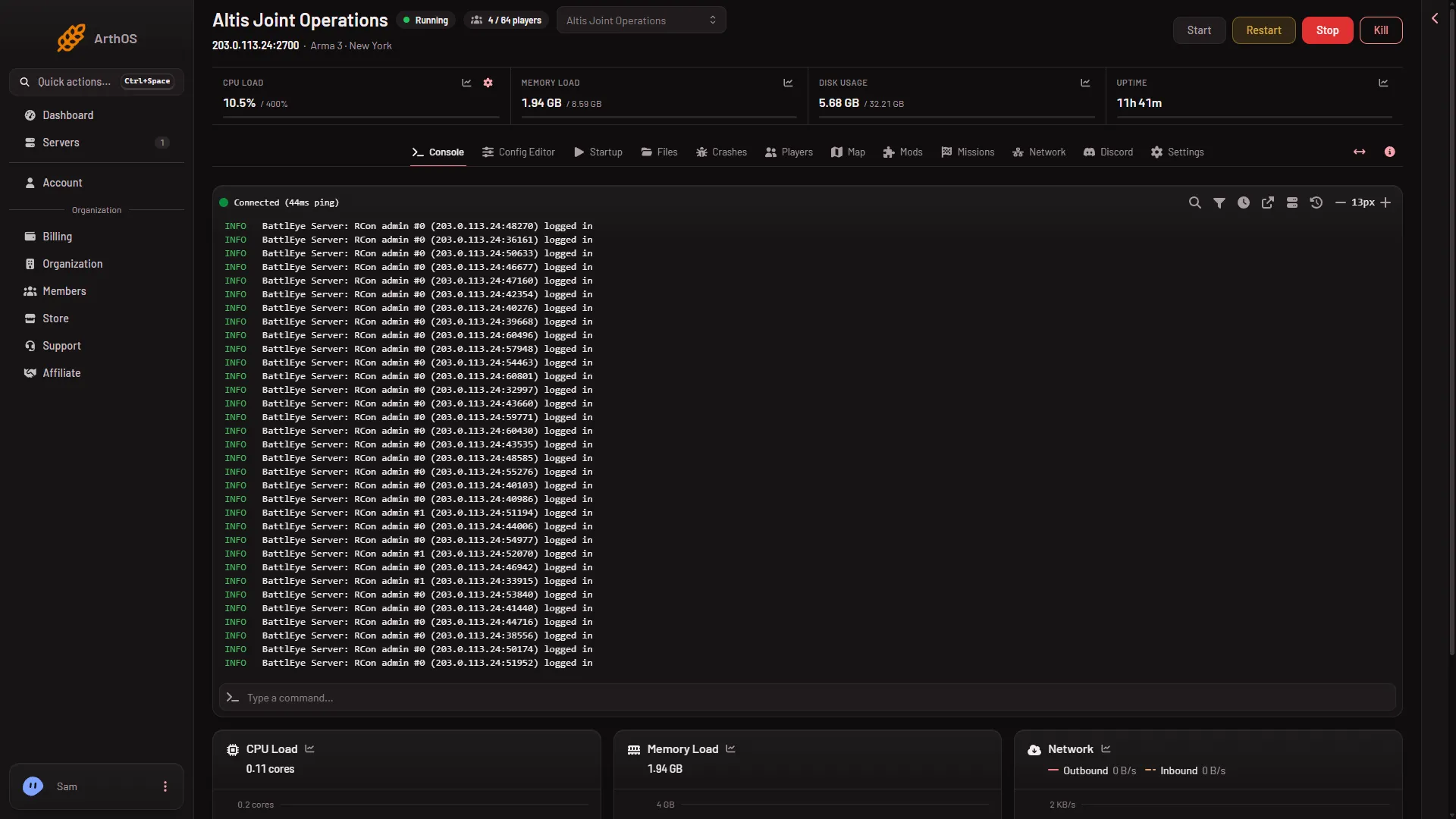
Start
- Open your server. The state reads Offline.
- Choose Start.
- The state changes to Starting, then Running. The Console prints the game’s log as it goes.
The server is ready for players when the console shows Host identity created. and the state reads Running. Many console lines read BattlEye Server: RCon admin #0 (...) logged in. That is the panel checking who is online, and it is normal. The Players page leaves them out. A mission may still be loading after the ready line. The Players page shows the mission and its state.
Stop
Choose Stop. The state shows Stopping, then Offline.
The panel sends the game the same signal as pressing Ctrl+C in a terminal. The game saves what it saves on a normal shutdown and exits. Players are disconnected.
A stop does not save a mission’s progress by itself. A mission that keeps a campaign writes its own save while it runs. See campaign saves.
If the stop hangs
Every server has Auto-Kill under Settings. It says: “Stop asks the game to save and shut down. If it is still running this many seconds later, it is killed, so a stuck stop cannot hang.” Read Seconds until auto-kill on the card for the number your server uses.
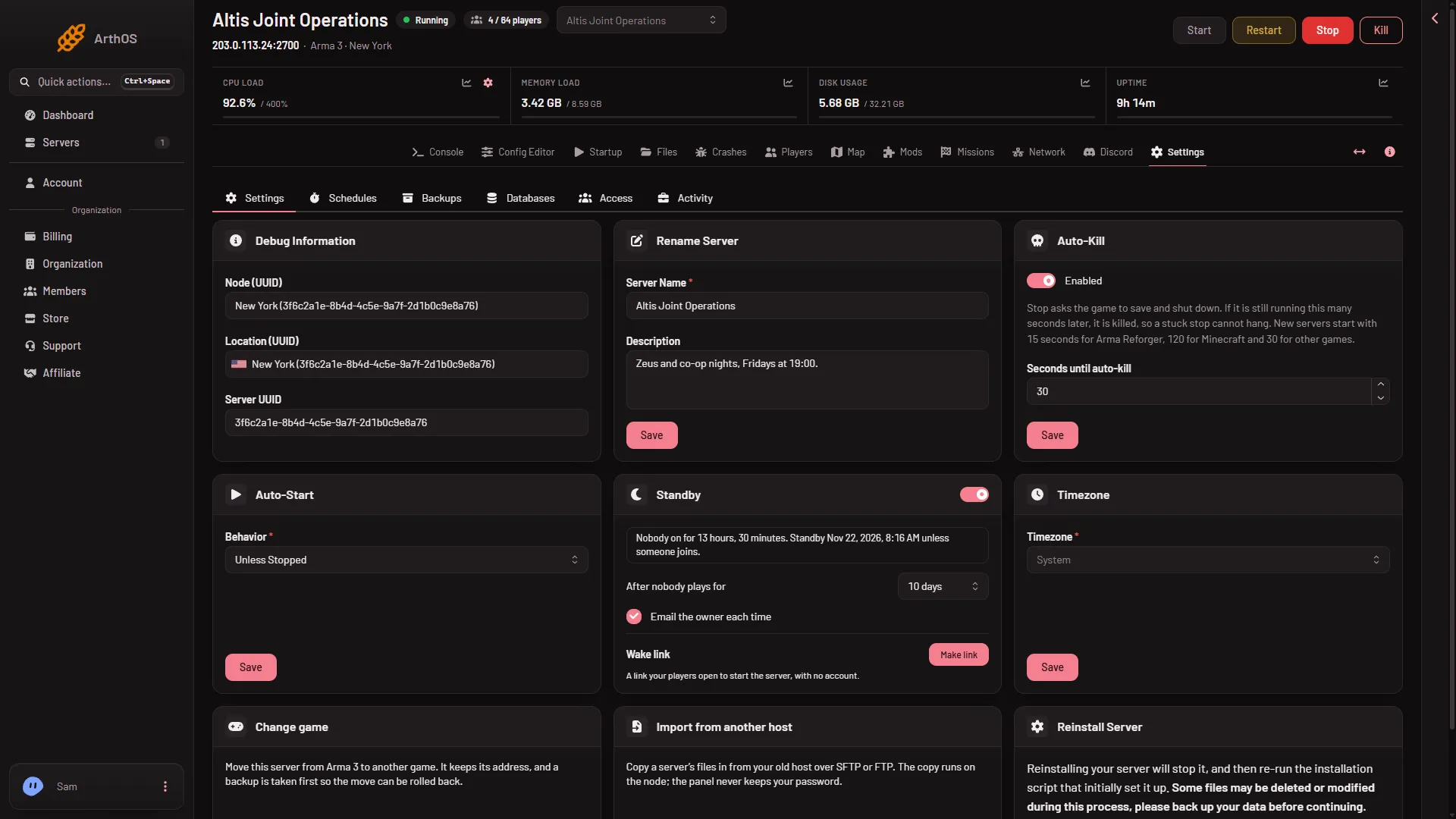
- Auto-Kill
Restart
Choose Restart. The server stops as above, then starts again. Use it to apply a change to a settings file, to the Startup page or to the mod list.
A restart is not the same as restarting the mission. To start the current mission again without stopping the server, use Restart the mission on the Players page. That does not stop the server. See restart the mission.
What changes need a restart
- Settings in the Config Editor: at the next start, because the game reads its files once.
- Variables on Startup: at the next start.
- Passwords: at the next start.
- Mod changes: the Mods page offers Apply and restart while the server runs. The server stops, downloads and starts again, and players online are disconnected.
Restart on a timer
A daily restart is a schedule. See schedule a daily restart.
If it does not work
- It stays on Starting. Watch the console. A mod set that is large can take minutes. The Crashes page reads each start and names common causes.
- It stops by itself. Open Crashes. Each start shows how it ended.
- Start does nothing. Your role may not allow power actions. Ask the owner of the organization.
More about the game: Arma 3 servers.
Sources: Bohemia wiki: Dedicated Server