
















An Arma 3 server that runs out of memory stops without being asked. Large mod sets and big terrains need more memory. The fix is to load less, or to move to a plan with more memory.
1. Confirm it on the Crashes page
- Open the Crashes page. It lists each start of the server, newest first. The page shows the newest ten starts.
- Open the start that went wrong. A server the machine ends for memory shows Crashed.
- Look at Out of memory (1). If it says Yes, memory was the cause. The picture shows a healthy start, where it says No.
- Under What the panel can tell, look for the finding “The server used all its memory and was stopped”. It says the server reached its plan’s memory and the machine ended it, so it could not save or write why. The game’s own log usually has no line about it.
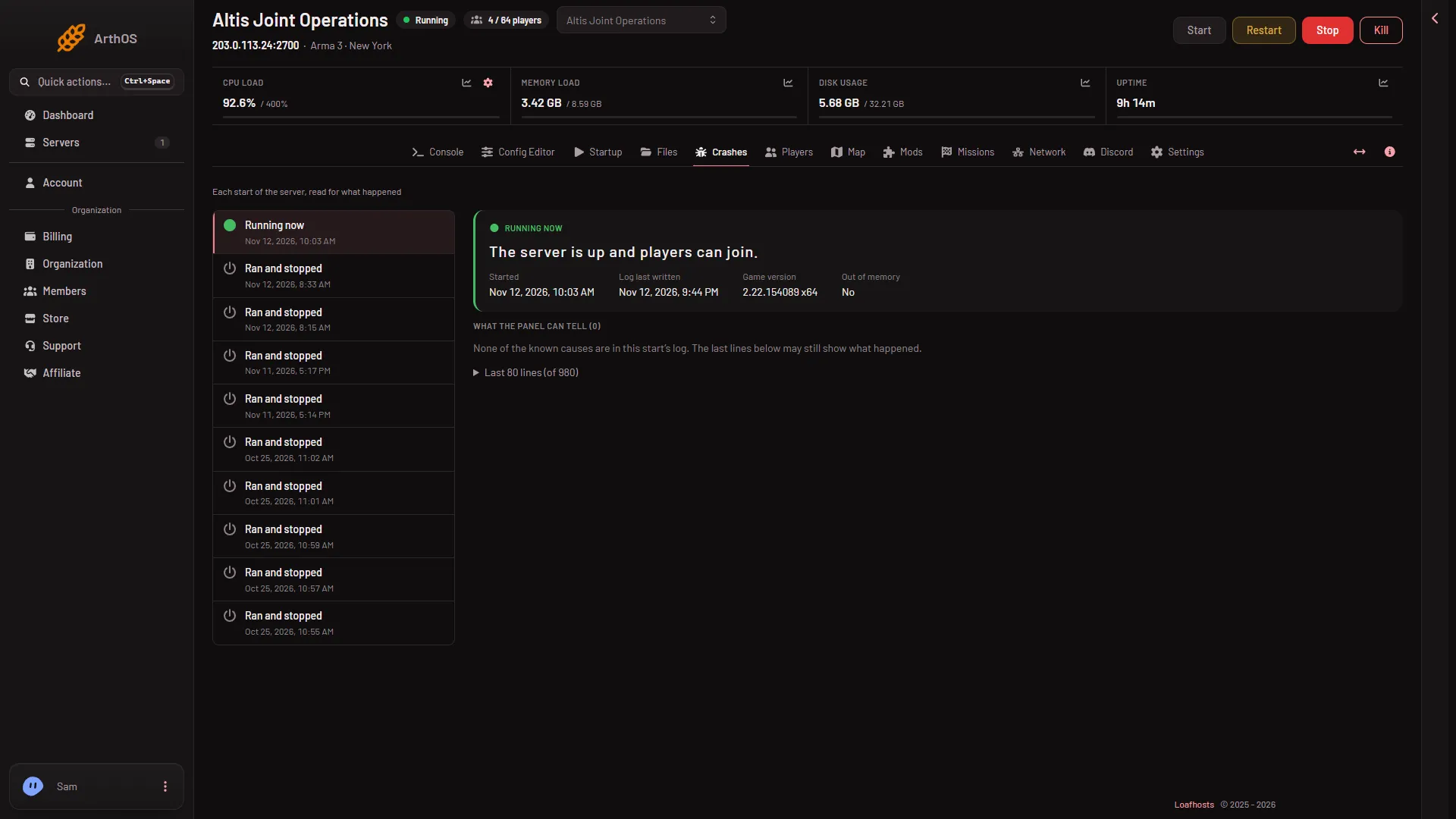
- Out of memory
The panel’s advice under that finding is: “Large mod sets and big terrains need more. Remove a mod you do not need, or raise the server’s memory.”
A line with SteamInternal_SetMinidumpSteamID a few minutes into a normal start is not a crash and not a memory problem. Ignore it.
2. Load less
Remove mods first. It costs nothing and is the quickest test.
- Open Mods and the On this server tab.
- Take off any mod you do not need: choose Take (name) off the list on its row.
- Choose Apply and restart. The server stops, applies the change and starts again.
Start with the biggest or newest mods, and with the ones whose content you do not play. A mod that was loaded for players needs to be removed from the players’ lists too. Folders listed under “On the server, not loaded” only take disk space. They do not use memory.
Other ways to load less:
- Big terrains need more memory, as the panel says. Play a smaller world if you can.
- Lower Headless Clients on Startup. They run in the same container as the server.
- Choose a lighter mission. A mission with many AI asks more of the server.
Changes to Startup apply at the next start.
3. Take a bigger plan
If you need the mods and the mission, the server needs more memory. A bigger plan has more. The three store sizes carry 6 GB, 8 GB and 12 GB of memory (the header shows a little more than the plan’s size, for example about 12.9 GB on a 12 GB plan). Move up from the account’s billing pages.
If it does not work
- The Out of memory row says No. Something else stopped the server. Read the other findings on the same start. See the Crashes page.
- It stops again right after you removed a mod. Remove the last mod or mission you added first. The panel says the same of an engine crash that repeats.
- The server does not start at all. The start is shown as Failed to start if the log never reached
Host identity created.Read its findings. - Players lag but the server stays up. That is not memory. See desync and lag.
More about the game: Arma 3 servers.
Sources: Bohemia wiki: Dedicated Server