
















Standby stops your Arma 3 server when nobody has played on it for a time you choose. The wake link lets anyone you give it to start the server again, with no account. Nothing is deleted when a server goes into standby.
Check that standby is on
Standby is on by default on every new server, and After nobody plays for starts at 10 days. Check it:
- Open the Settings page of your server.
- Find the Standby card (1) and check that the switch in its header (2) is on.
- In After nobody plays for, choose how long the server waits with nobody on.
- Tick Email the owner each time if you want an email whenever the server goes into standby.
The card has no Save button. It saves when you change a value, and the page says “Standby settings saved.” If the time you choose has already passed, a box asks “Go into standby now?” and has a Save button.
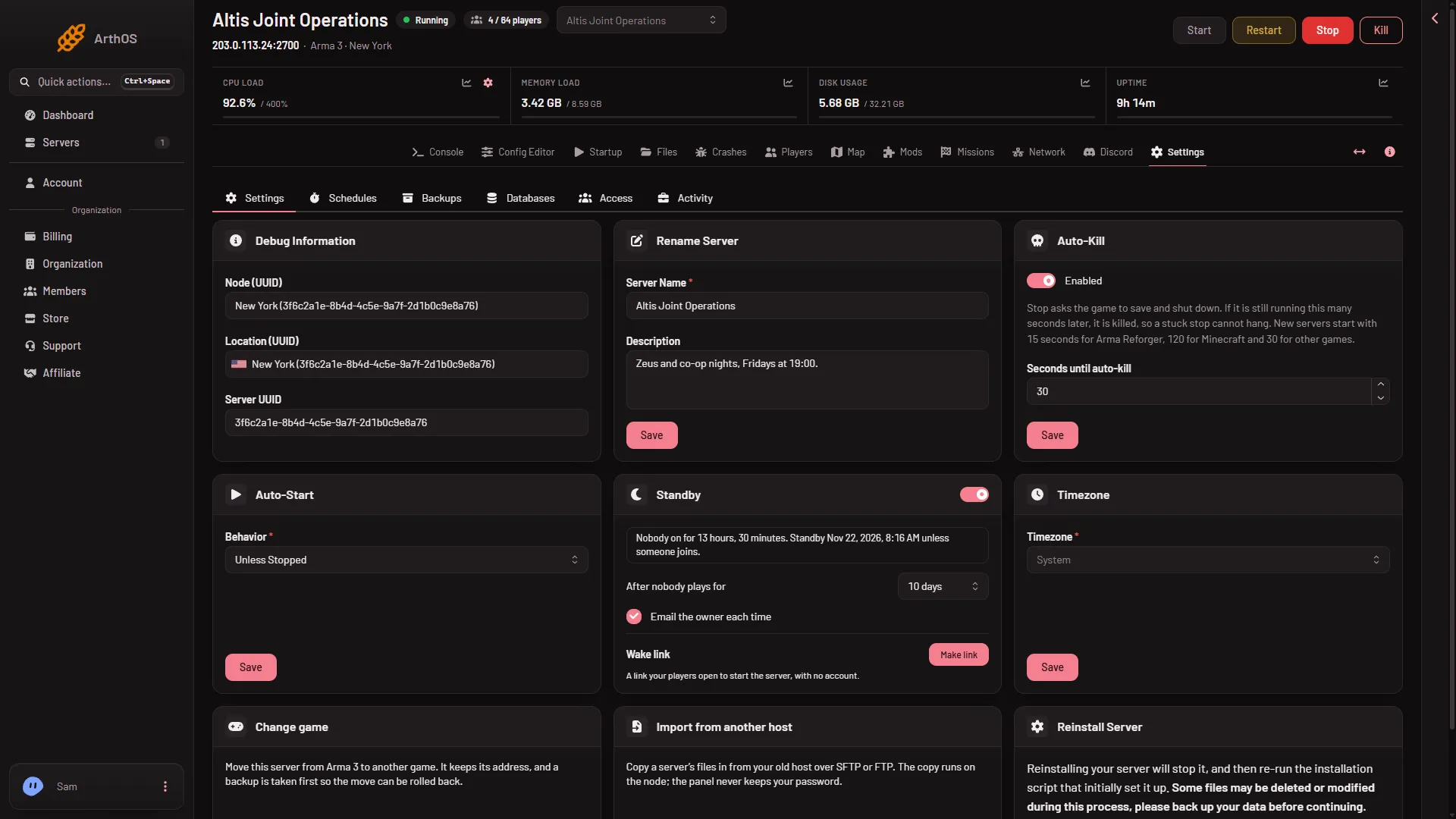
- The Standby card
- Standby switch
- Wake link
The card also shows what it is doing now: “Nobody on for (time). Standby (when) unless someone joins.”, “Players are on.” or “Off. The server keeps running when nobody plays.”
How the panel counts players
The panel reads the number of players from the server’s Steam query first, the same answer the server browser uses. Before it stops anything, it checks the number a second way, with the list from BattlEye (the game’s anti-cheat). While it does this, the card says “Waiting: checking the player count a second way before it stops the server.”
Two rules keep a busy server safe:
- If the panel cannot read the number of players, it does not treat the server as empty. If the server has not started up fully or does not answer, the card says “Waiting: the panel cannot read how many players are on.” and the server keeps running.
- A server counts as ready once it is at “playing” or “choosing a mission”. Until then it is not stopped.
If the two counts disagree, the waiting time starts again from zero. A change or a backup running on the server also makes it wait.
What standby does
The server stops like any stop: the game is asked to save and shut down. Your files, mods, missions and settings stay. The Settings page then shows “This server is in standby” and says when it went to sleep. Start it with Start at the top of the server page, or from the wake link.
The wake link
- On the Standby card, find Wake link (3).
- Choose Make link. The page says “Wake link ready.”
- Choose Copy link and send it to your players.
Anyone with the link can start the server, and nothing else: no stop, no settings, no files. The card shows how many times the link has started the server today.
Under Options you can:
- make a New link. The old link stops working at once.
- Turn off the link.
- Show the join address on the wake page, so players see how to connect once it is up.
- Add a Start server button to Discord status messages.
A starting server takes a few minutes to be ready. The Players page says “The server is starting.” until it is up.
If it does not work
- The server never goes into standby. Someone is still counted as playing, or the panel cannot read the count. Read the note on the card.
- It went into standby while people were on. Open the Activity tab for the stop and the Players page while people are on, and compare the two counts. The panel stops a server only when both counts say nobody is playing.
- The wake link does nothing. The link may have been replaced or turned off, or it has reached its daily limit. Make a new one.
- You cannot make a link. Your role needs the permission to use the wake link and to start the server.
More about the game: Arma 3 servers.
Sources: Bohemia wiki: Dedicated Server