
















You can move a player from the Map page. Either click a spot on the map, or choose another player to put them next to. Both start from the player’s card.
This needs the panel tools and a mission that is playing. The panel tools are a small addon of the panel’s own. They run on the server only, so players install nothing. See turn on the panel tools if they are off.
Send a player to a spot
- Open the Map page and click the player. Their card opens.
- In the Move row, choose Send to a spot (1).
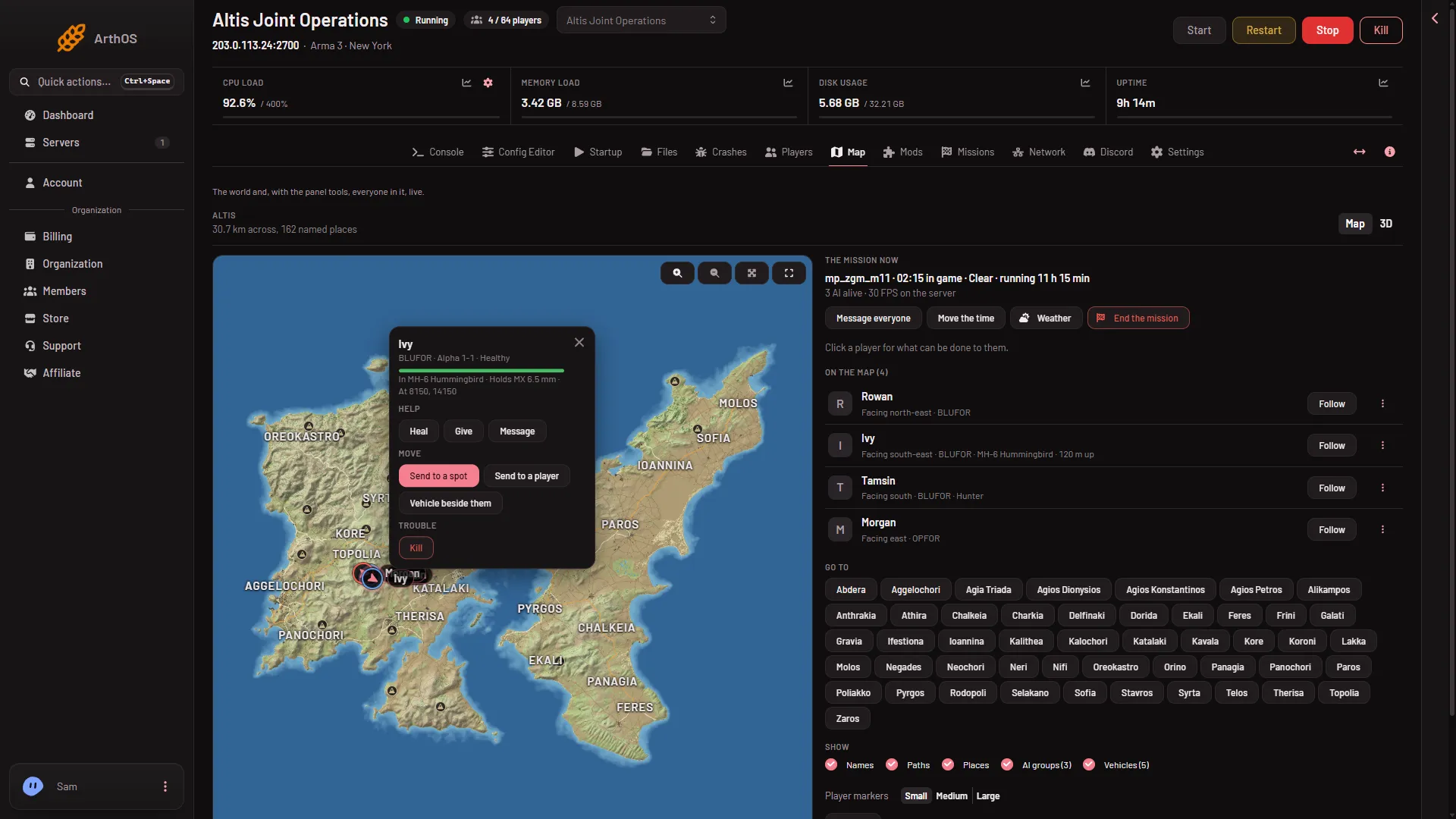
- Send to a spot
- Send to a player
- The map asks: “Click where to send (name)”. Click the place you want.
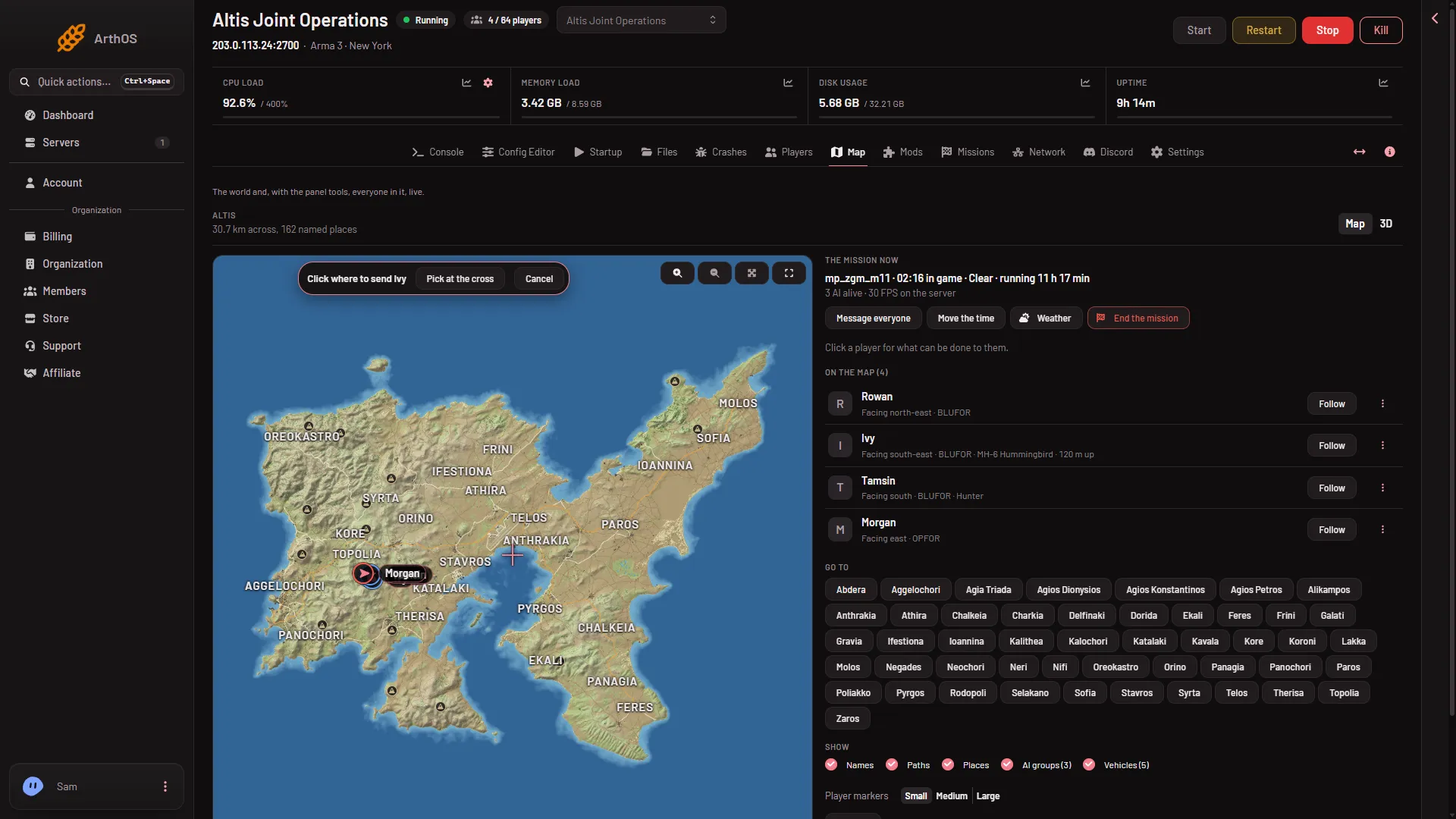
- Click on the map
The player moves there. The card shows where they are as At x, y, so you can check it.
Send a player next to another player
- Click the player on the Map page.
- In the Move row, choose Send to a player (2 in the first picture). A box titled Send (name) to a player opens.
- In Next to, choose the other player.
- Choose Send to a player at the bottom of the box.
The button stays grey until you choose someone. If you are the only one on, the box says “Nobody else is on.”
When it happens
Within seconds. The panel sends the command and the addon carries it out in the game. No restart is needed.
If it does not work
- No Move row. Your role may not allow helping players from the map. Ask the owner for a role that allows it.
- “turn on the panel tools first”. Turn them on from the Map page, then restart the server.
- “the panel tools load at the server’s next start”. You turned them on while the server was running. Restart it.
- “the game is not running the panel tools now: they run while a mission plays”. Start a mission first.
- “the game did not answer in time”. The panel waits about 8 seconds for the game. Try again once the mission has loaded.
- The player is not on the map. Players show once the panel tools are running a mission. See live map.
To put a vehicle beside a player after sending them, see spawn a vehicle.