
















Two settings control voting on an Arma 3 server. voteMissionPlayers says how many players must connect before mission voting starts. voteThreshold says what share of the votes confirms a vote. In the panel they are Players to start a mission vote and Share of votes needed, both in the Voting card of the Config Editor.
The two settings
| Panel label | Key in server.cfg | Meaning | Range in the panel |
|---|---|---|---|
| Players to start a mission vote | voteMissionPlayers | Start mission voting when this many players have connected. | 0 to 256 |
| Share of votes needed | voteThreshold | The share of votes needed to confirm a vote. | 0.0 to 1.0 |
The game’s own defaults are 1 player and 0.5, which is half of the votes. The server.cfg a new server starts with sets 1 player and 0.33. The panel’s help for the share is “0.33 is a third.”
The share is a fraction of one, not a percentage. Write 0.33 for a third, 0.5 for half and 0.75 for three quarters.
Example: with voteMissionPlayers at 3 and voteThreshold at 0.33, mission voting starts when 3 players have connected, and a third of the votes is enough to confirm a vote.
Change them in the panel
- Open the Config Editor page of your server.
- Choose server.cfg in the list of settings files.
- Find the Voting card.
- Type a number in Players to start a mission vote (1).
- Type a number from 0.0 to 1.0 in Share of votes needed (2).
- A bar reads “Unsaved changes: (n)” with Discard and Save. Choose Save.
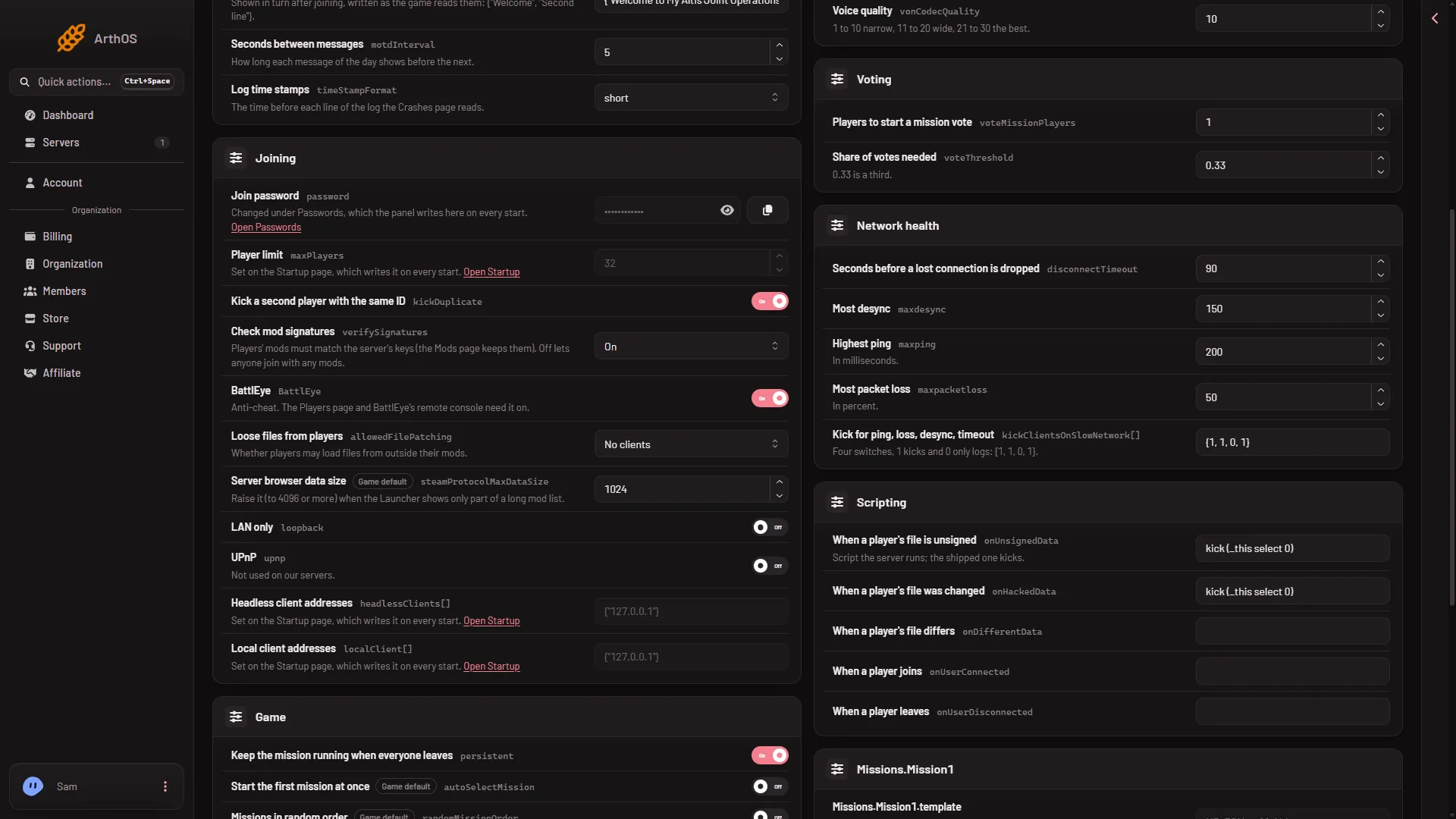
- Players to start a vote
- Share of votes needed
When the server is running, the page says “Saved. Restart the server to apply the changes.” The game reads server.cfg once, at the start, so the new values work only after a restart. When the server is stopped, the page says “Saved. The changes apply when the server starts.”
By hand
Open Files, open server.cfg and set both lines:
voteMissionPlayers = 3;
voteThreshold = 0.33;
Keep the semicolons. Save and restart the server.
Stopping voted commands
The server.cfg a new server starts with also has a commented line, under the comment “Un-comment this to prevent voted commands (like vote-kick)”:
//allowedVoteCmds[] = {};The Config Editor has no field for it. To use it, remove the // in Files. Not checked on 2.22.154089 as of 13 November 2026: what the game does with that line on a Loafhosts server.
Choosing the mission without a vote
Voting is one way to pick the next mission. An admin can also choose it. On the Players page, Play another mission starts a mission at once. On the Missions page you build the rotation the server plays in order. See change the mission now and the Missions page.
Not checked on 2.22.154089 as of 13 November 2026: how the vote looks to players on a Loafhosts server. Test it with a friend after your first change.
If it does not work
- Nothing changed. The server was not restarted after the save.
- The share is refused. It must be between 0.0 and 1.0. Write 0.5, not 50.
- The save is refused. Your role may not allow changing files.
- No vote appears. Fewer players have connected than Players to start a mission vote.
The other settings of this file are in server.cfg explained. More about the game: Arma 3 servers.
Sources: Bohemia wiki: Server Config File