










Load order matters in Arma Reforger: a mod loads after the ones above it, and where two mods change the same thing, the lower one is used. Some mods must always load first or last. Keep first and Keep last hold a mod at the top or the bottom of the list. The panel then keeps it there, whatever you add or move later. This is about position. Holding a mod to one version is a different thing, see lock mod versions. See also the Arma Reforger game page.
Keep a mod first or last
- Open the server and choose the Mods tab, then On this server.
- Choose the three dot button More for (mod name) on the mod’s row.
- Under Load order, choose Keep first or Keep last.
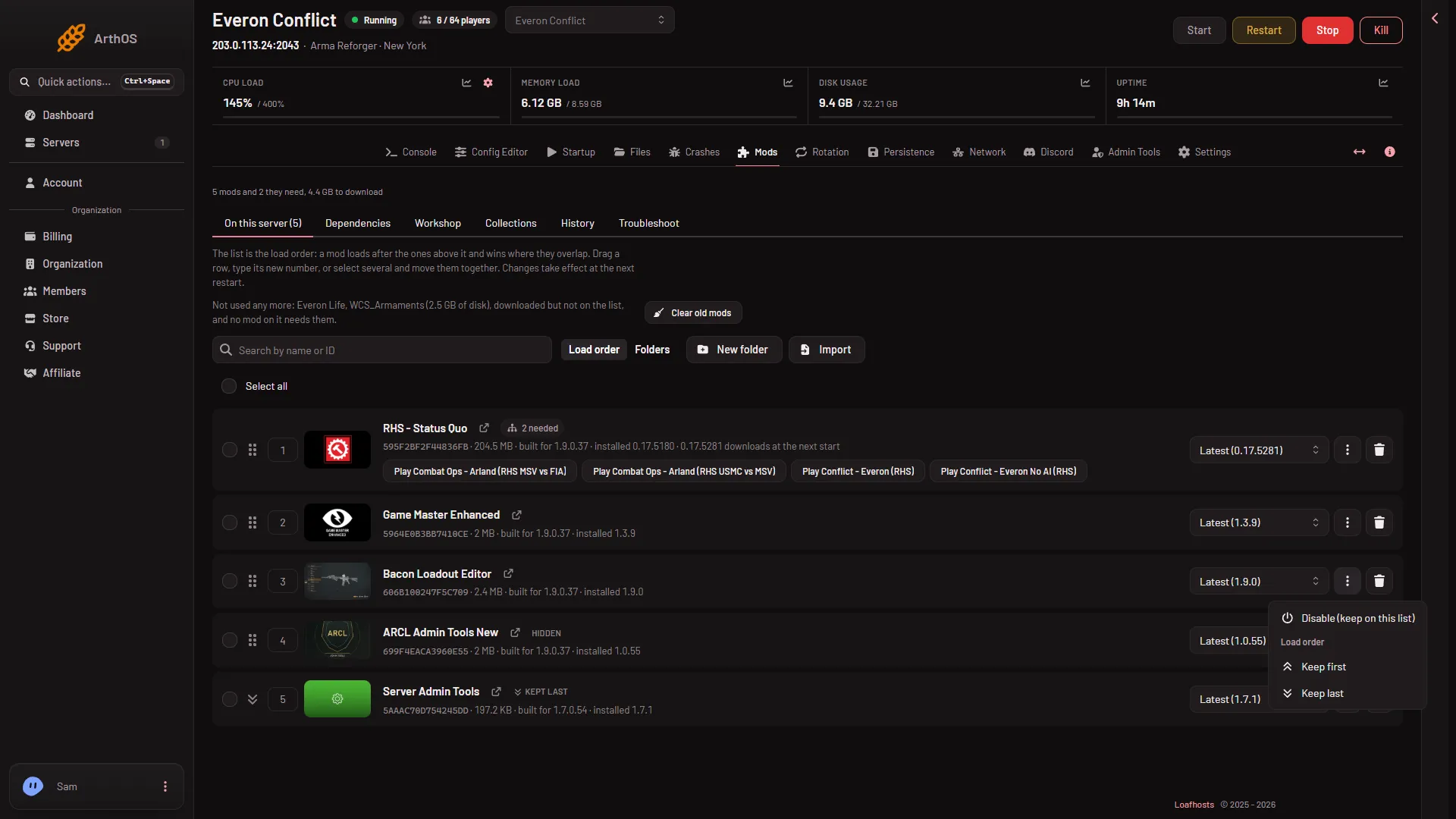
- Keep first
- Keep last
Keep first (1) moves the mod to the very top at once. Keep last (2) moves it to the very bottom. A toast confirms it: “(name) now loads last, whatever is added or moved.”
You need a role that may edit the server’s files. The buttons work while the server runs. Restart the server to use the new order.
What a kept mod looks like
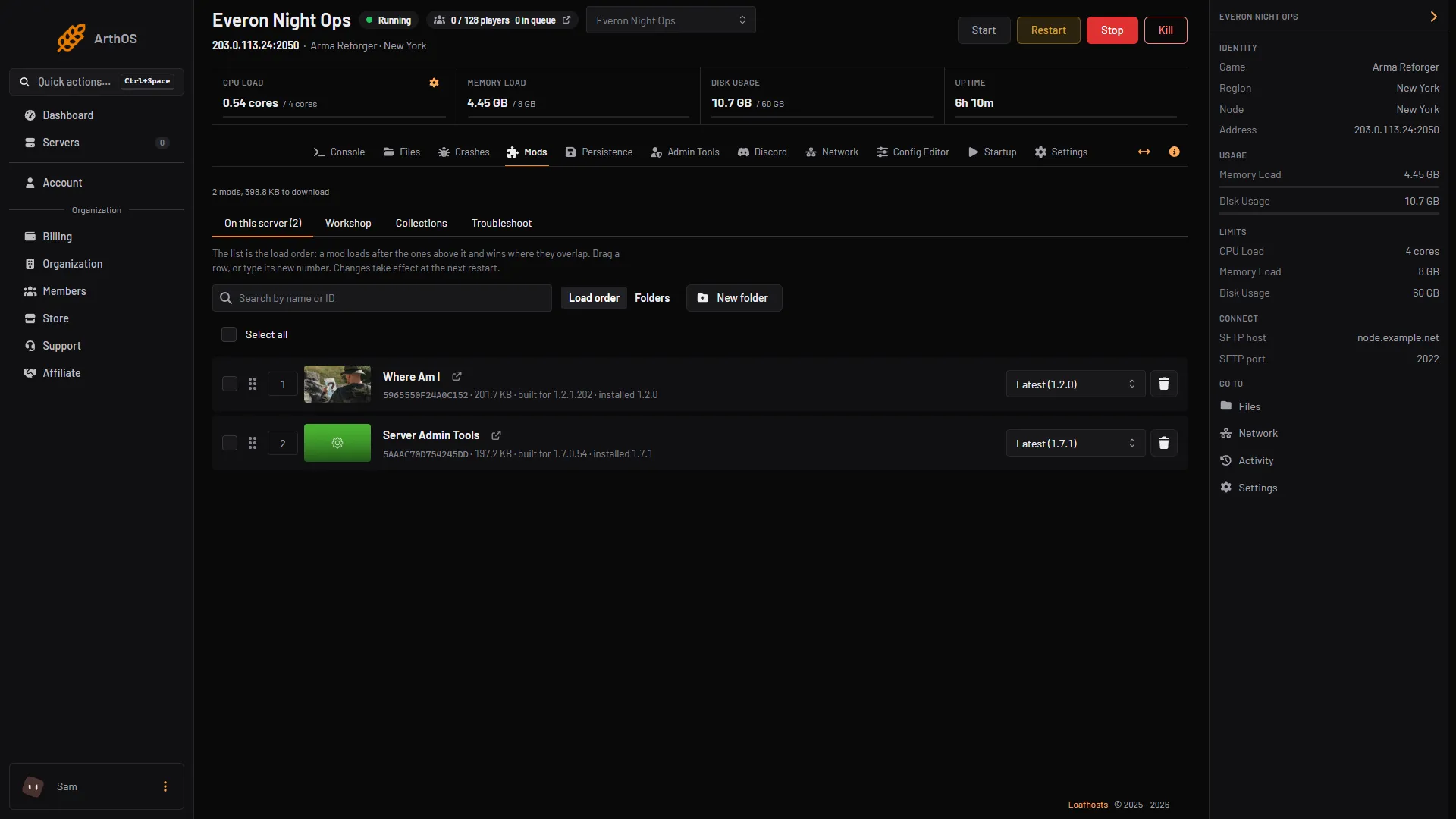
- On this server tab
- A mod row
- Kept last chip
Open On this server (1). A kept row (2) shows the chip Kept first or Kept last (3). Its drag handle is replaced by an arrow icon, and its number box cannot be edited. It cannot be dragged.
How keeping works
- The panel keeps the choice itself, not in
config.json. - Every time the panel writes the list, the mods kept first go to the top and the mods kept last go to the bottom. The rest stay between them in their own order. A mod you add later goes at the end, above any mod kept last.
- If two mods are kept last, each group stays in the order it had. Other mods cannot be moved below a mod kept last, and kept mods are left out of Move in load order.
- Adding, removing, dragging, importing, using a collection and the troubleshoot fix all follow this.
- Keeping a mod belongs to the server, not to one person and not to one config instance.
- If you edit
config.jsonby hand, the panel does not re-sort it until the next time the panel writes the list.
Let a mod move again
- Open the More for (mod name) menu on the kept row.
- Choose Stop keeping it there.
The toast says “(name) stays where it is and moves like any other mod.”
What to know
- A mod you remove from the list stops being kept.
- A mod you disable keeps its end for when you enable it again. You cannot choose Keep first or Keep last on a disabled mod.
- Keep first is greyed out when the mod is already kept first, and Keep last when it is already kept last.
- Only the very top and the very bottom can be kept. Anything between them you place yourself, by dragging or typing its number. For an example of a mod that must sit near the end, see the thermal profile fix.
- For the rest of ordering, see presets and folders.
If it does not work
- No More menu. Your role may not edit the server’s files.
- “config.json is not valid JSON; fix it in the file editor first”. The file has a mistake. Fix it in Files, then try again.
- “the server is starting or stopping; try again once it has finished”. Wait and try again.
- “that mod is not on this server”. Reload the page. Someone may have removed it.
- The order did not change in the game. Restart the server. A running game keeps its old order.