












Change the name in the Config Editor, under Server settings, in the Server name box. It can be up to 64 characters. The Description box takes up to 128. The new name shows in the game after the next start.
Change the name
- Open your server and choose Config Editor.
- Open Server settings.
- In Server name (1), type the new name.
- In Description (2), type a short line about your server if you want one.
- Choose Save (3).
- Restart the server.
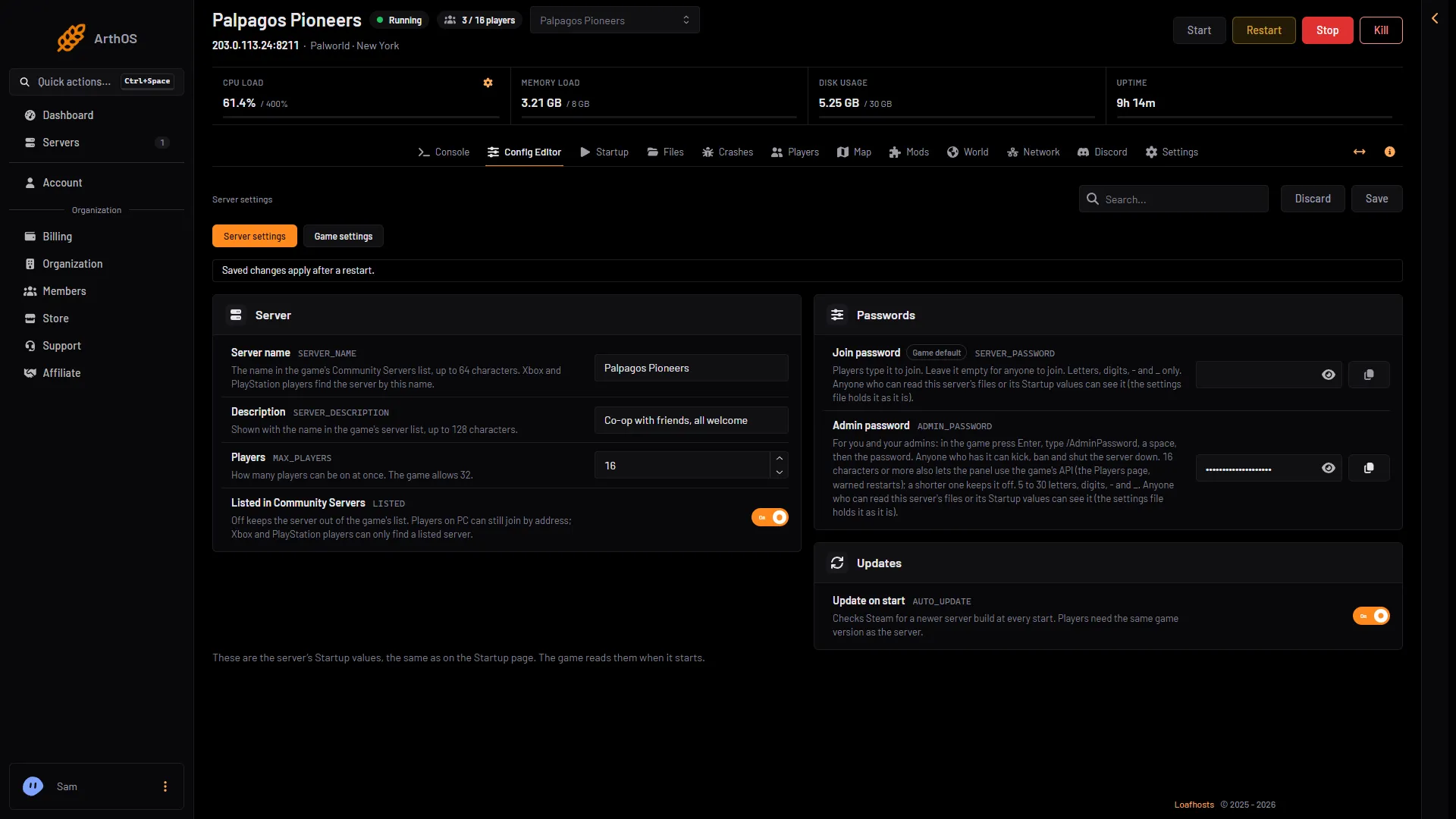
- Type the new name
- Add a description
- Save
The Startup page has the same two values, Server name and Server description. Both pages change the same setting. Use whichever you like.
A new server is named “Hosted By Loafhosts.com”. It stays that until you change it.
What the name does
Community Servers is the list of servers inside the game. It shows the name and the description. Players on Xbox and PlayStation 5 can only join a server from that list, so they find yours by this name. Players on PC can also join by address, which does not use the name.
For consoles to see the server, Listed in Community Servers must be on. It is in the same Server settings card. See Palworld Community Servers.
Choose a name that is easy to type and different from other servers. A name like “Server” is hard to find in a long list.
When it applies
The name and description apply at the next start. If the server is running, the editor shows “Saved. Restart the server to apply the changes.” with Restart now. Restart it to apply the change. See restart a Palworld server.
Not the same as the panel name
In the panel, Settings has a Rename Server card (1). It holds the panel’s own name for the server and a Description. Both are only for you and your team. Players never see them, and they do not change what Community Servers shows.
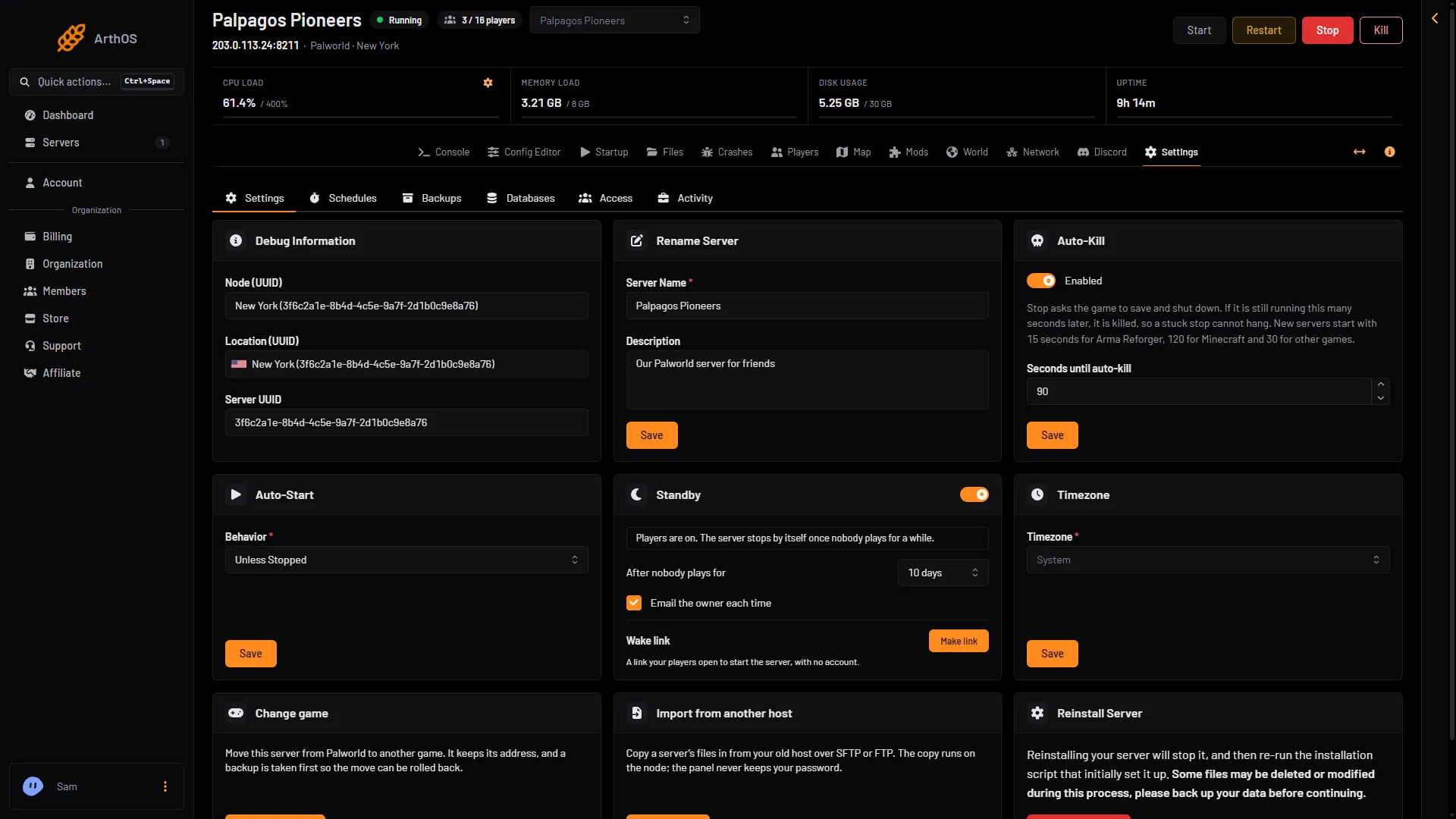
- Panel name only
If it does not work
- The old name still shows. The server has not restarted since you saved. Restart it.
- The server is not in the list. Check that Listed in Community Servers is on. See Palworld server not showing.
- The panel refuses the name. It is longer than 64 characters. The description limit is 128.
More about the game: Palworld servers.
Sources: docs.palworldgame.com: Configuration, docs.palworldgame.com: About server