












A community server is a Palworld dedicated server that appears in the game’s own server list. Pocketpair says it is the same as a dedicated server, except for whether it shows in that list. A new Loafhosts server is a community server from the start.
Why it matters
Xbox and PlayStation 5 players can only join a community server. They cannot type an address. They find the server by name under Community Servers. If your server is not listed, no console player can join it.
PC and Mac players can join either kind. A listed server shows in the list. An unlisted one can still be joined by typing its address.
What players see
Players see the Server name and the Description. A new server is named “Hosted By Loafhosts.com”. Change it so your friends can find it: the name is also what console players search for. The name is Server name in the Config Editor. The Rename Server card in Settings holds only the panel’s own name, which players do not see.
Turn listing on or off
- Open the Config Editor page.
- Choose Server settings.
- In the card Server, set Listed in Community Servers (3) to On or Off.
- While you are there, set Server name (1), up to 64 characters, and Description (2), up to 128.
- Choose Save (4). Then choose Restart now, or restart the server yourself.
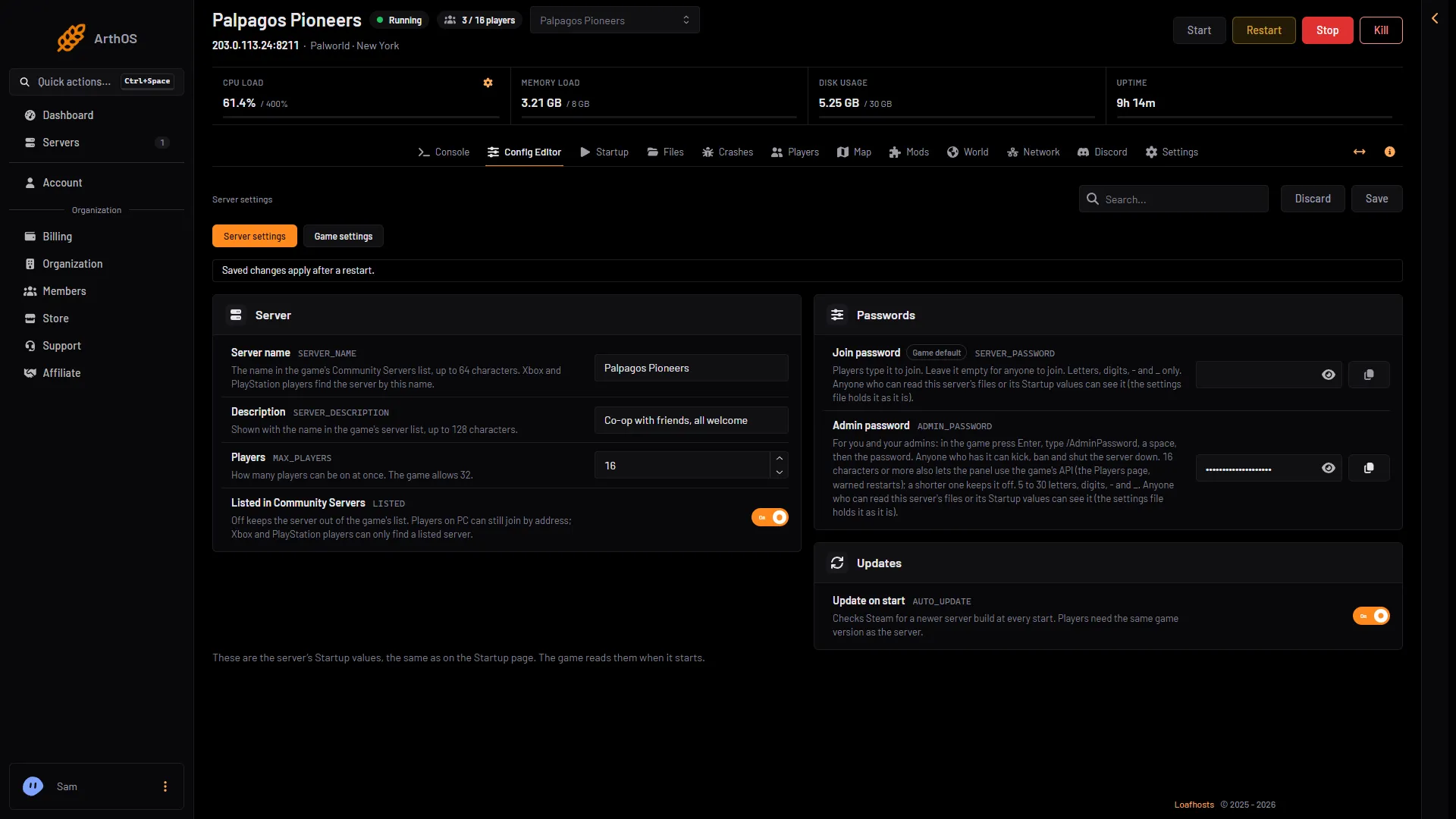
- Server name
- Description
- Listed in Community Servers
- Save
The same values are on the Startup page, under the same names. Changing one changes the other. The game reads them only when it starts, so listing changes apply at the next start.
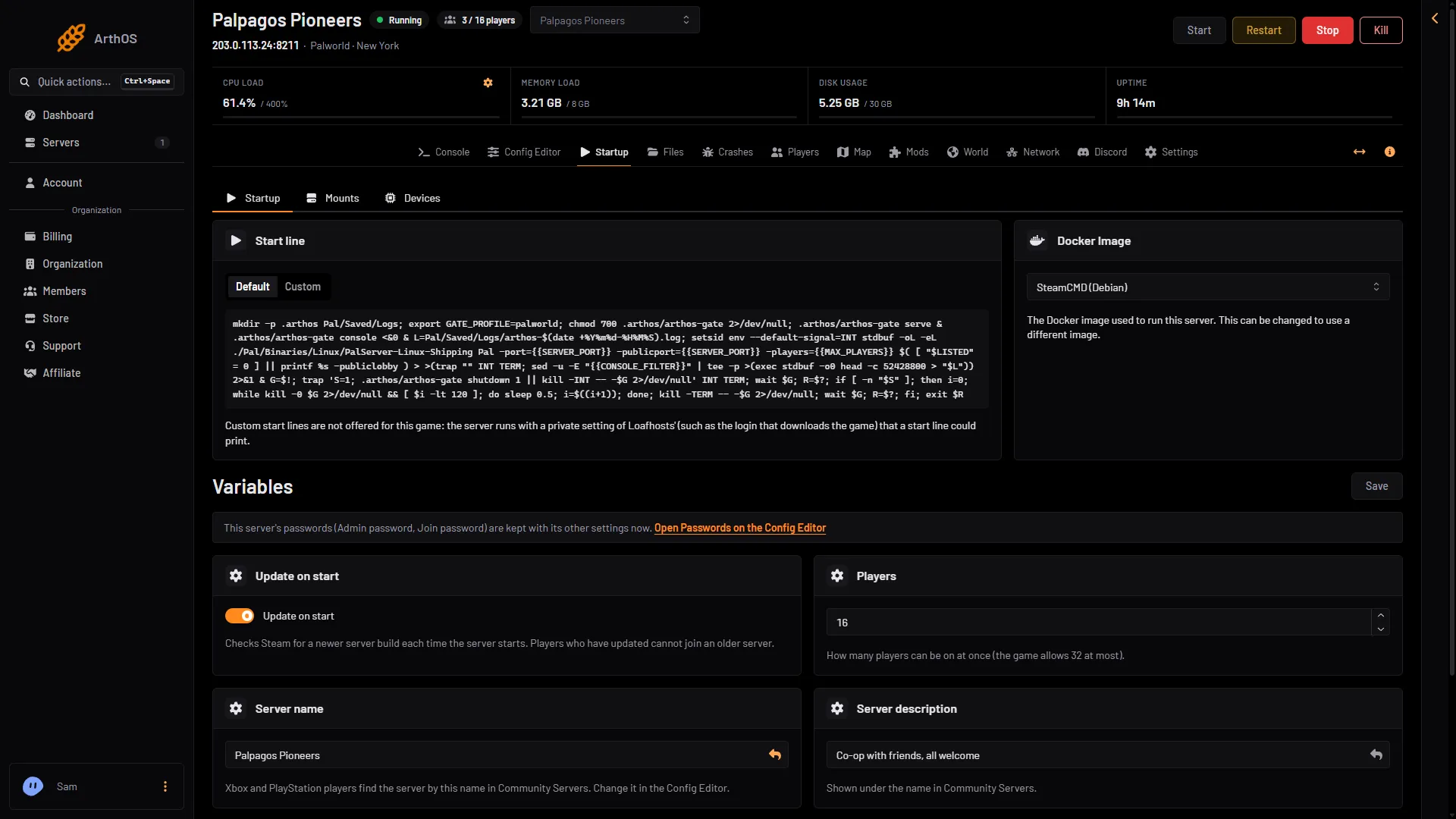
- Server name
The panel tells the game the server’s address for Community Servers by itself. There is nothing to set for it.
Unlisting a server
With Listed in Community Servers off, the server is hidden from the list. PC players can still join by the address on the Players page. Xbox and PlayStation players cannot find it, so a server with console players should stay listed.
The Joining card on the Players page tells you which case you are in. It says “It is not listed, so Xbox and PlayStation players cannot find it.” when the server is unlisted.
If you want only chosen people to join a listed server, use a join password or the whitelist. See set a server password. Not checked on 1.0.5 as of 4 November 2026: whether Xbox and PlayStation 5 players can type a join password. Test with one console friend before you rely on it. The whitelist works for a console player only after they have joined once: see Palworld whitelist.
For servers hosted elsewhere
Pocketpair’s way to make a dedicated server a community server is the start option -publiclobby. On Loafhosts you do not add it: the panel does it for you when the box is on.
If it does not work
- The server is not in the list. Check that Listed in Community Servers is On, then restart.
- A console player sees the wrong server. Many servers may have similar names. Give yours a name that is easy to spot.
- The version differs. Players must run the same Palworld version as the server.
How to join from each platform: connect to a Palworld server.
Sources: docs.palworldgame.com: About server, docs.palworldgame.com: Deploy community server, docs.palworldgame.com: Connect server